Hobby build — 2025 – 2026
Gesture Music: an instrument you play with hand signs
A webcam watches both of my hands. The shape each hand makes picks a note, a chord or a drum, how fast I make it sets how loud it plays, and moving the hand bends the sound. Everything can be looped, saved as MIDI or scored in a rhythm game.
- Points tracked per hand
- 21
- Signs per hand
- 8
- Built-in instruments
- 10
- Drum kit pieces
- 12
- Lines of Python, 18 modules
- ≈ 6,000
01 — The story
A webcam that listens to your hands
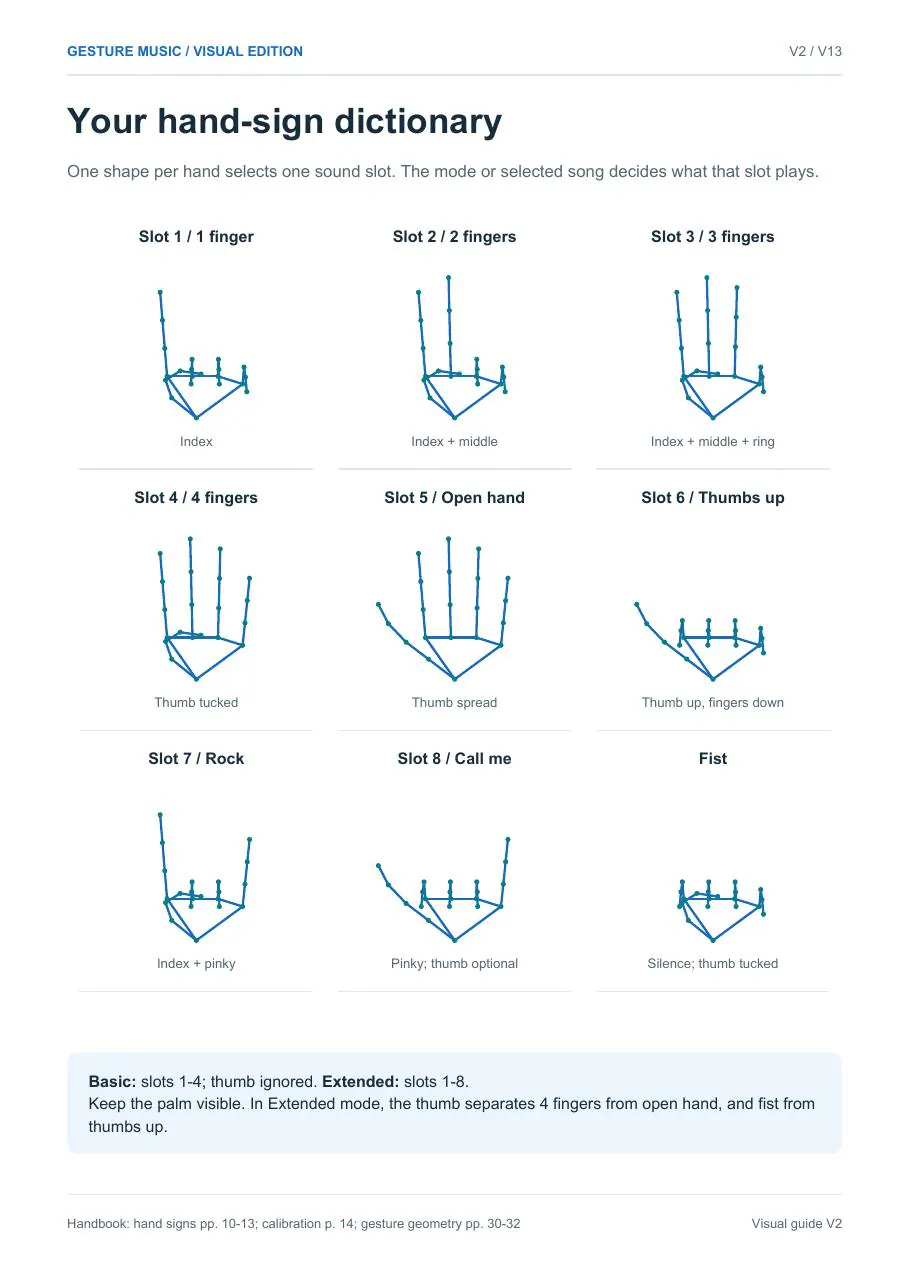
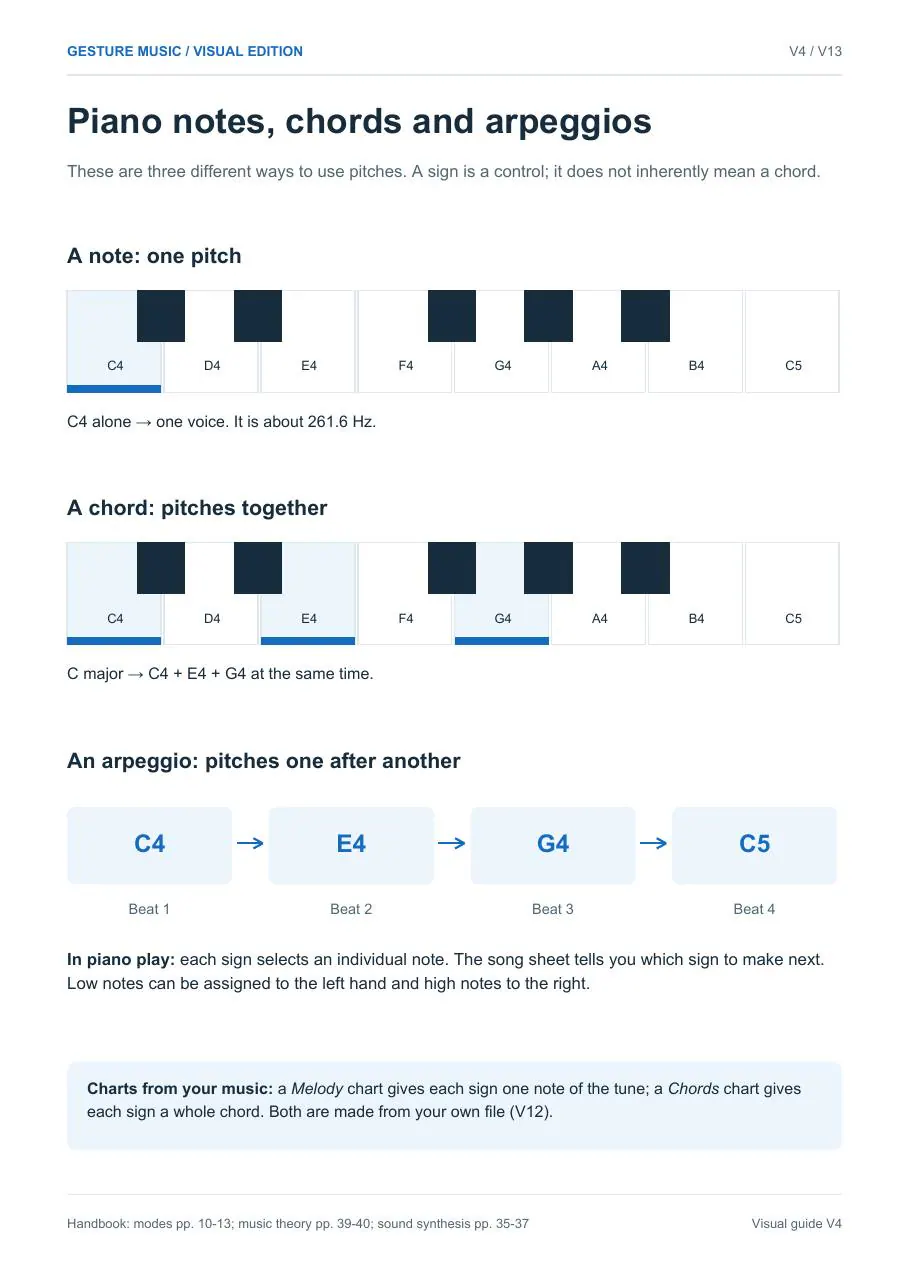
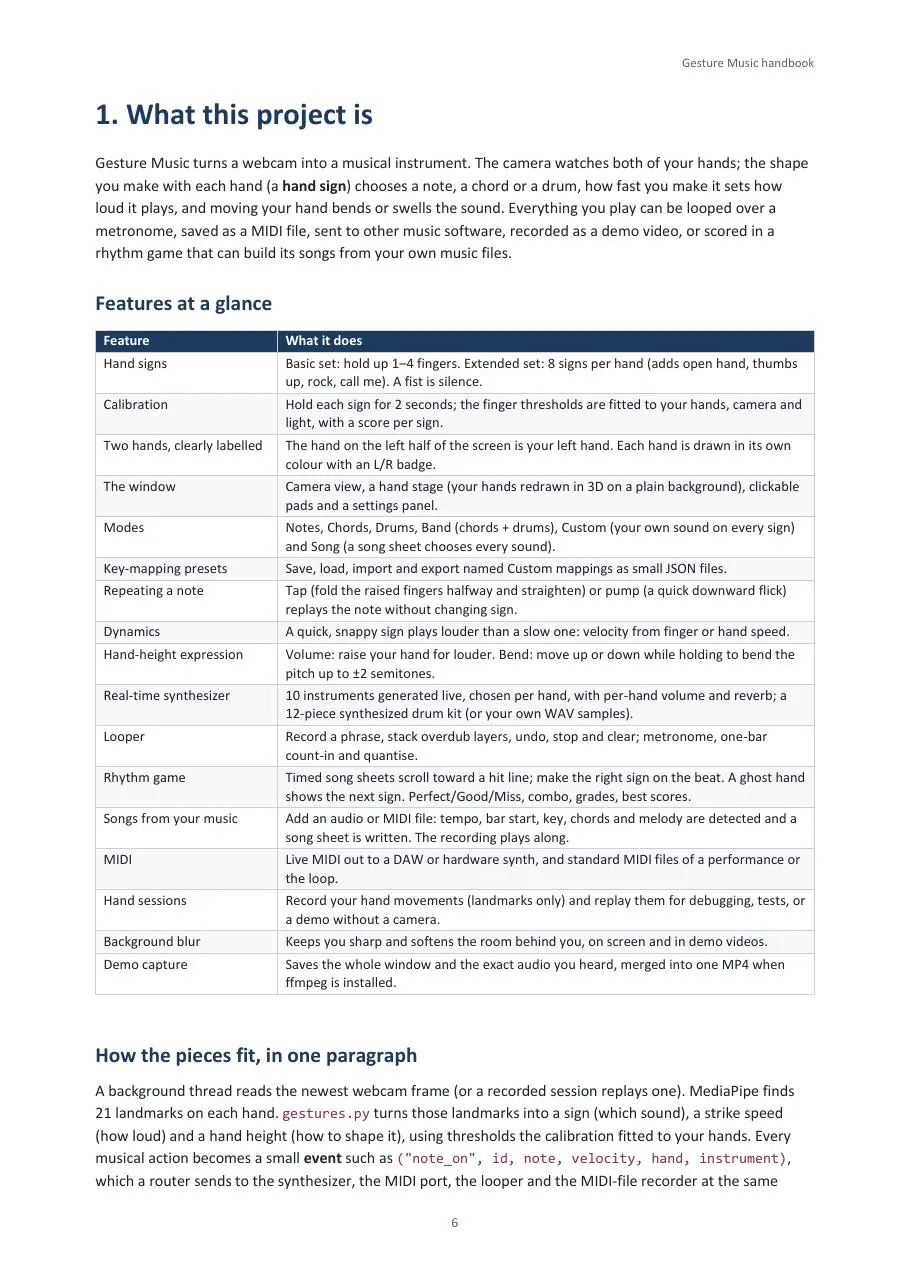
Gesture Music turns an ordinary webcam into a musical instrument. Hold up one finger and it plays a note; hold up two and it plays the next one. A closed fist is silence. With the extended set, each hand has eight signs, a full octave on one hand.
Over time it grew into a small music studio: chords and drums for two hands, a looper with overdubs, live MIDI into music software, a rhythm game that writes its charts from your own songs, and a calibration wizard that learns how your fingers bend.
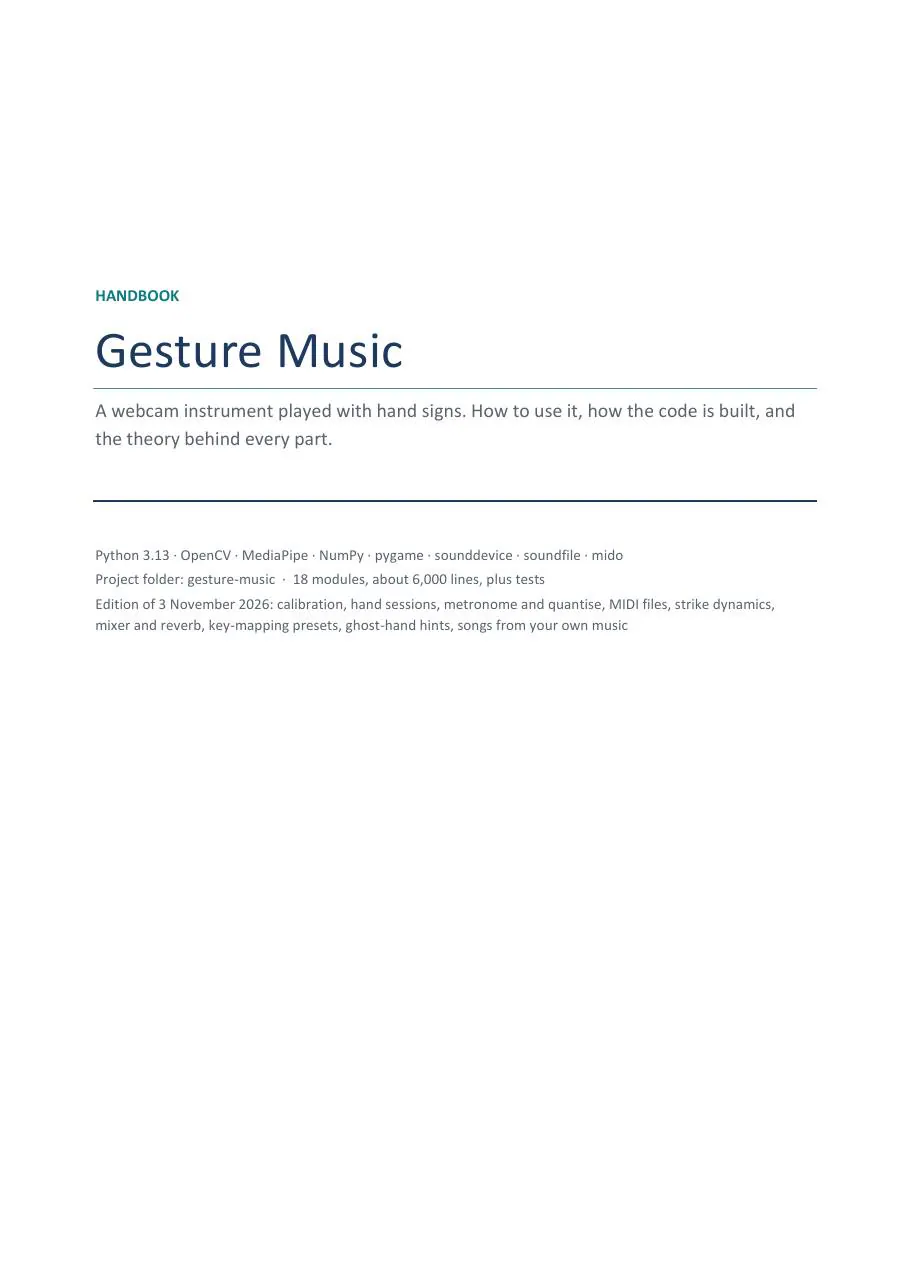
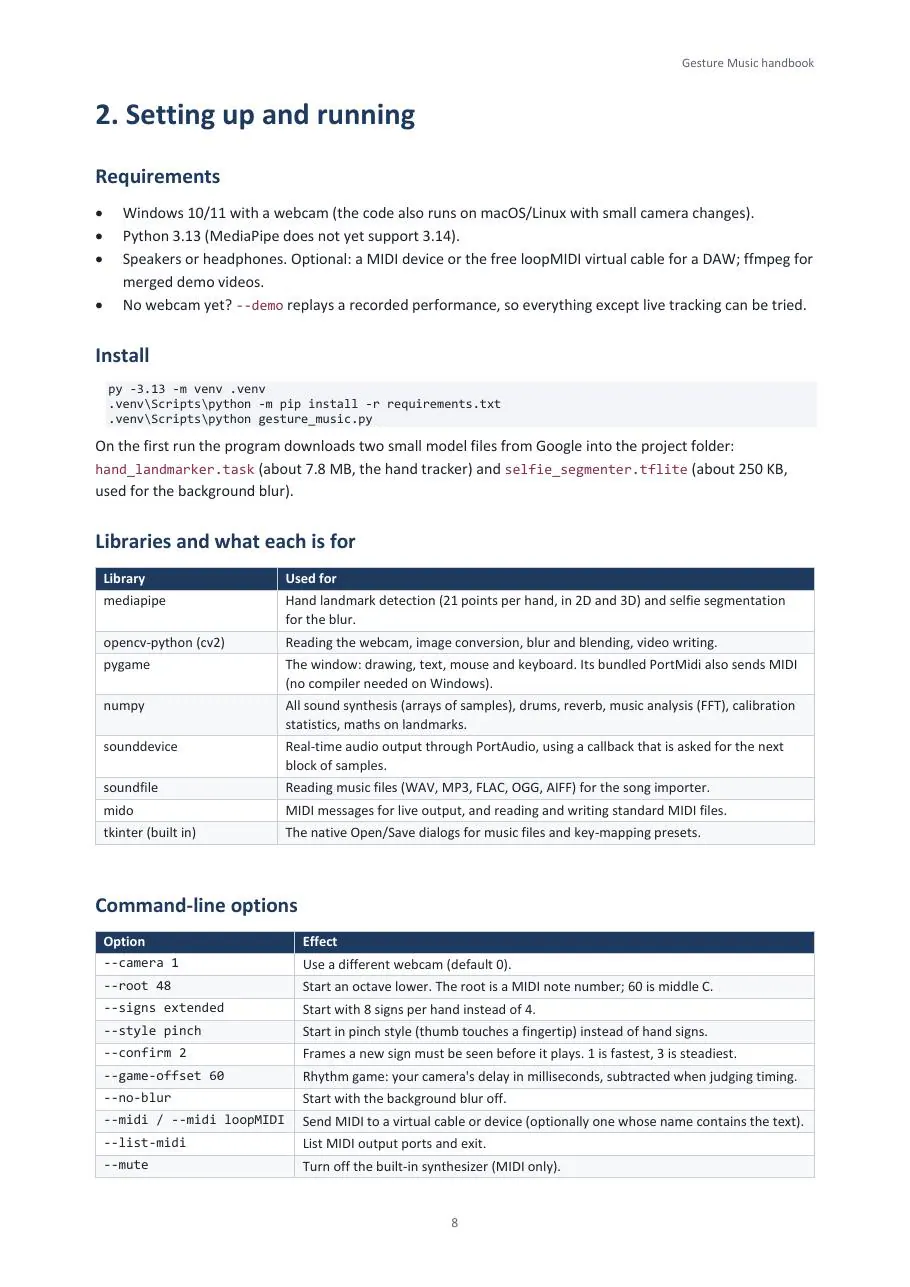
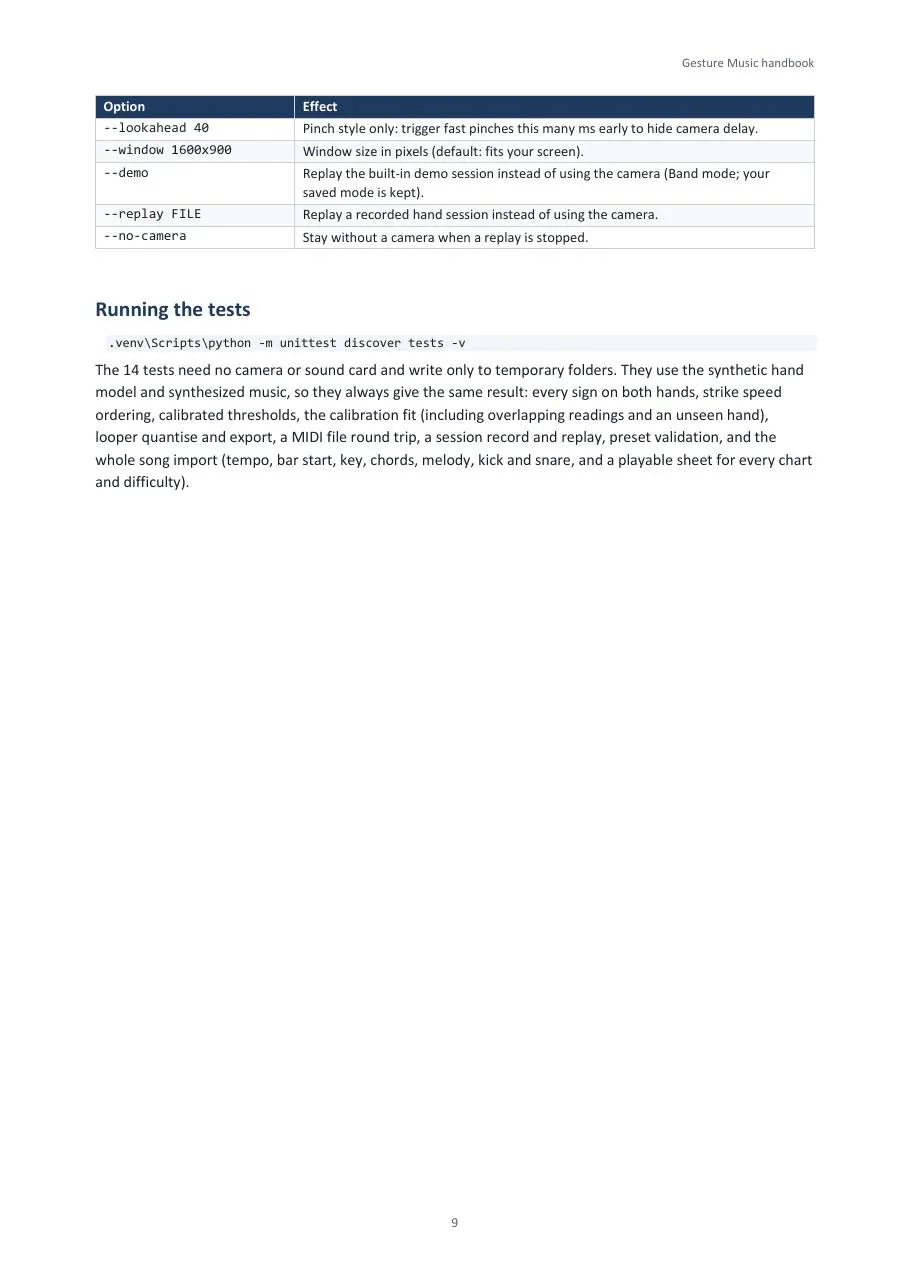
I also wrote a 61-page handbook that explains how to play it, how the code is built and the music and maths behind every part. It is at the end of this page.
Credit where it’s due
 by

The hand tracking is Google’s MediaPipe: its Hand Landmarker finds 21 points on each hand in every frame, and its Selfie Segmenter separates me from the room. Everything after that (reading the signs, the sound, the looper, the game) is my own code, released under the MIT licence.
All credits and sources ↓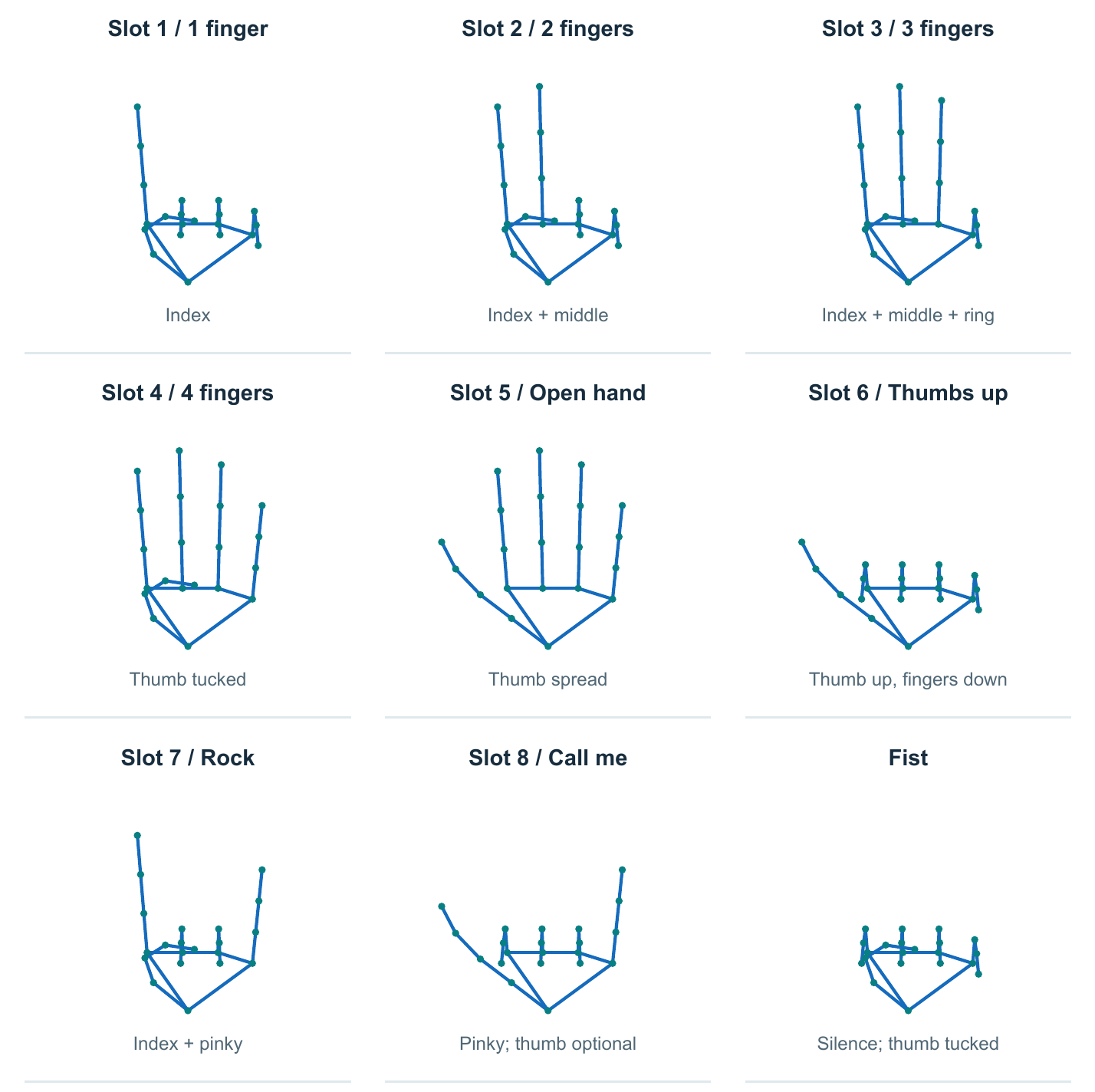
02 — Timeline
From four fingers to a small studio
- 2025
The start
Four fingers, four notes
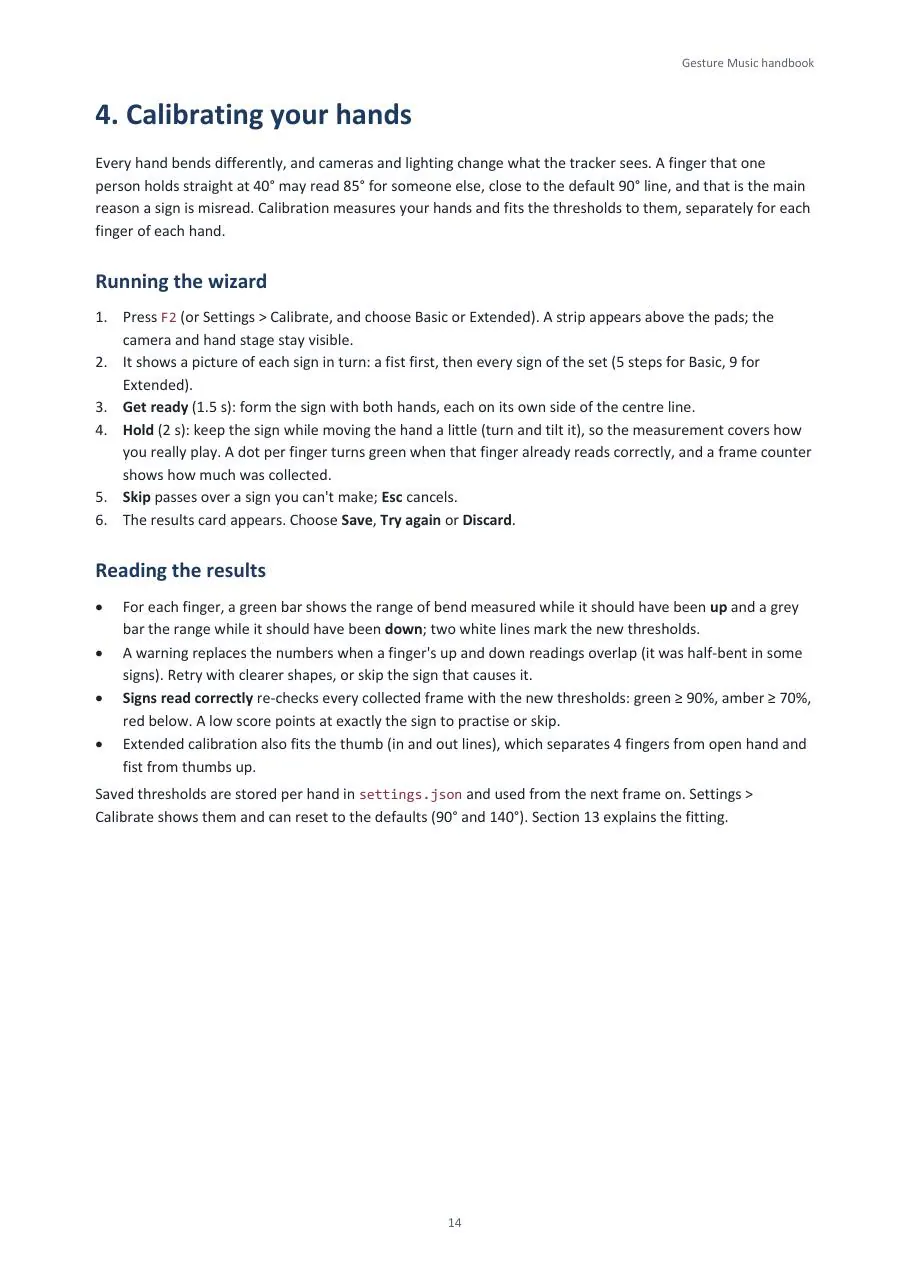
MediaPipe gives 21 points on each hand. From the angles of each finger the code works out which fingers are up, and 1 to 4 raised fingers pick four notes. A fist means silence. This basic set is still the heart of the instrument.
- Then
Two hands, one band
Notes, chords and drums
Modes for Notes, Chords, Drums and Band, so the left hand can drum while the right plays chords. A real-time synthesizer with 10 instruments and a 12-piece drum kit, the extended set of 8 signs, repeats by tapping or pumping, and hand height for volume or pitch bend.
AN EARLIER WINDOW IN BAND MODE: DRUMS ON THE LEFT HAND, CHORDS ON THE RIGHT, A VOLUME BAR FOR EACH HAND’S HEIGHT. SCREEN RECORDING, SHOWN 2× FASTER. - Then
Record and share
Looper, MIDI and demos
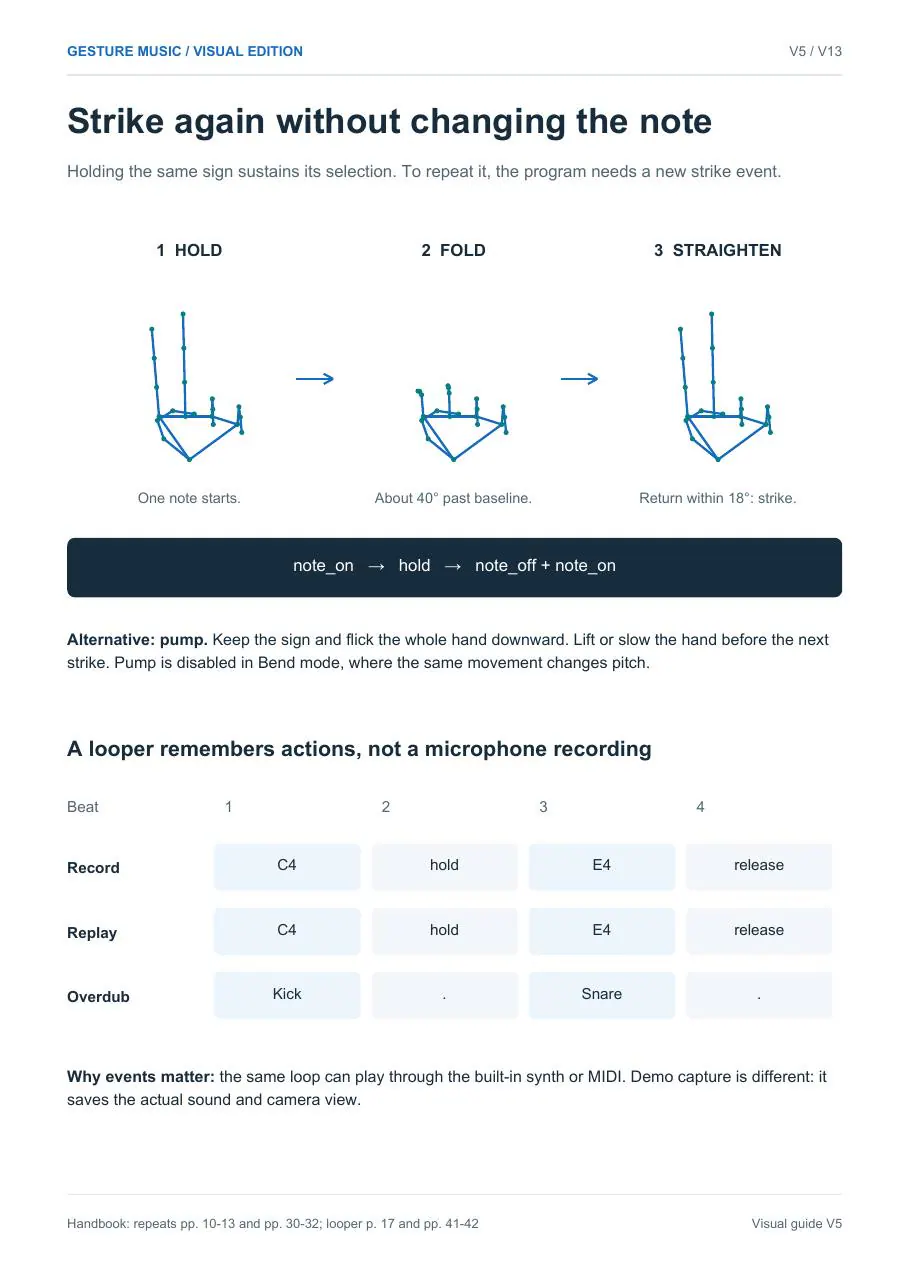
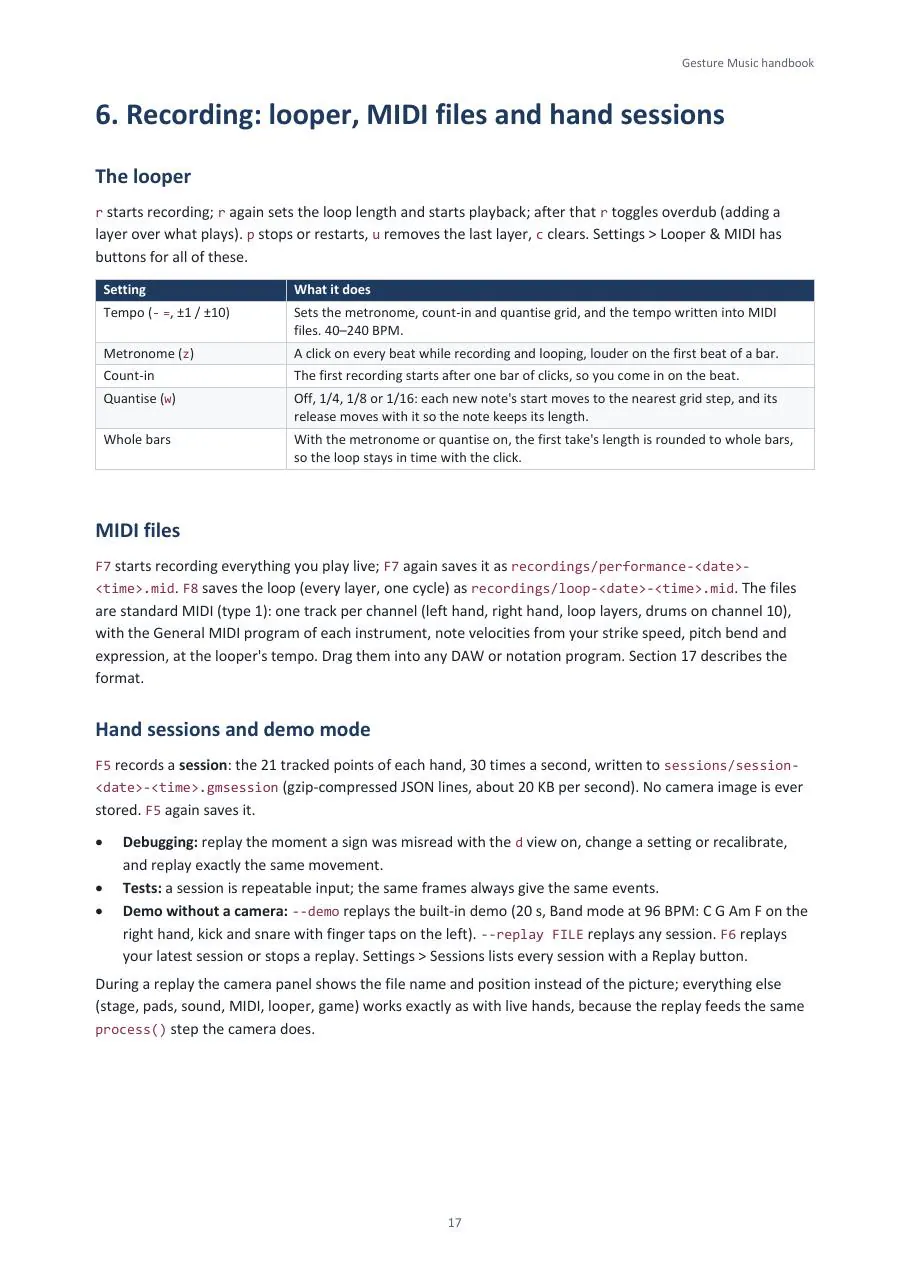
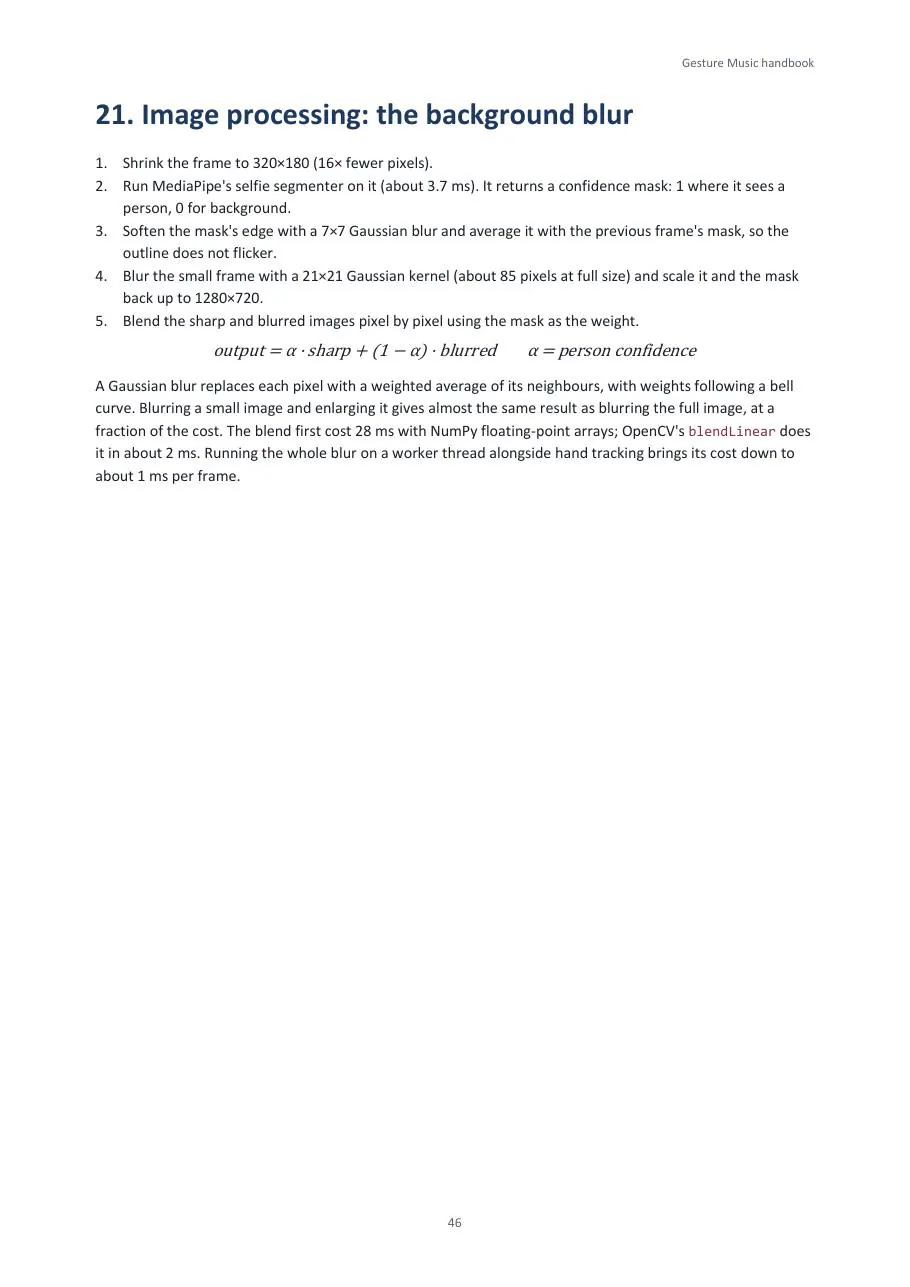
A looper that records actions rather than audio, with overdub layers; live MIDI into music software; demo videos with the exact sound. The background blur went from 35 ms per frame in its first version to about 1 ms, by running alongside hand tracking.
- Then
Play along
A rhythm game
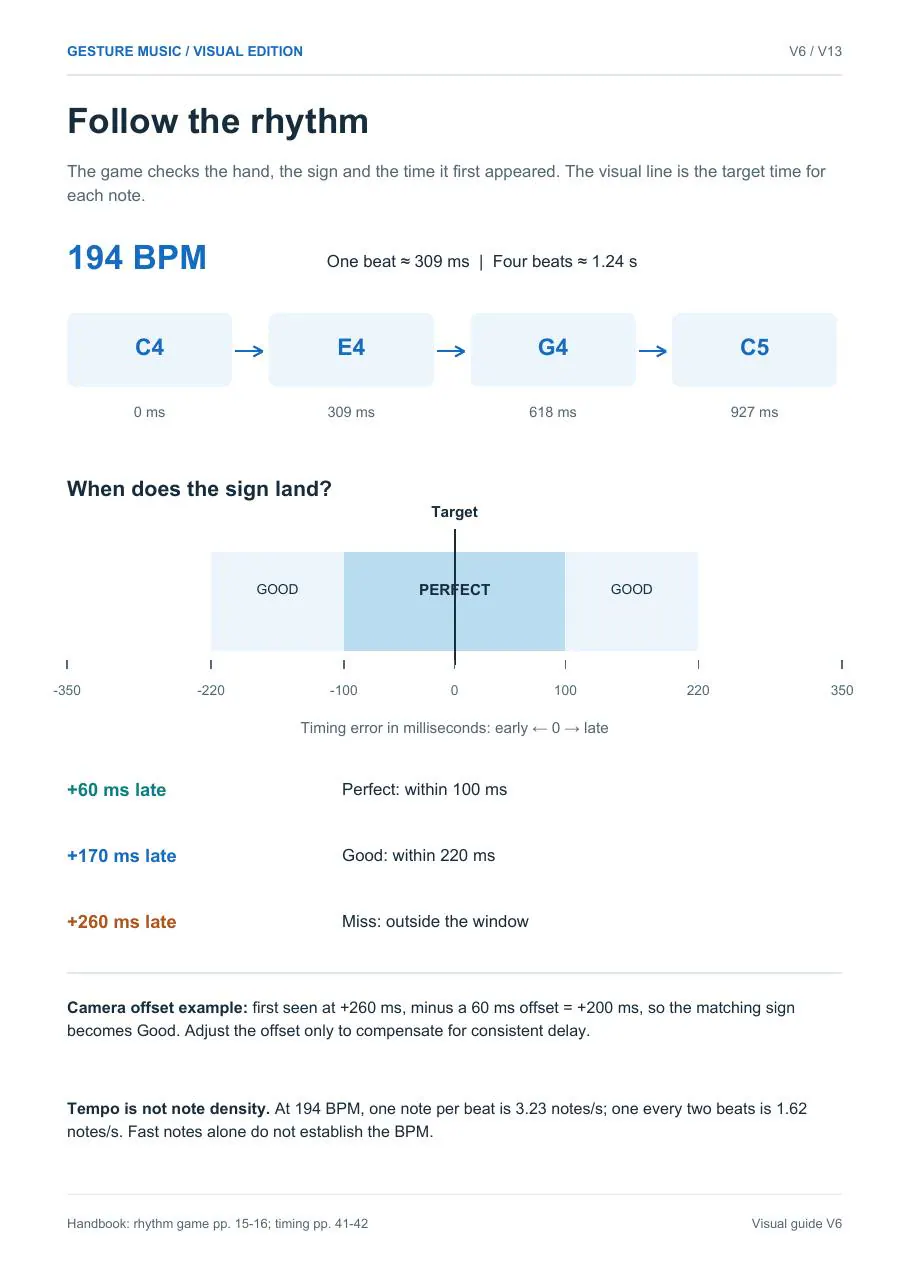
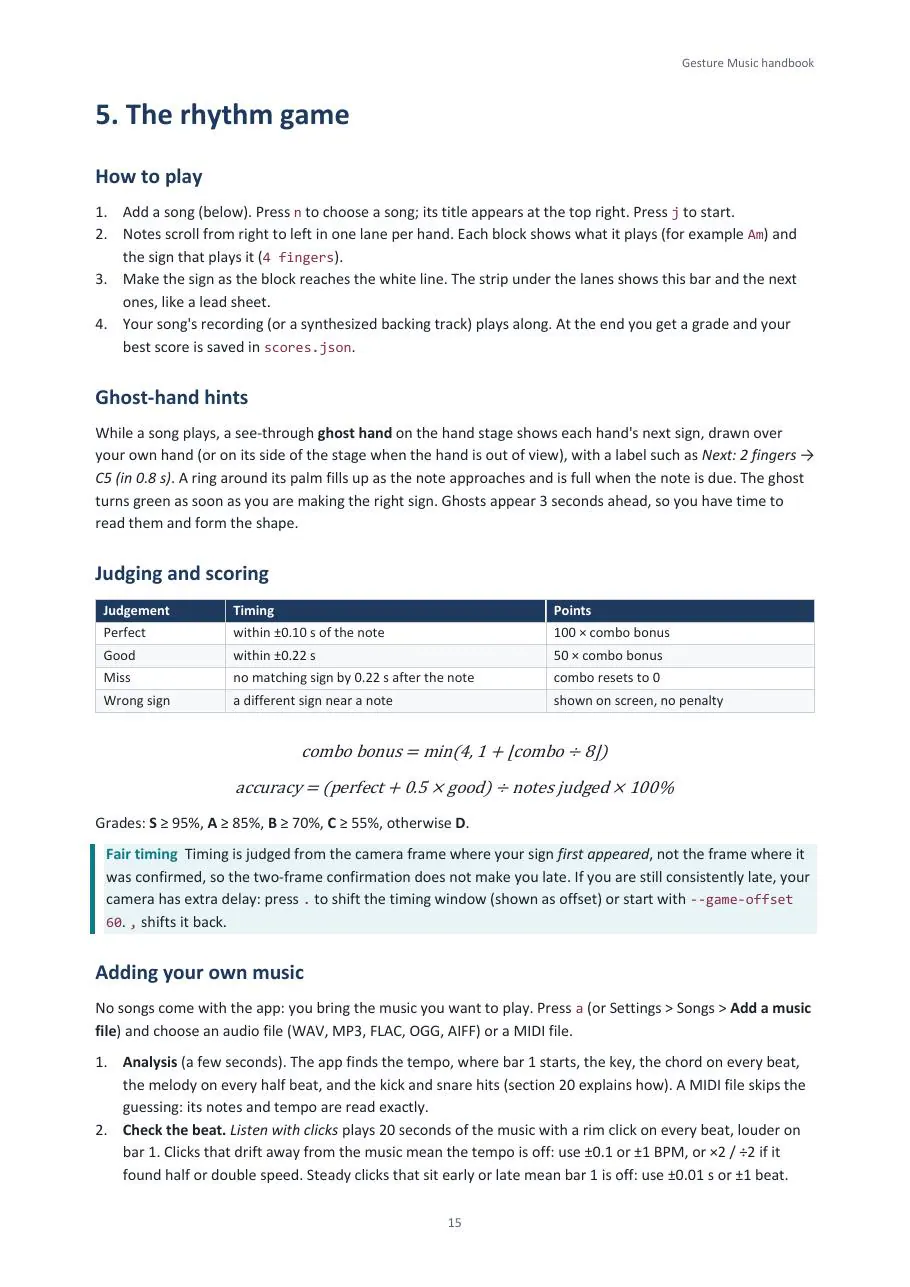
Song sheets scroll toward a hit line, and you make the right sign on the beat: Perfect, Good or Miss, combos, grades and best scores.
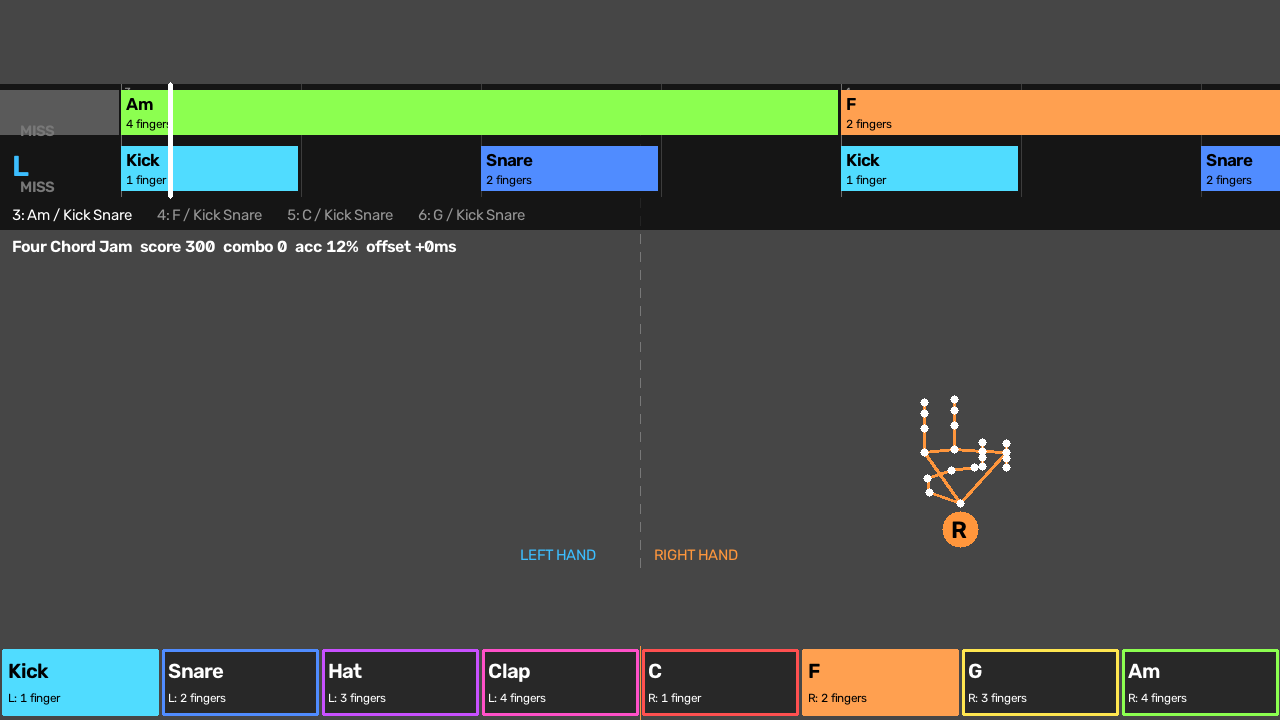
AN EARLY VERSION OF THE GAME, “FOUR CHORD JAM”: CHORD AND DRUM BLOCKS SCROLL TO THE HIT LINE, EACH LABELLED WITH ITS SIGN. - 11 Oct 2026
- 3 Nov 2026
Released, with a handbook
The 3 November edition
The code goes up under the MIT licence with the handbook. This edition adds calibration, hand sessions, a metronome and quantise, MIDI files, strike dynamics, a mixer with reverb, key-mapping presets, ghost-hand hints, and songs made from your own music files.
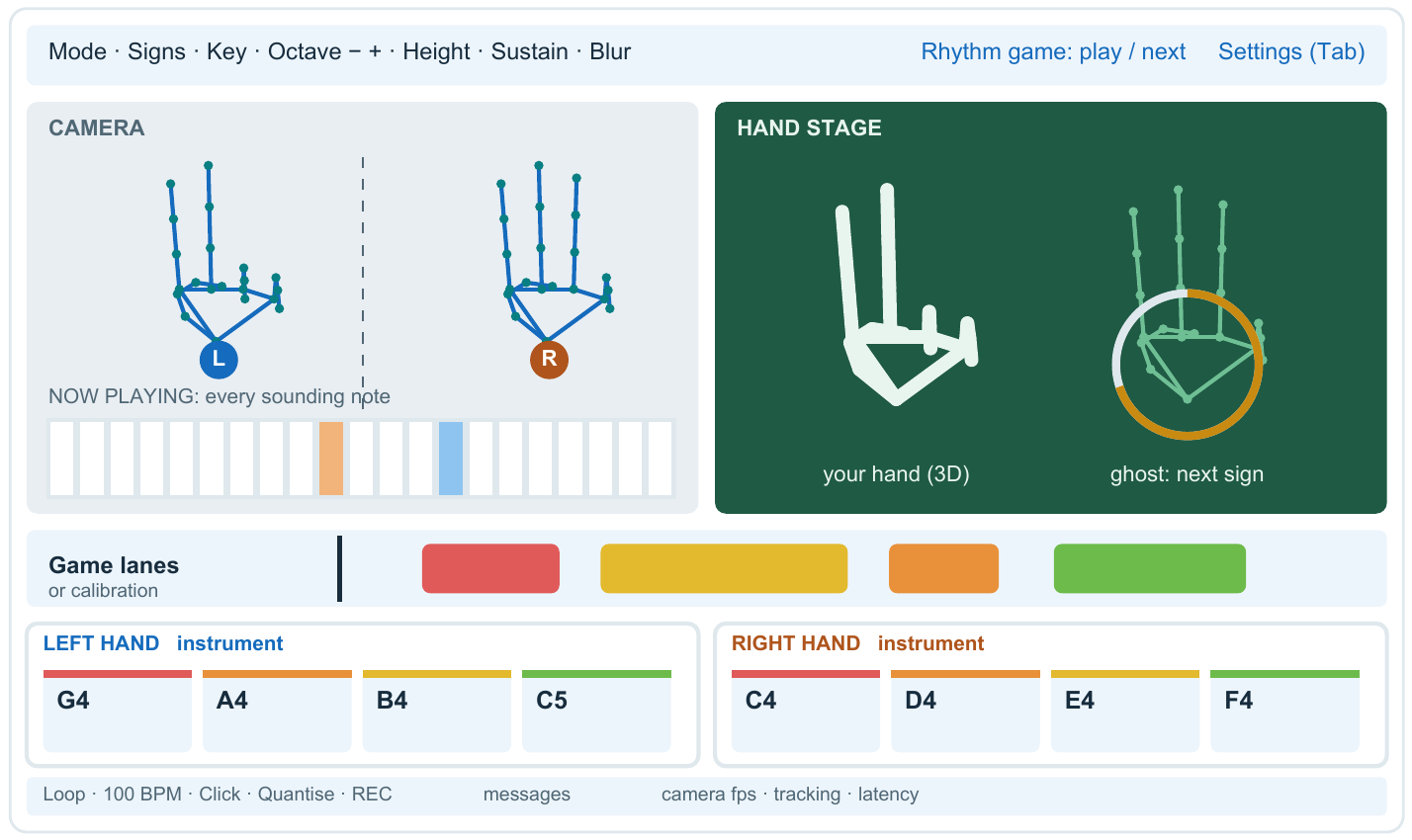
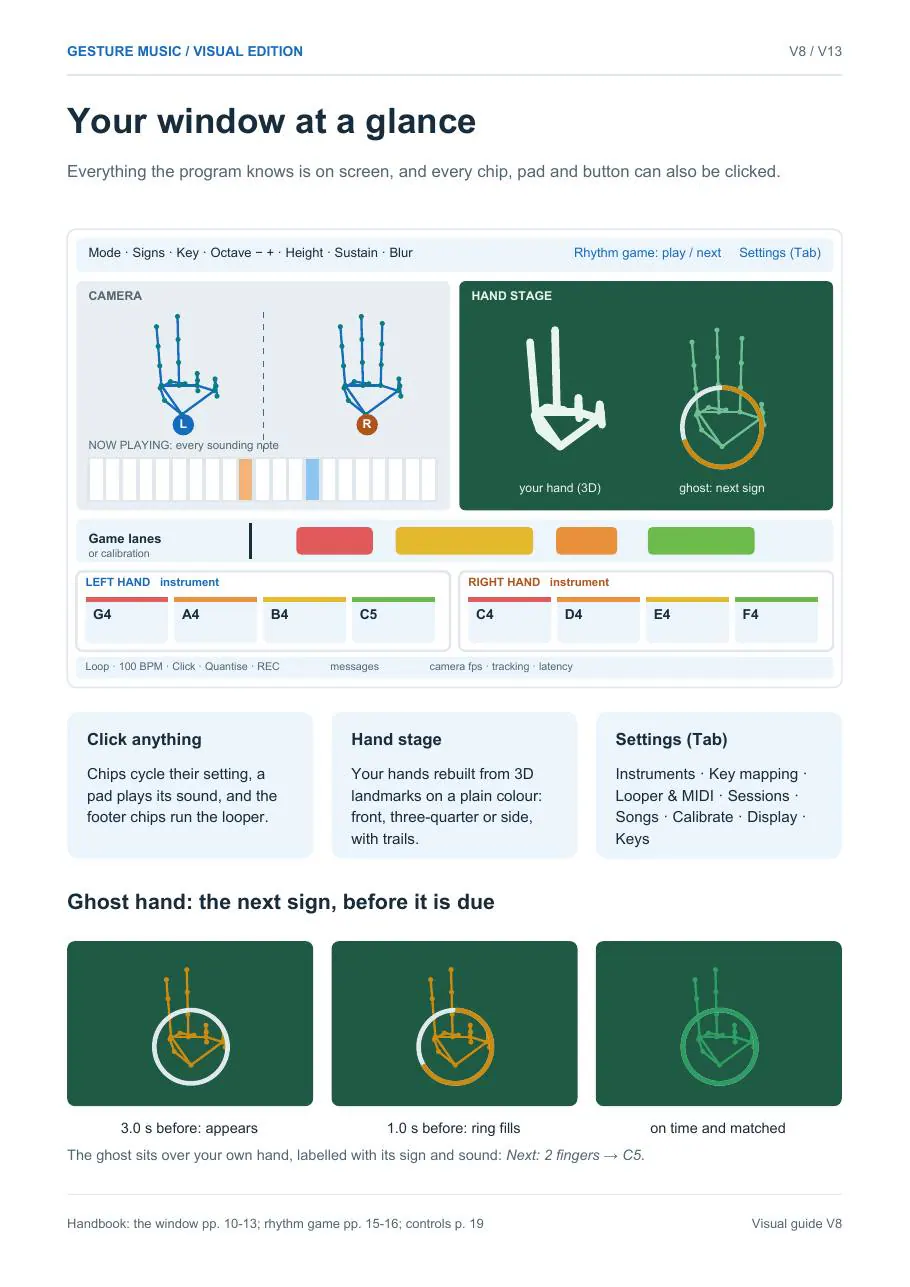
THE REDESIGNED WINDOW OF THIS EDITION: A HAND STAGE, A KEYBOARD OF THE NOTES SOUNDING AND LIVE METERS FOR EVERY FINGER. SCREEN RECORDING.
03 — What it does
Everything your hands can control
Play
Six modes
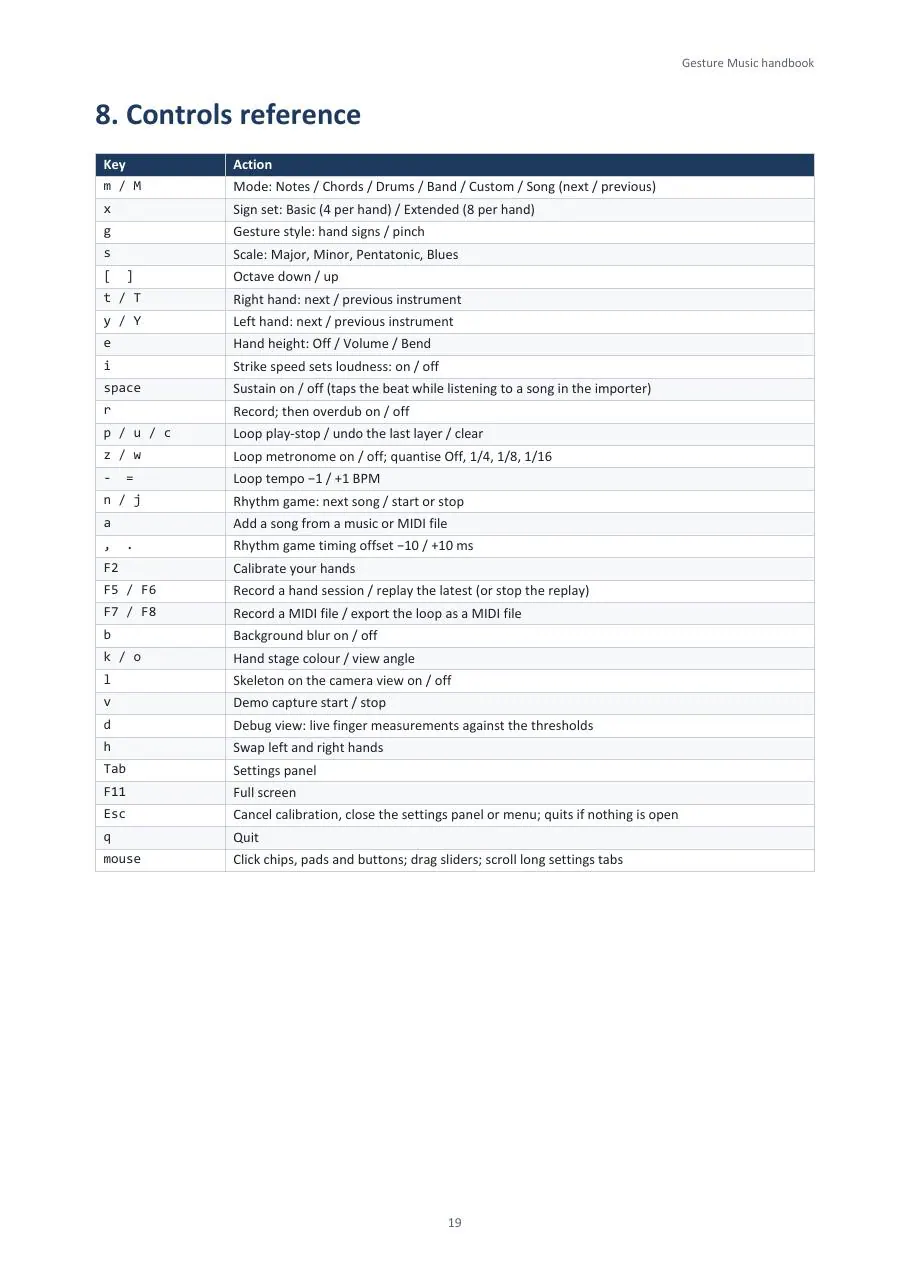
Notes, Chords, Drums, Band, Custom (your own sound on every sign) and Song, where a song sheet chooses every sound.
Shape
Loudness and pitch
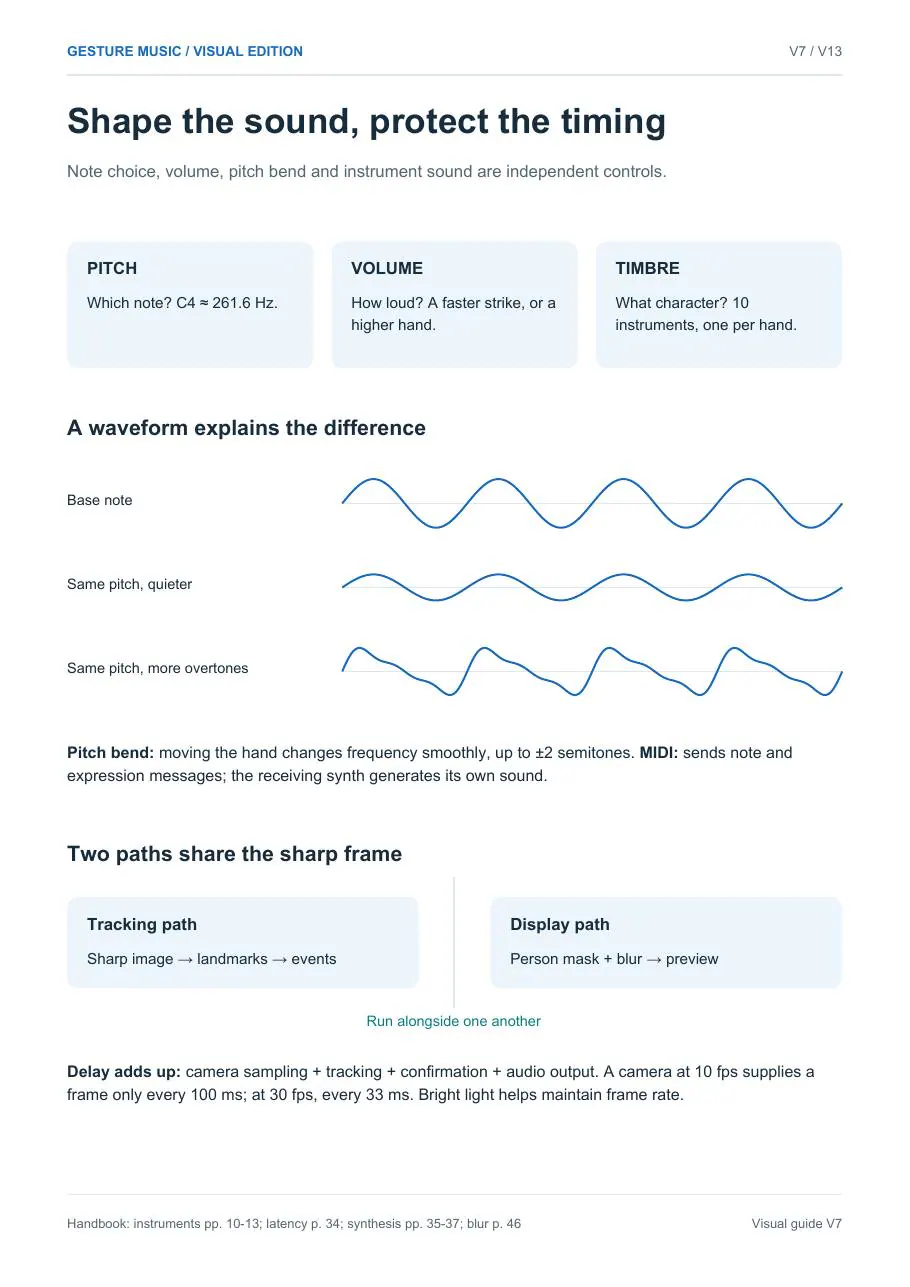
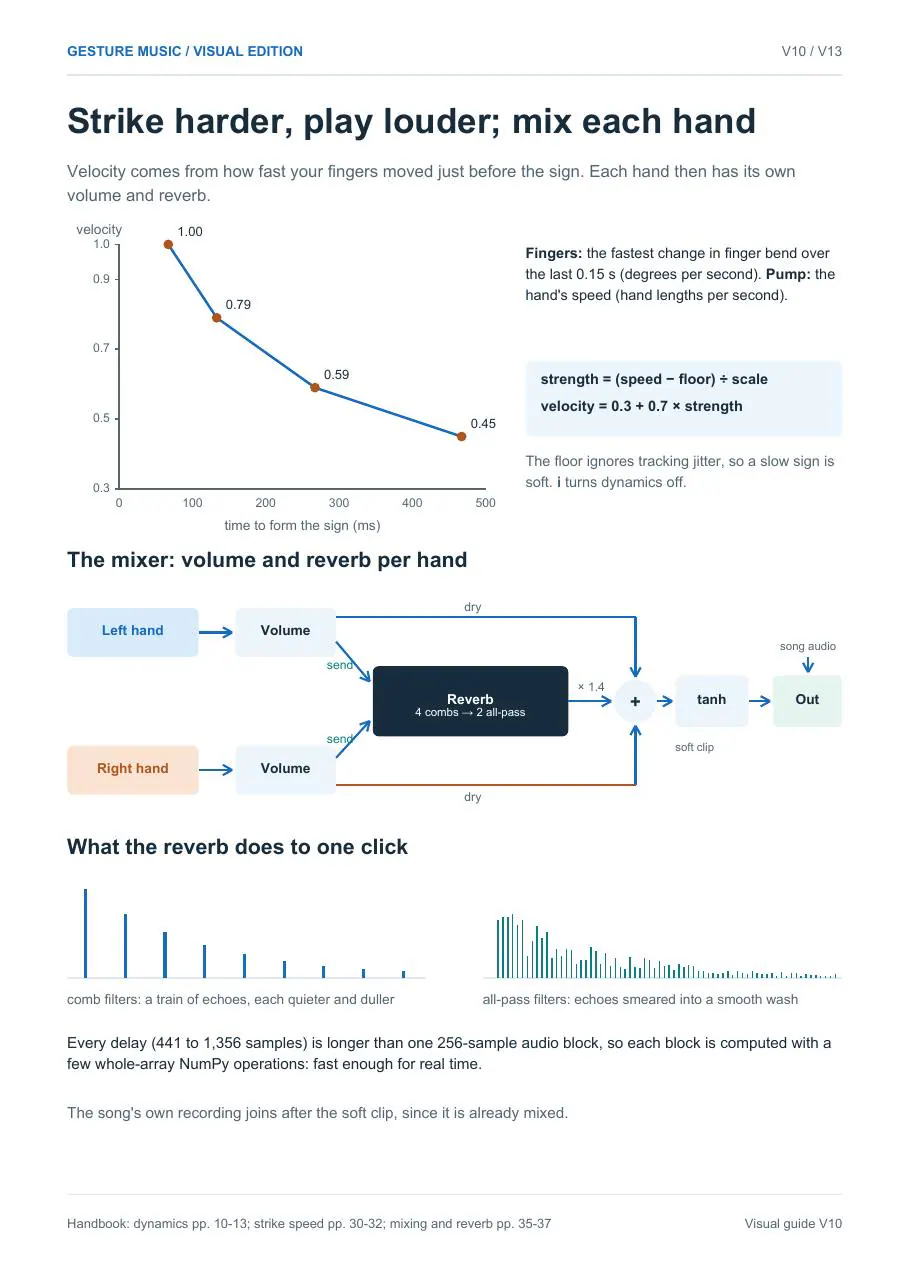
A quick, snappy sign plays louder than a slow one. Raise your hand for volume, or move it while holding a sign to bend the pitch by up to two semitones.
Sound
A synth for each hand
Ten instruments made live from sine waves, from piano to flute, chosen separately for each hand, with its own volume and reverb.
Record
Loop and MIDI
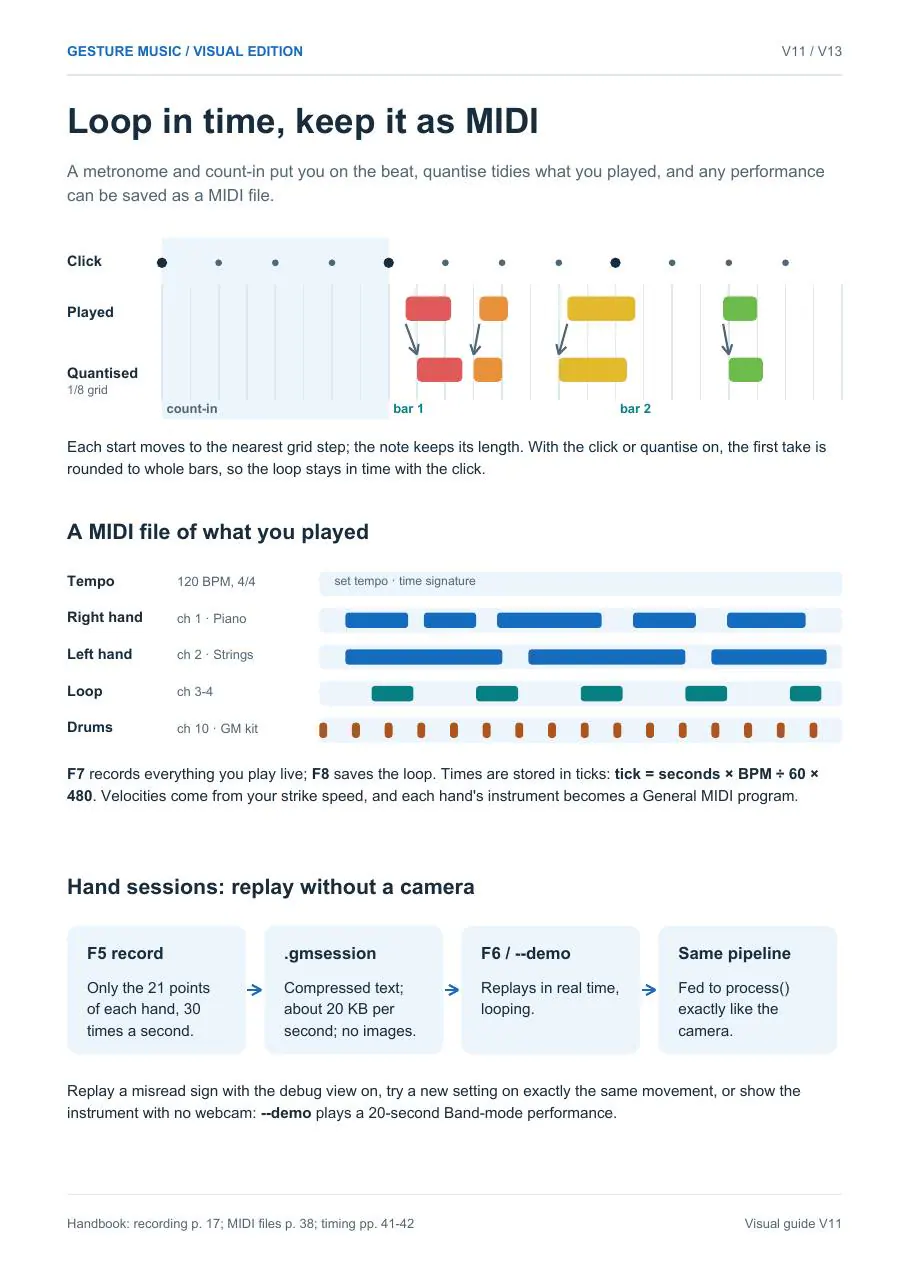
Stack loop layers over a metronome with count-in and quantise. Send everything to a DAW over MIDI, or save it as a MIDI file.
Game
Charts from your music
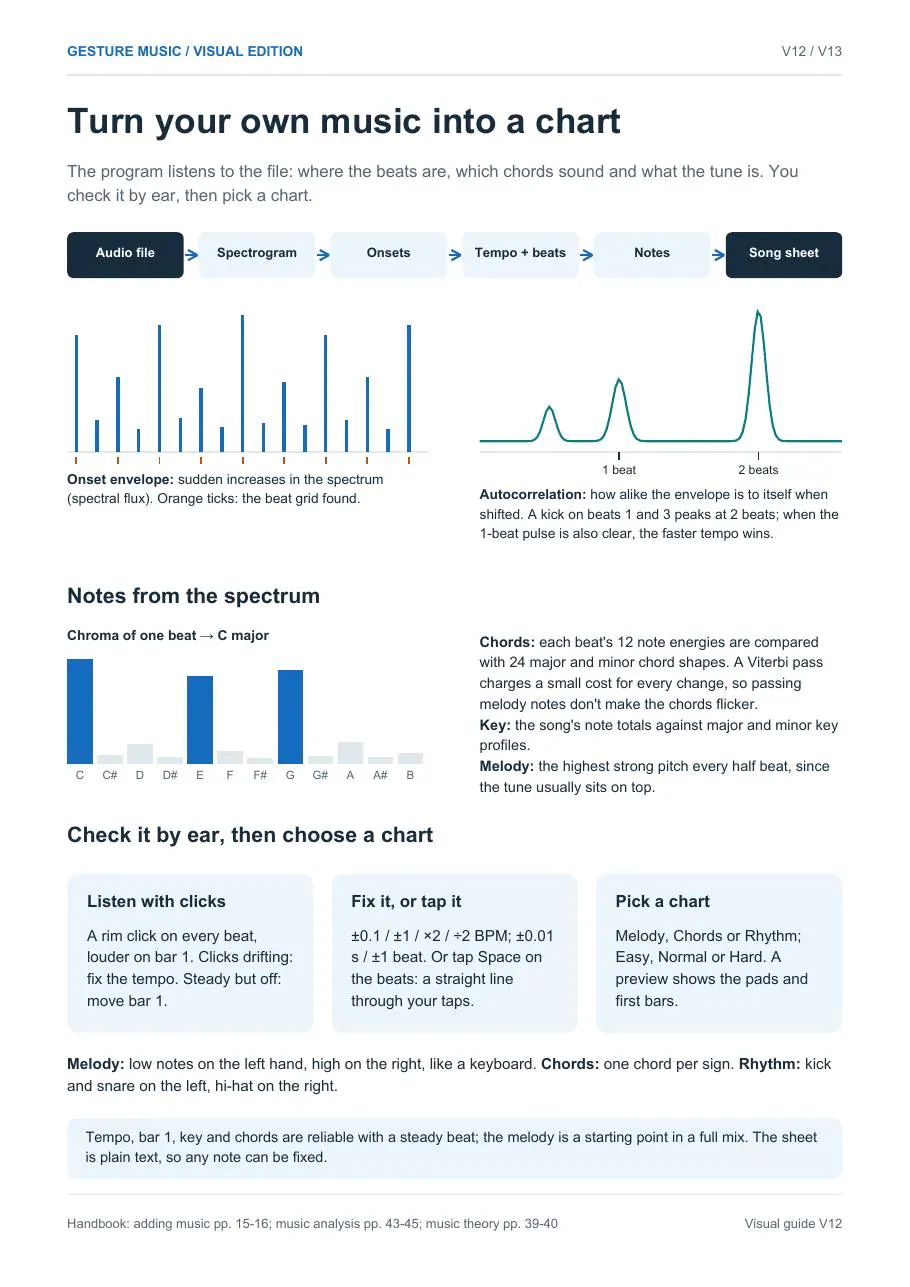
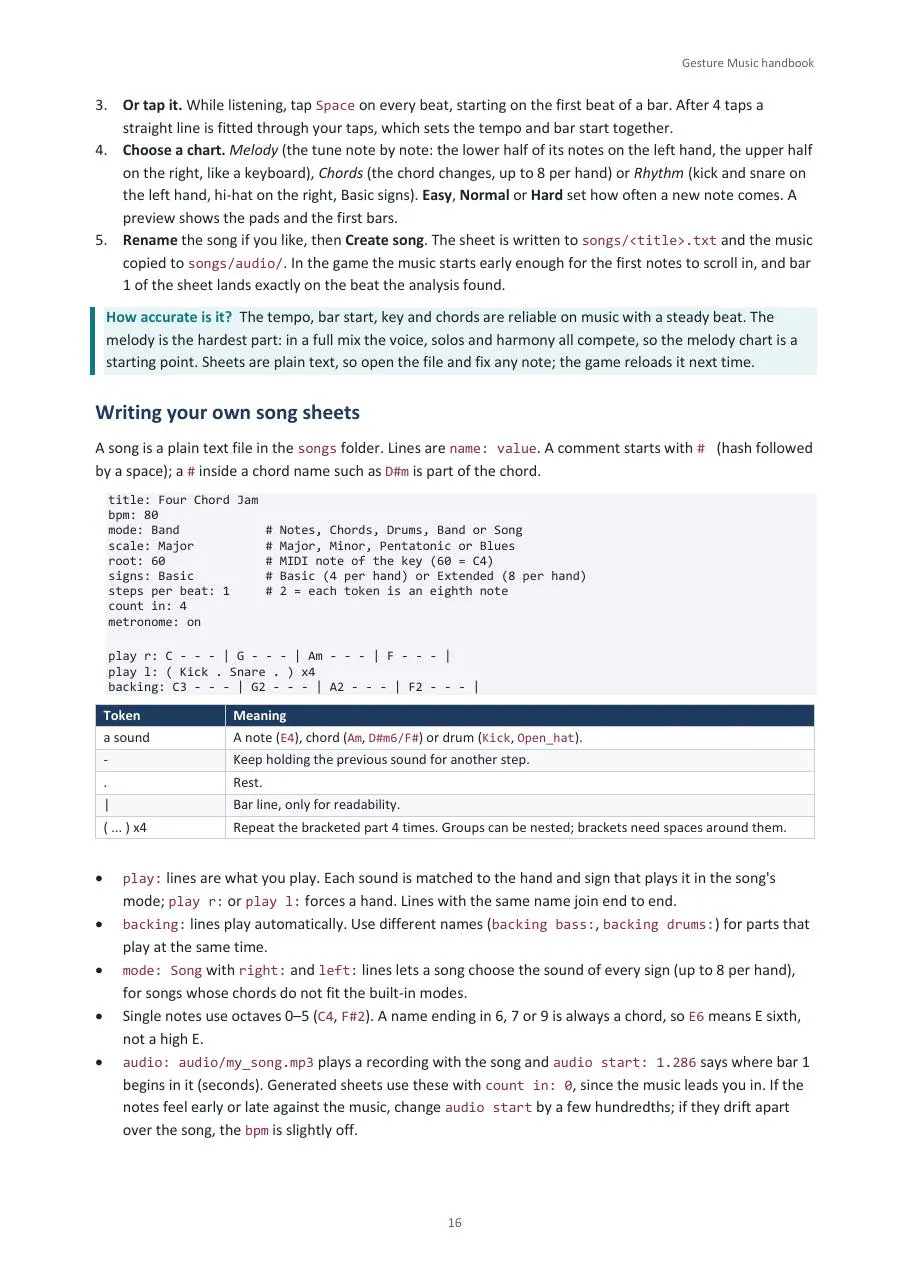
Add an MP3, WAV or MIDI file: it finds the tempo, the first bar, the key, the chords and the tune, and writes a chart to play along to.
See
Colours for notes
The room behind you can become a flowing colour field, with each note in Scriabin’s colour for it, blooming as you play.
04 — Under the hood
From a hand to a sound
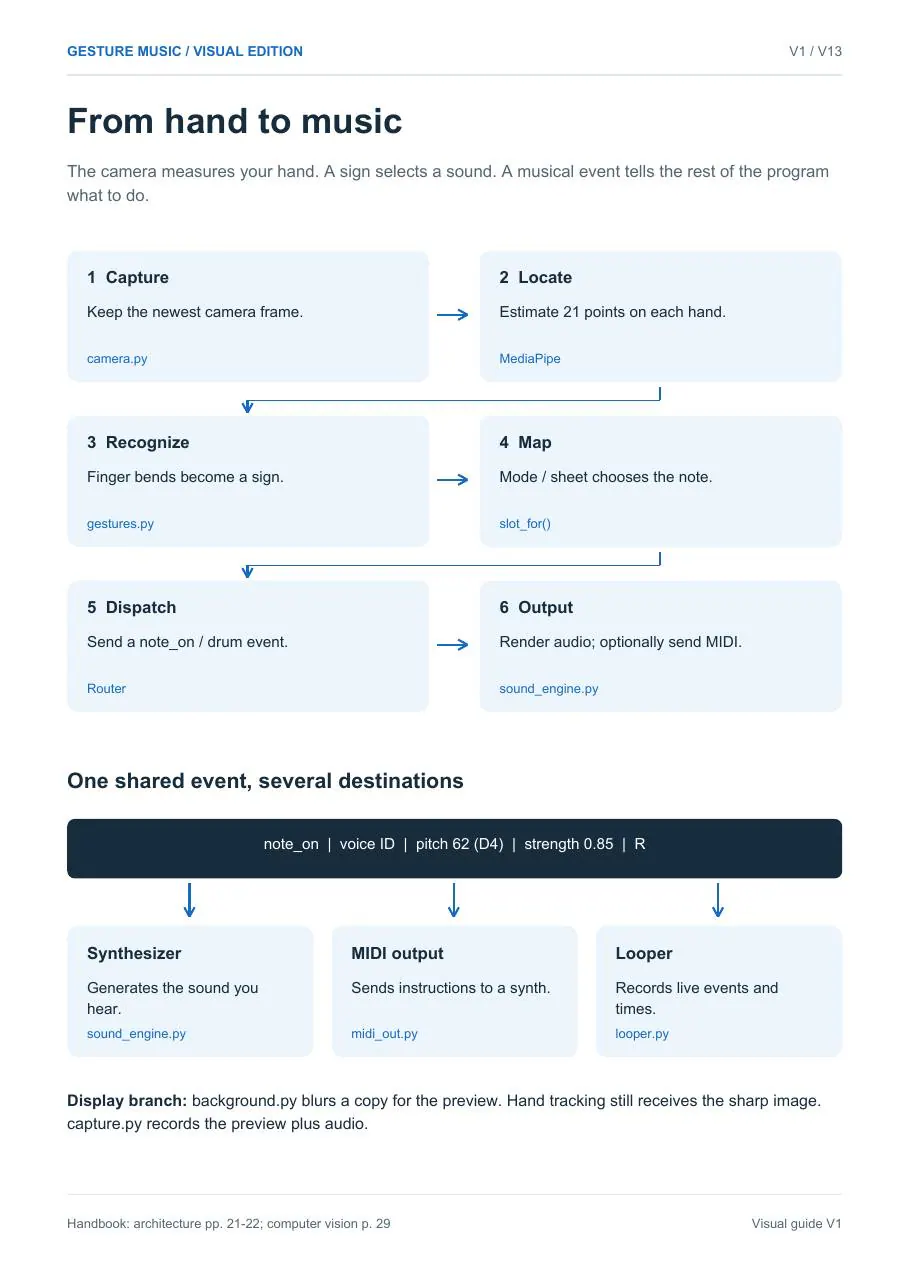
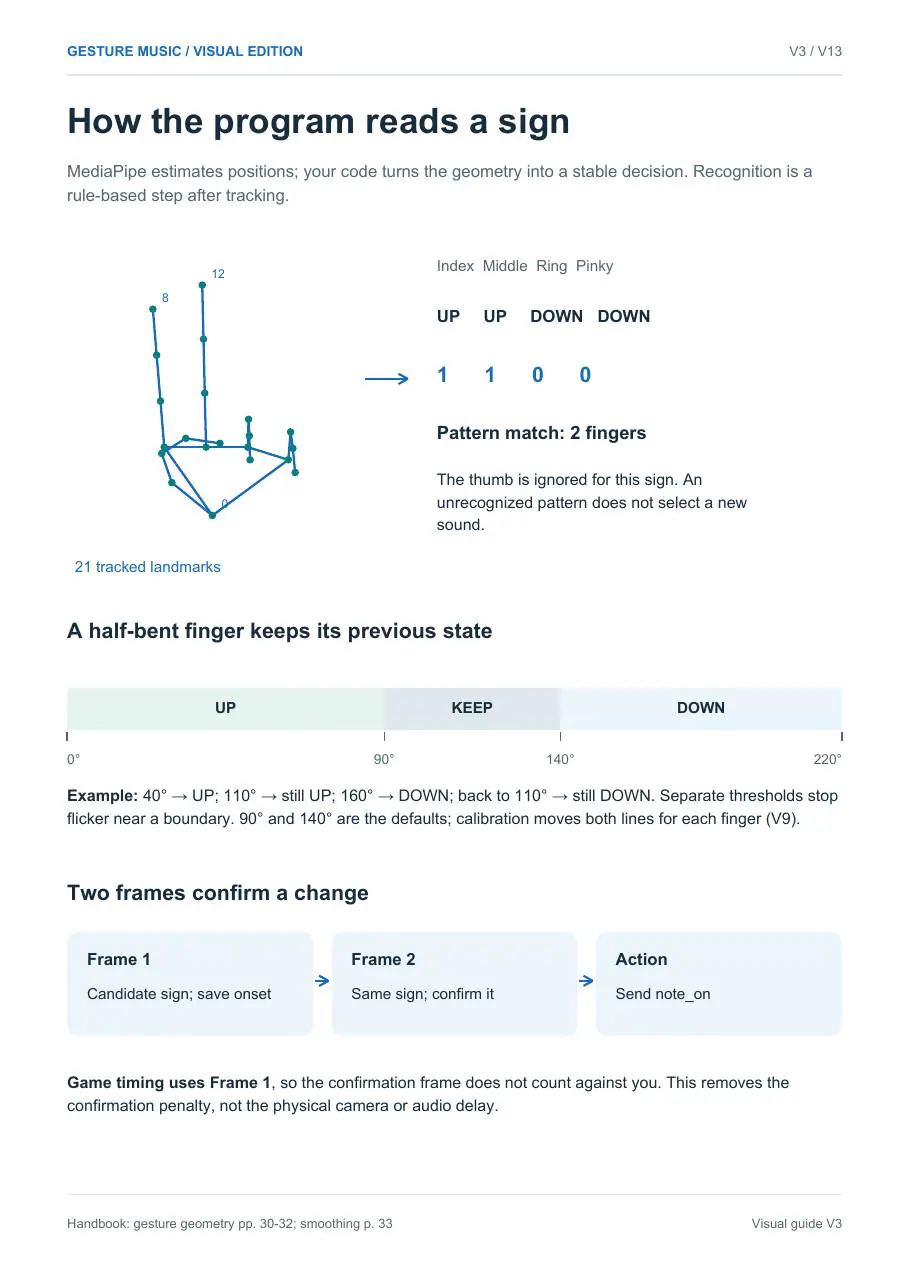
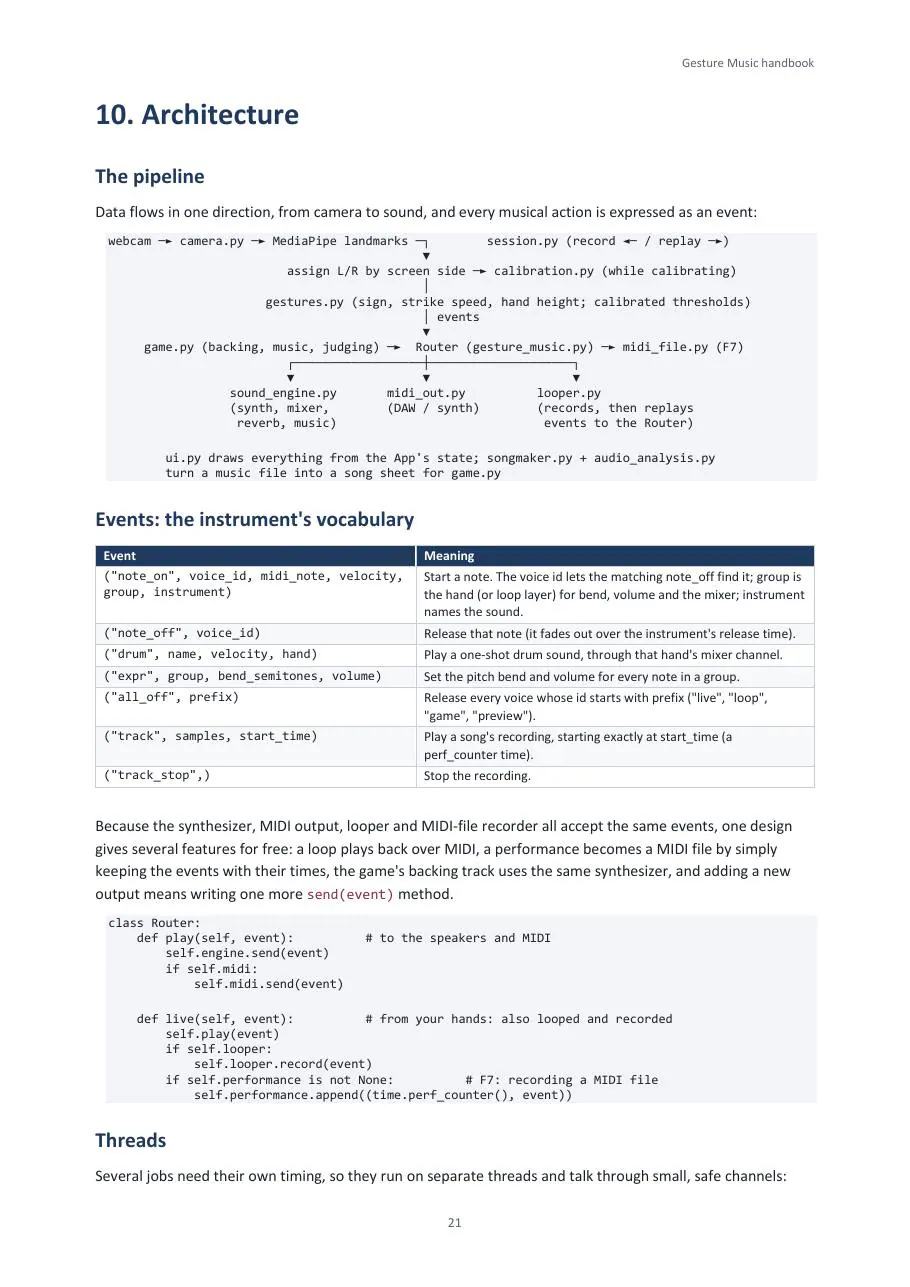
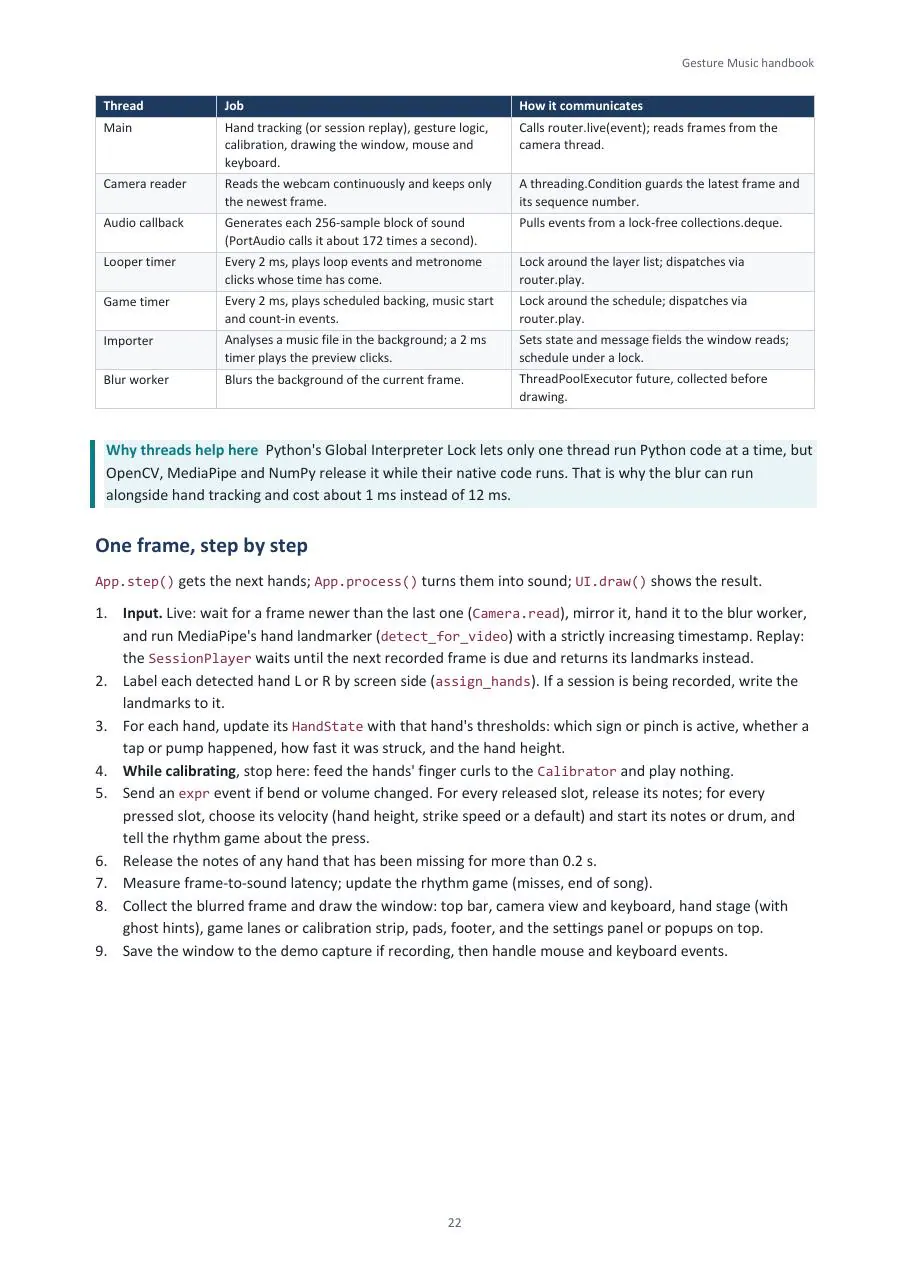
Every frame follows the same path. The camera thread keeps only the newest image, MediaPipe locates 21 points on each hand, and the code turns finger angles into a sign. The sign becomes a small musical event such as “note on, D4, strength 0.85, right hand”, and that one event goes to the synthesizer, the MIDI port and the looper at the same time.
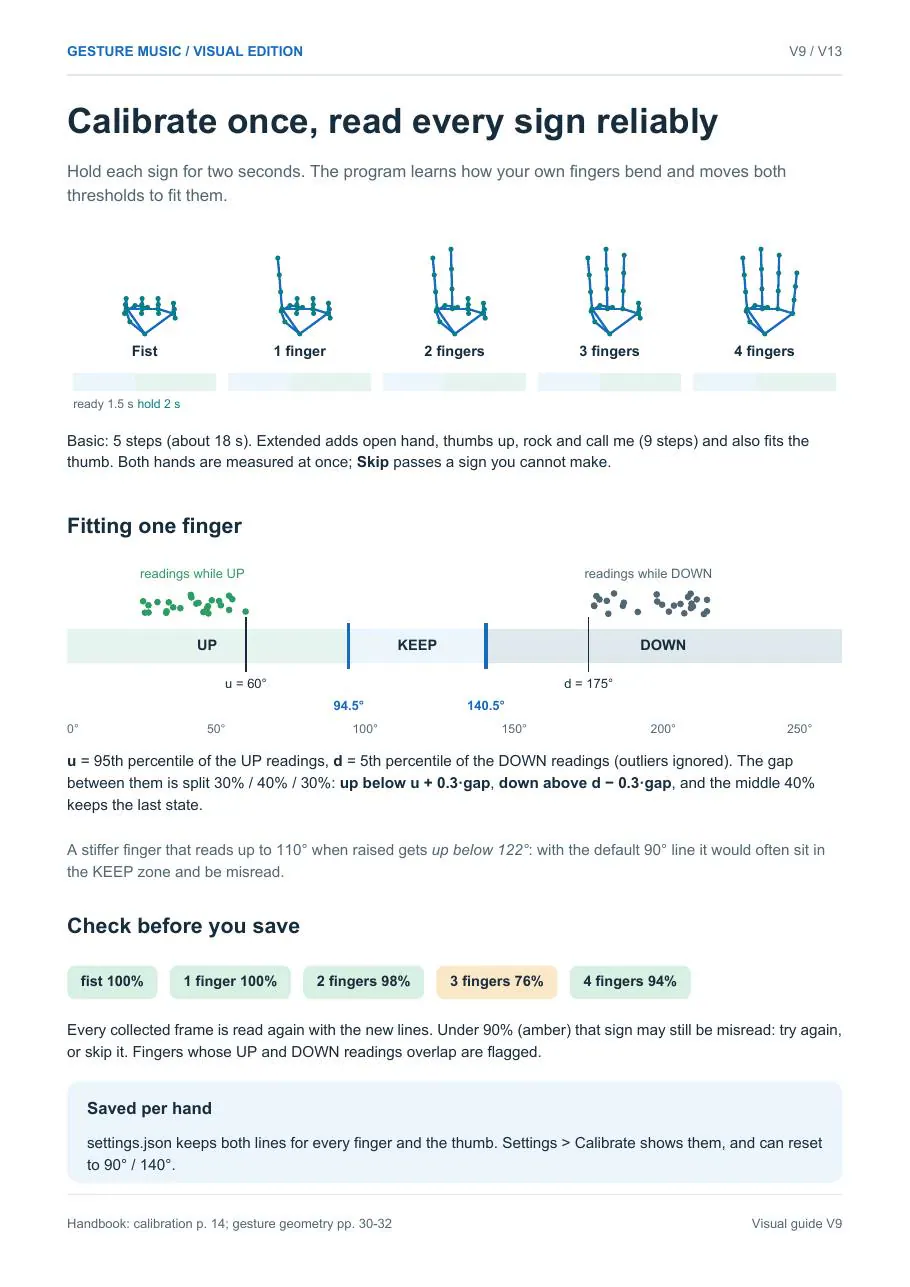
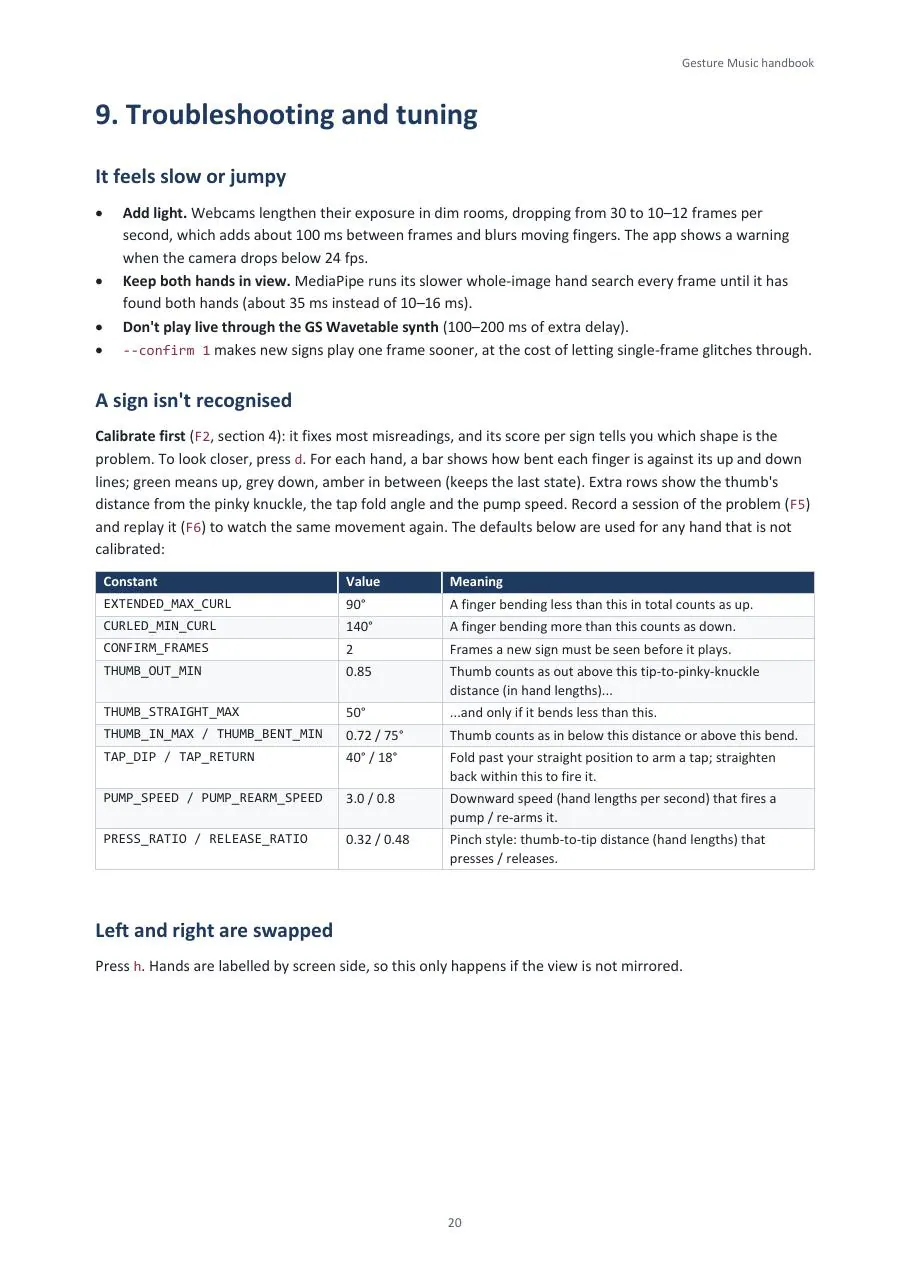
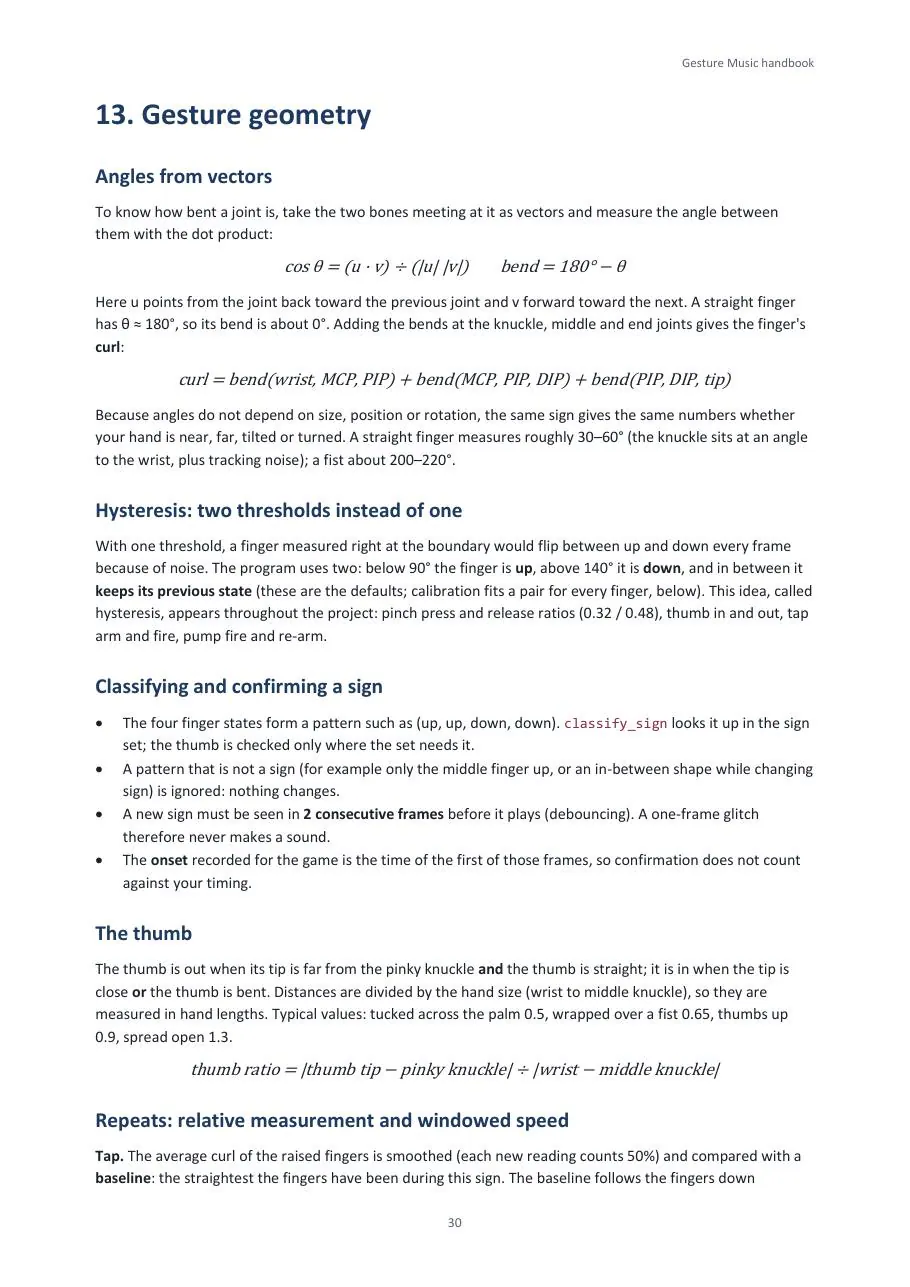
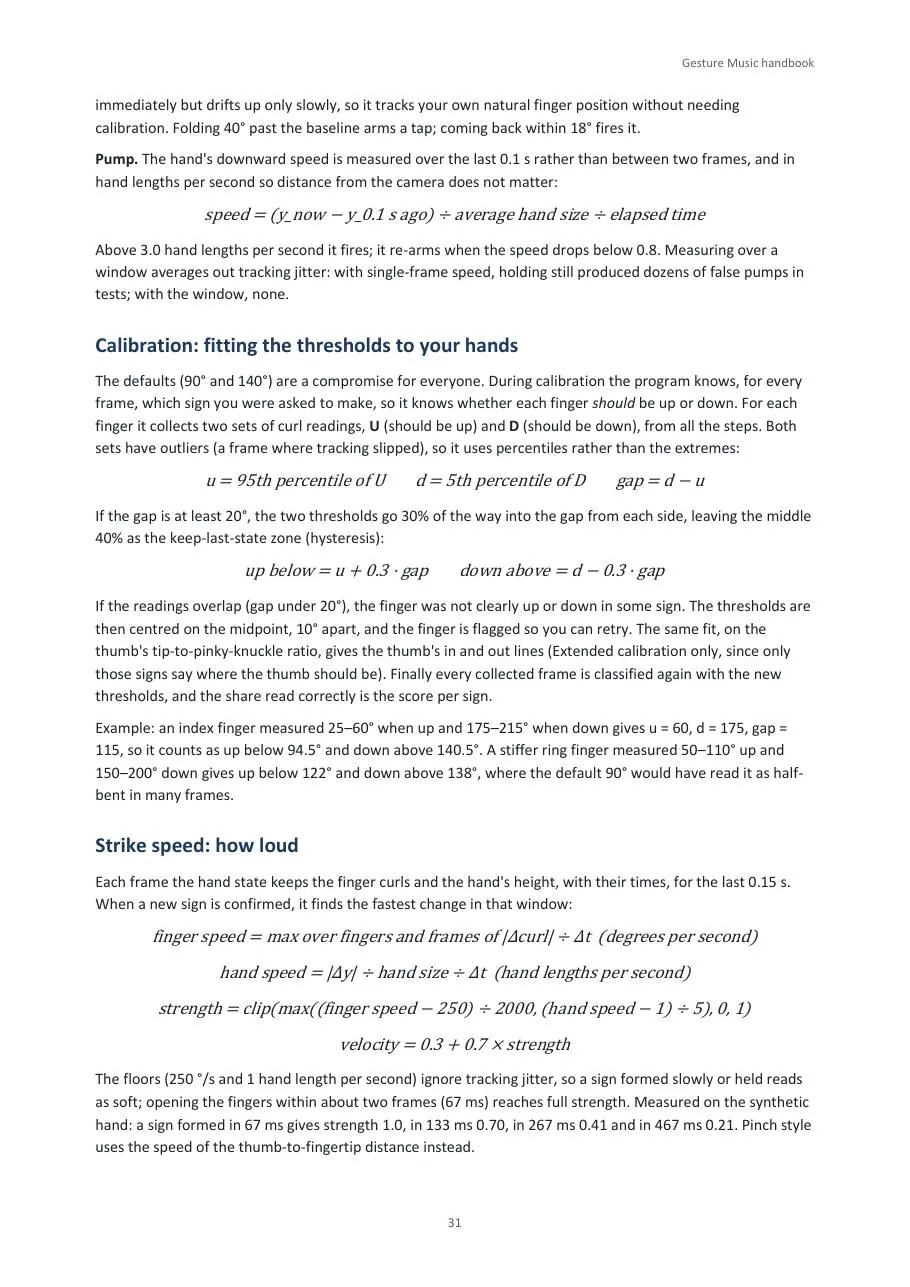
The tricky part is making a sign feel solid. A finger half-way between up and down would flicker, so each finger has two lines instead of one, and a new sign must be seen in two frames before it plays. Try it below.
The finger reads UP
Drag the slider. Going down, the finger only flips to DOWN past the second line; coming back up, it stays DOWN until it crosses the first. In between it keeps whatever it was, so a half-bent finger never flickers.
Perfect
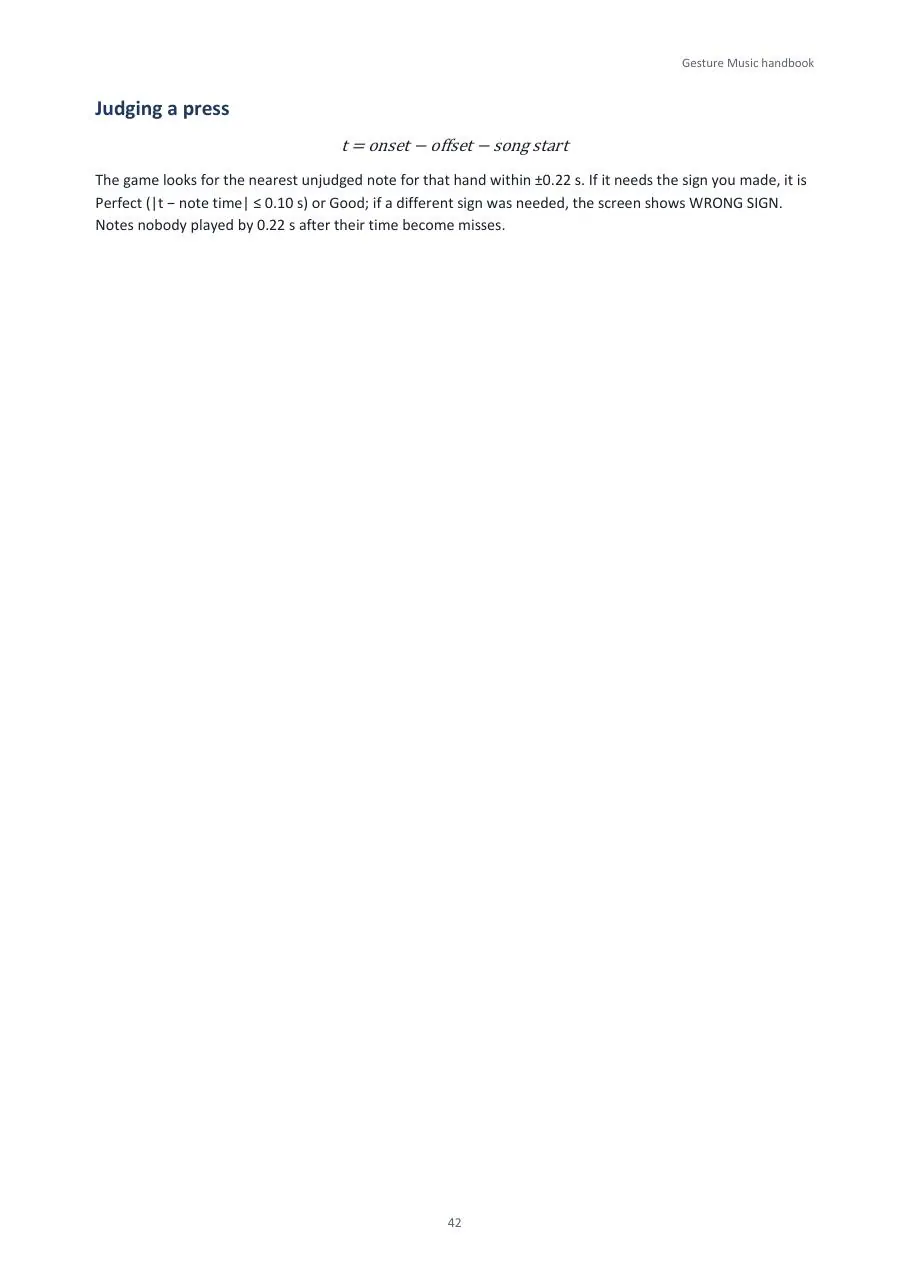
Within 100 ms of the target is Perfect, within 220 ms is Good, anything later or earlier is a Miss. The game times the frame where the sign first appeared, so the confirmation frame does not count against you.
Which file does what
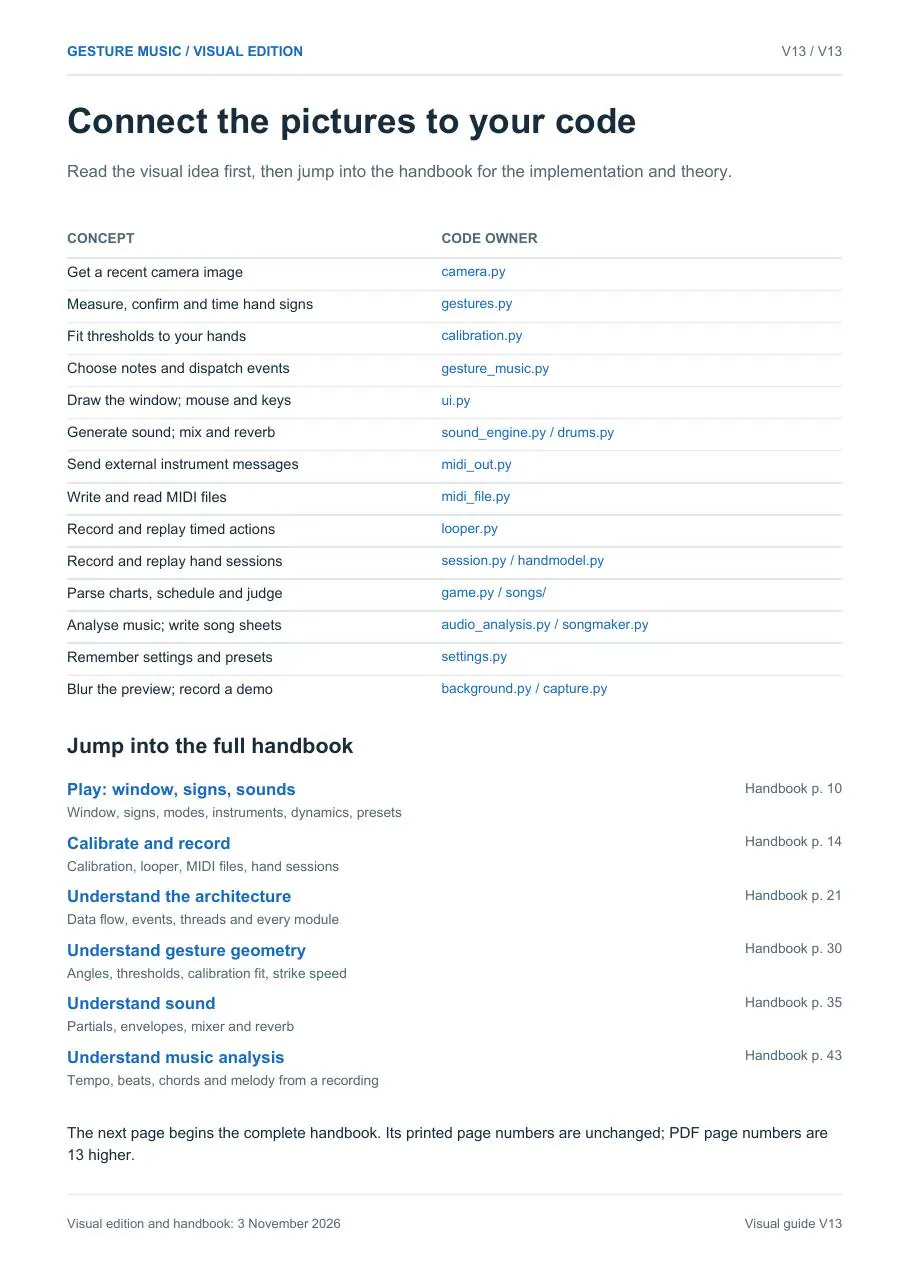
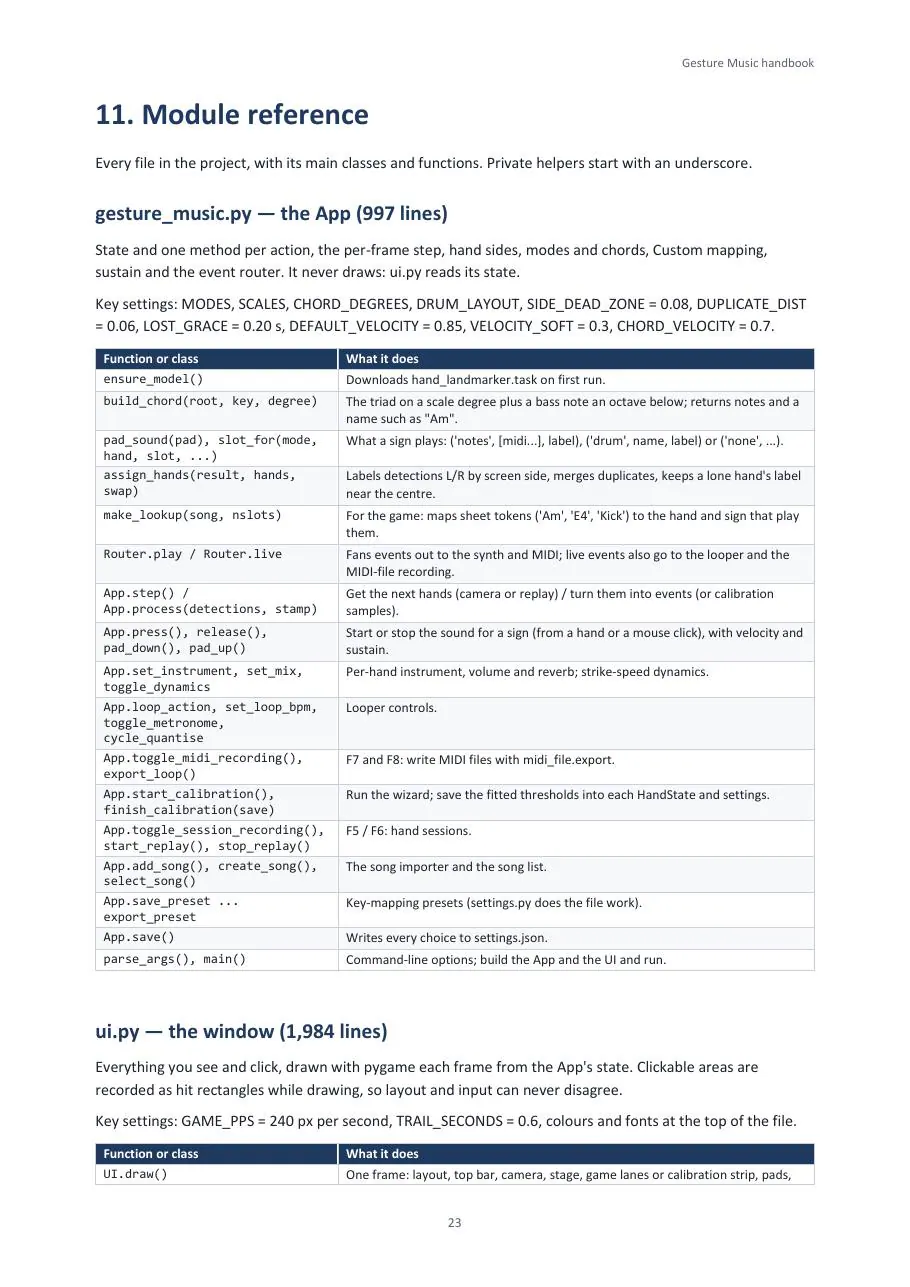
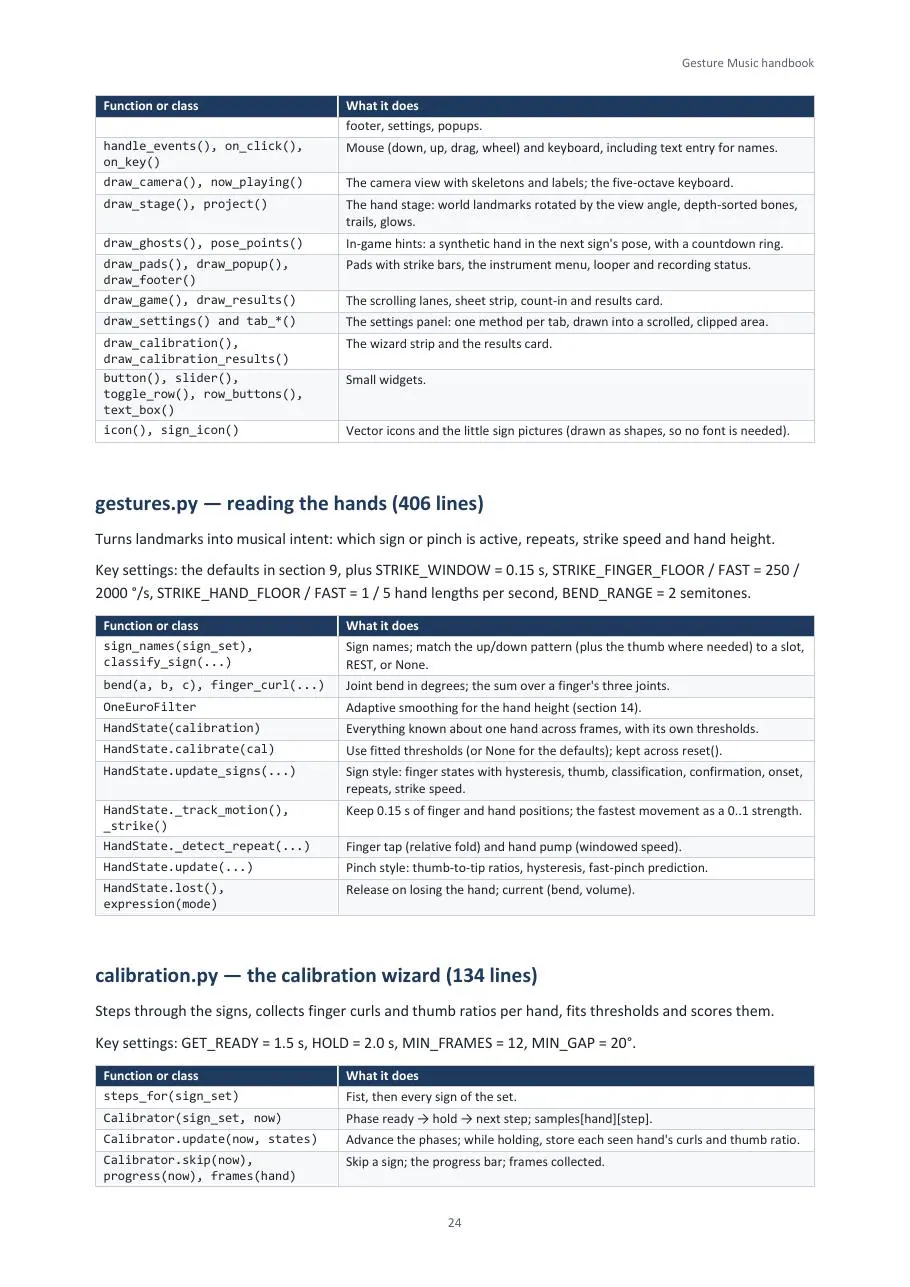
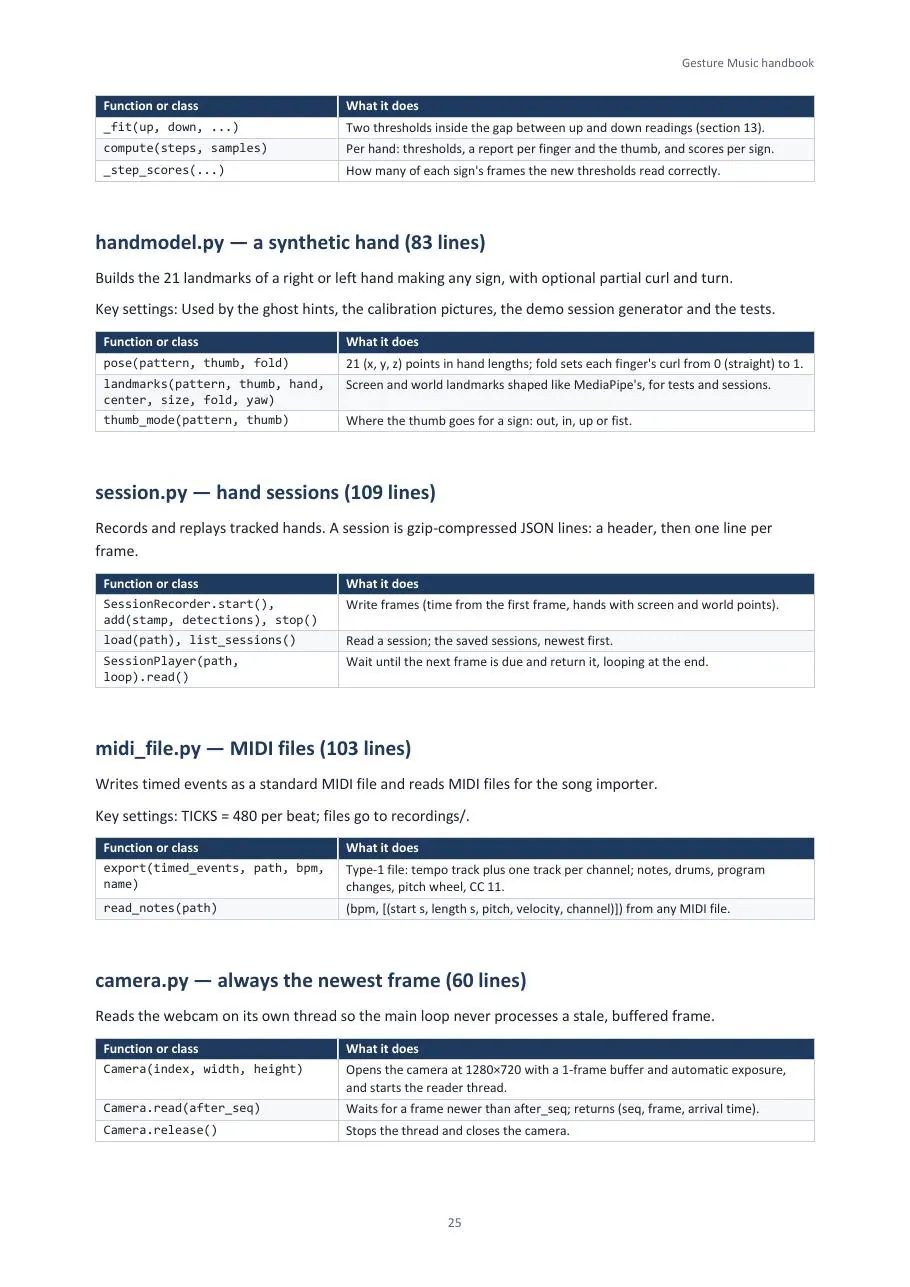
| Job | Module |
|---|---|
| Keep the newest camera image | camera.py |
| Read, confirm and time hand signs | gestures.py |
| Fit thresholds to your hands | calibration.py |
| Choose notes, dispatch events | gesture_music.py |
| Draw the window, mouse and keys | ui.py |
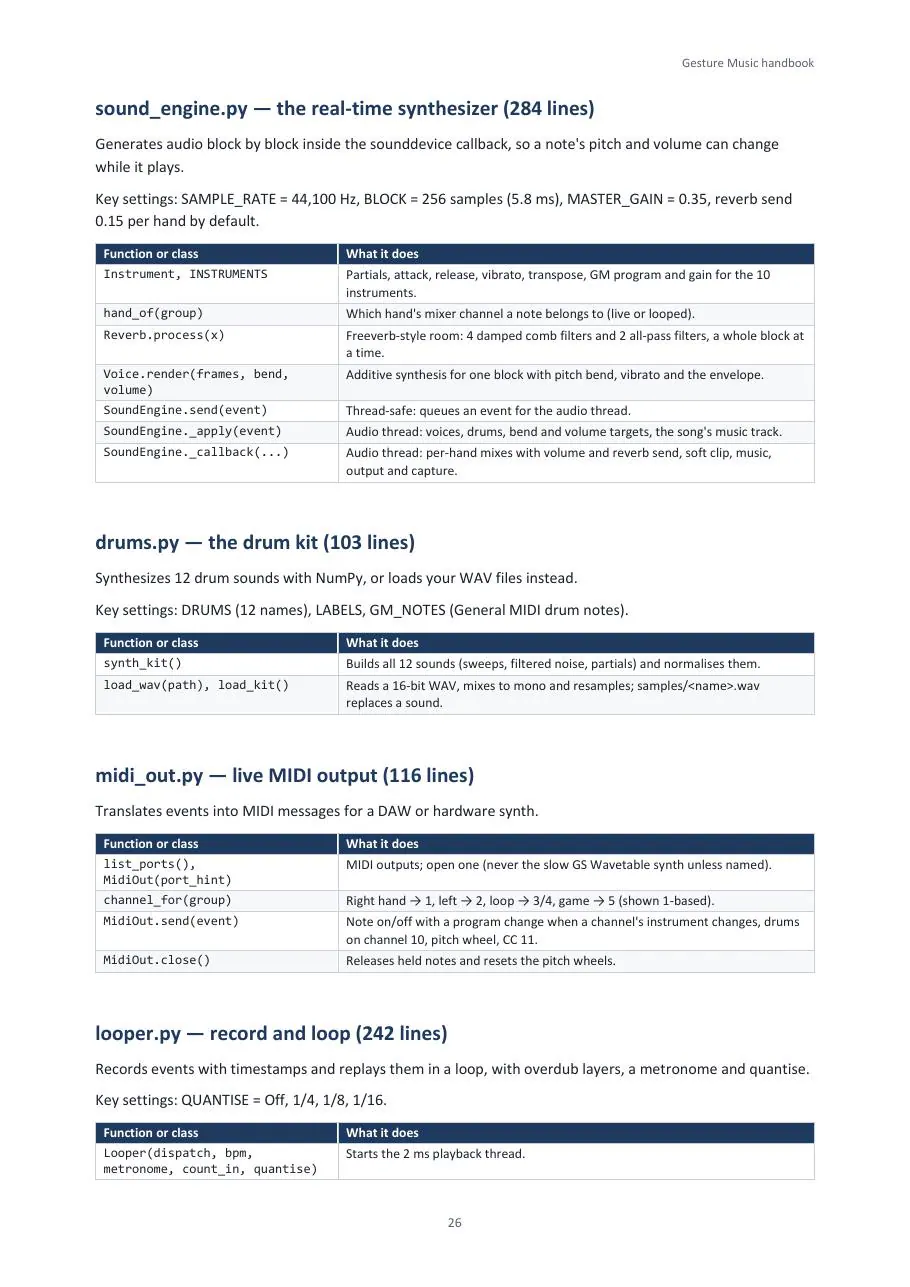
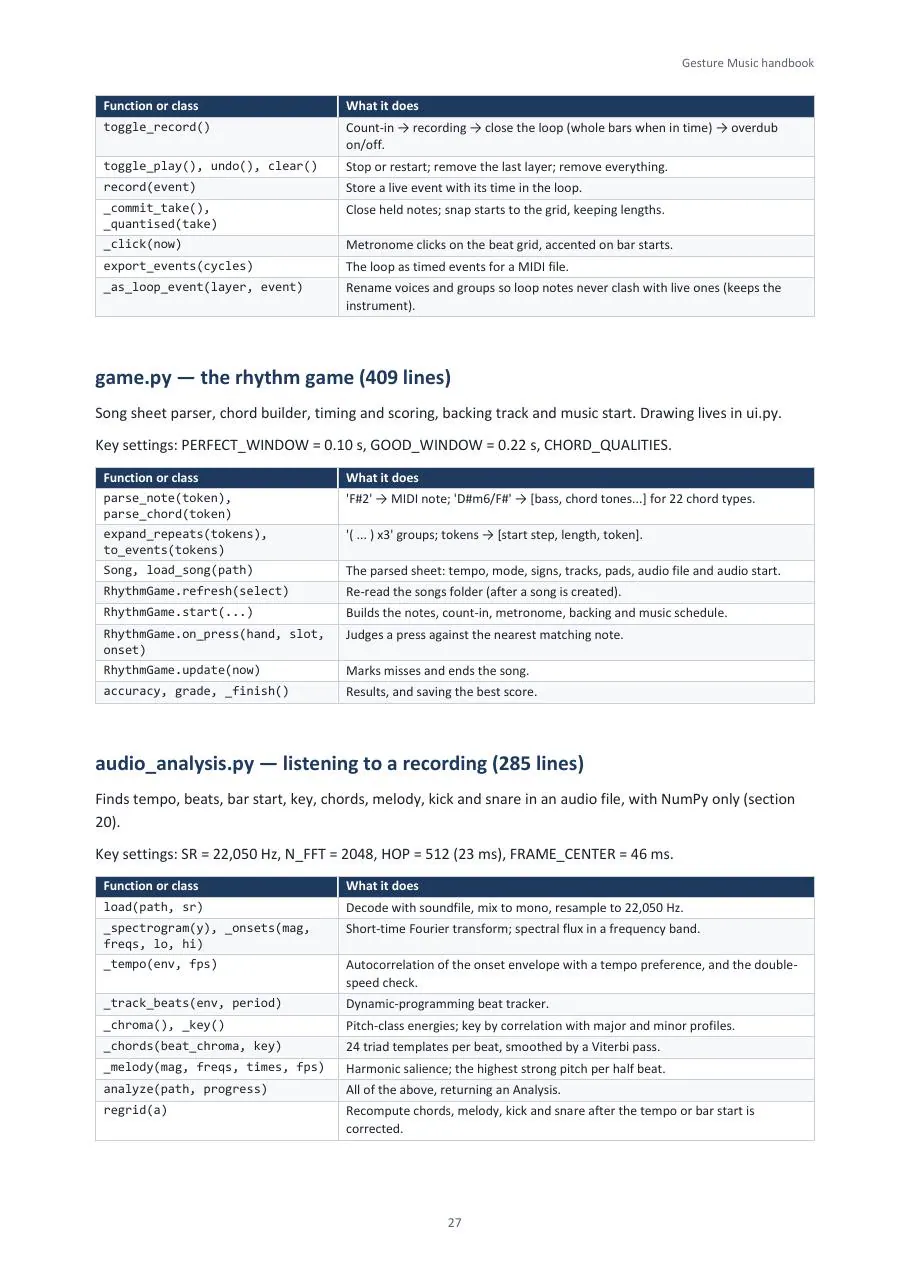
| Make the sound, mix and reverb | sound_engine.py · drums.py |
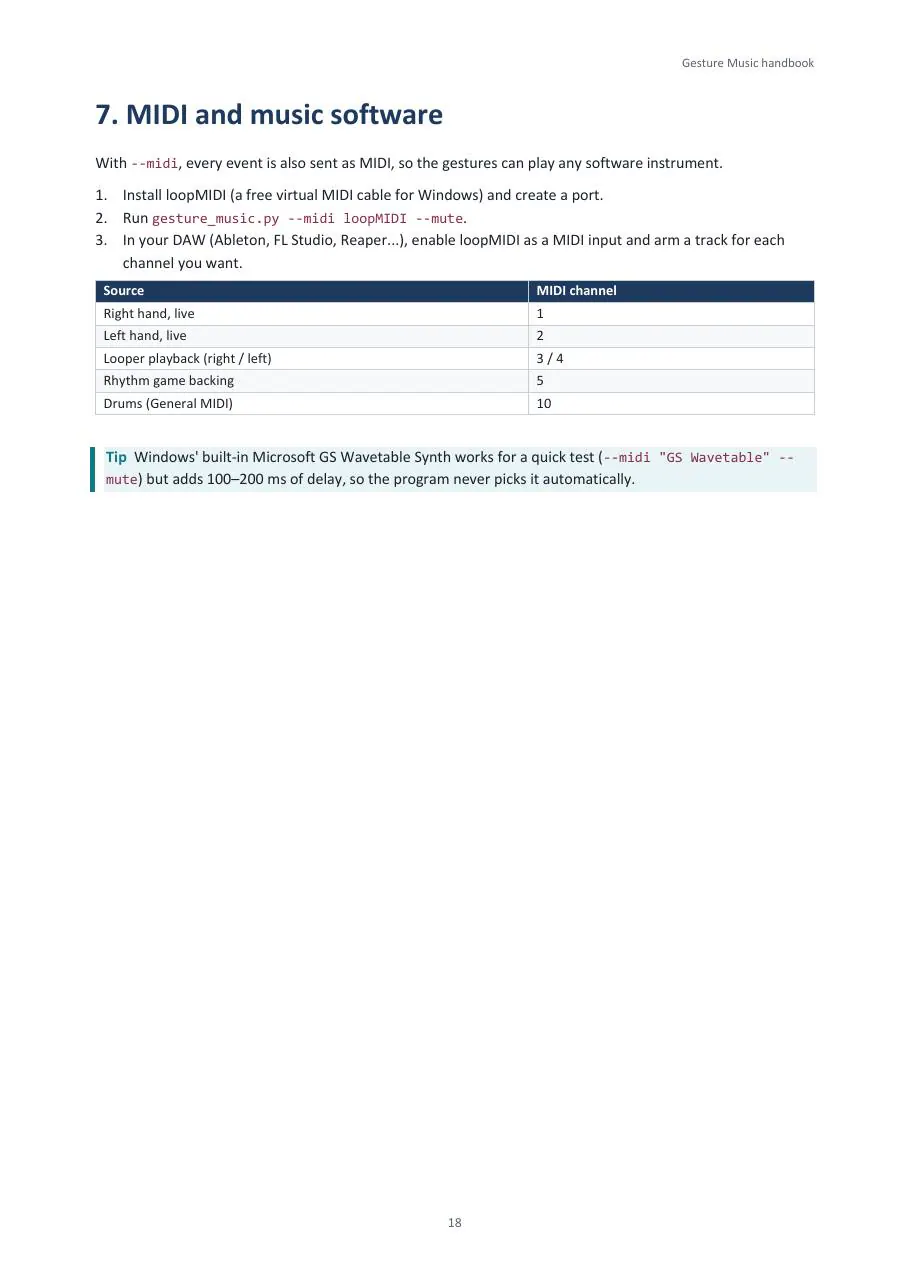
| Live MIDI and MIDI files | midi_out.py · midi_file.py |
| Loop recorded actions | looper.py |
| Charts, timing and scoring | game.py |
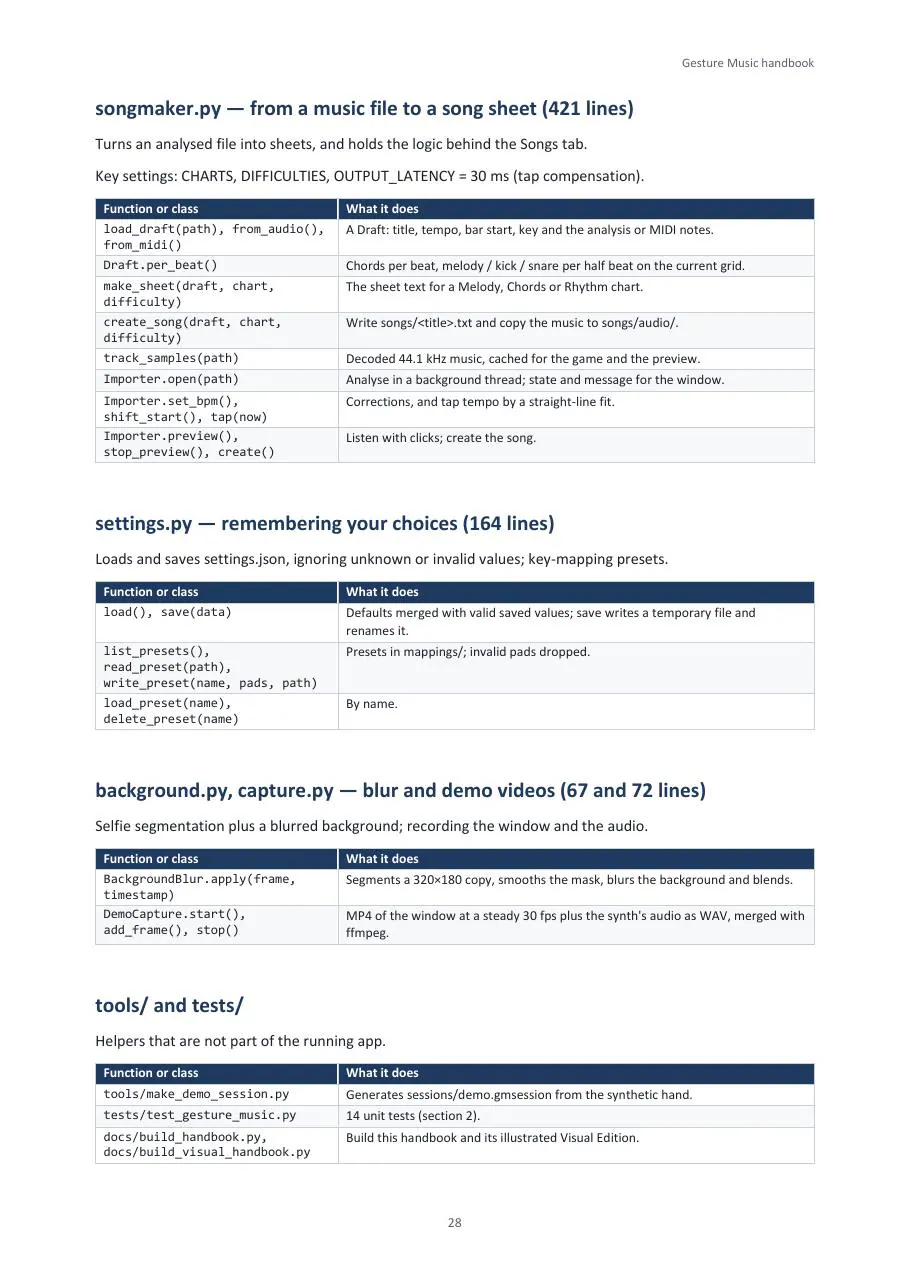
| Turn a music file into a chart | audio_analysis.py · songmaker.py |
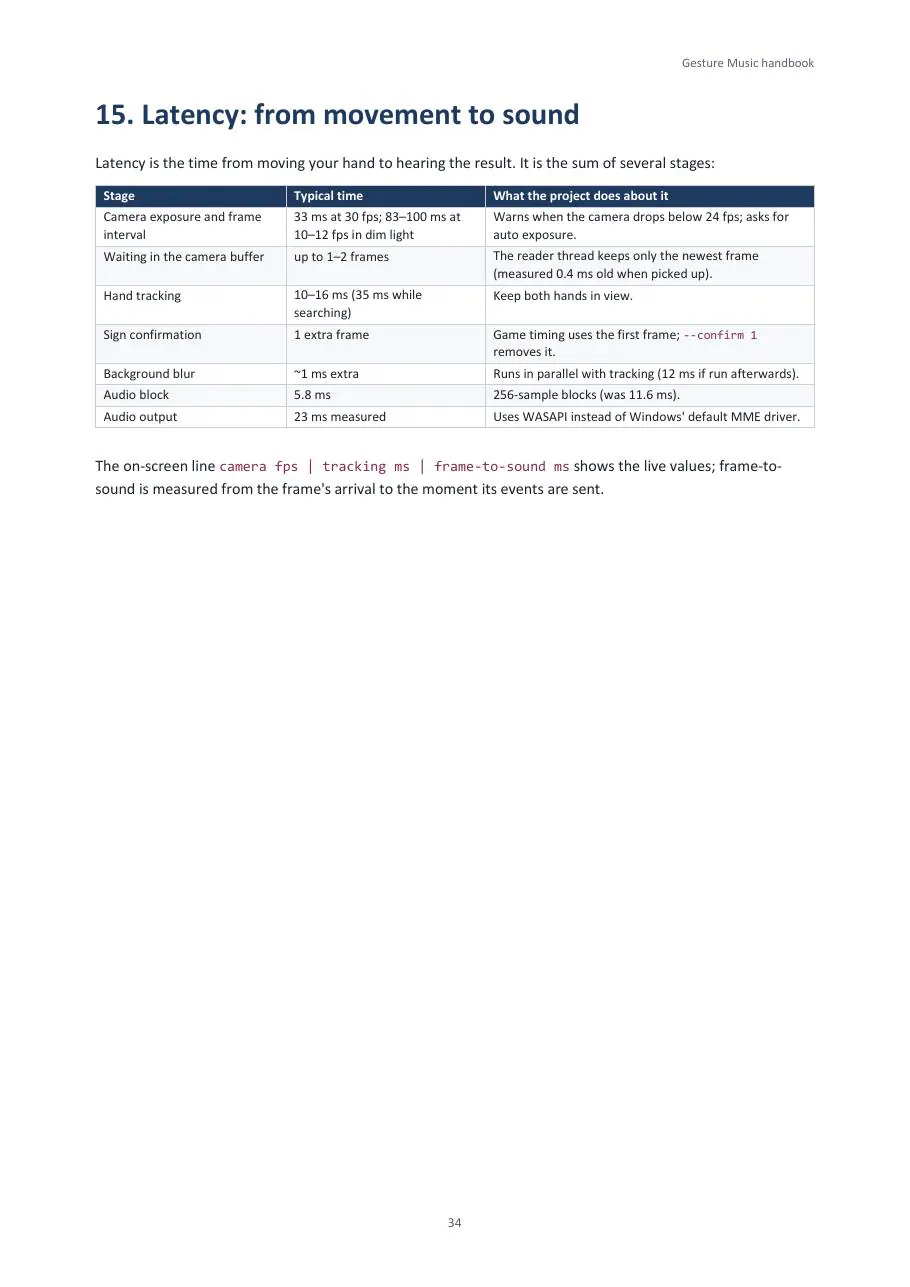
Where the delay goes
| Stage | Typical time |
|---|---|
| Camera frame at 30 fps | 33 ms |
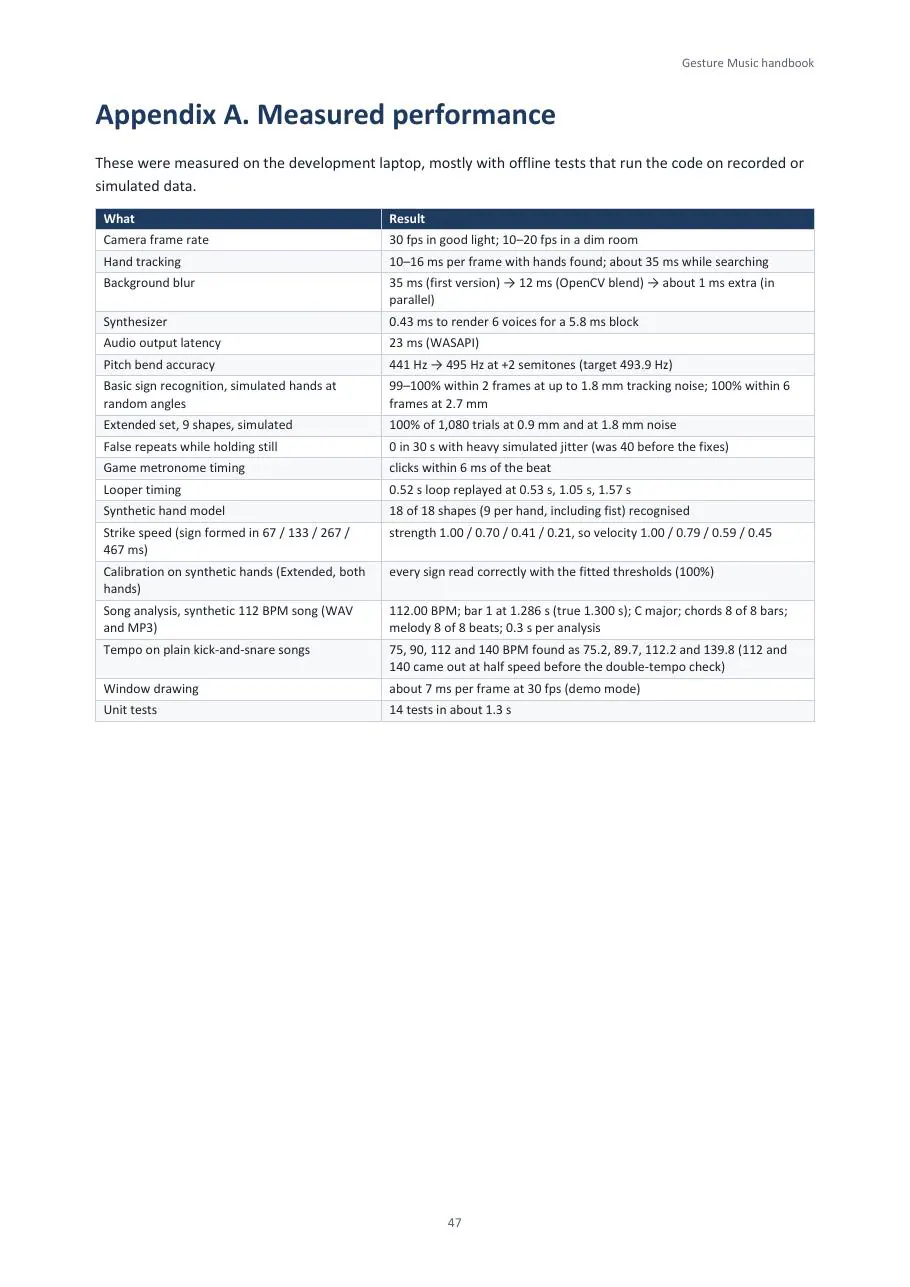
| Hand tracking | 10–16 ms |
| Sign confirmation | 1 frame |
| Background blur (in parallel) | ≈ 1 ms |
| Audio block | 5.8 ms |
| Audio output (WASAPI) | 23 ms |
05 — Credits, inspiration and sources
Built on open work
Gesture Music stands on open-source libraries and published research. Thank you to everyone below.


| Library | Used for | Licence |
|---|---|---|
| MediaPipe (Google) | hand landmarks, person segmentation | Apache 2.0 |
| OpenCV | webcam, image processing, video | Apache 2.0 |
| NumPy | synthesis, reverb, music analysis | BSD-3 |
| pygame | the window, drawing, input, MIDI backend | LGPL 2.1 |
| sounddevice / PortAudio | real-time audio output | MIT |
| soundfile / libsndfile | reading music files | BSD-3 / LGPL 2.1 |
| mido | MIDI messages and files | MIT |
| FFmpeg (optional) | merging demo audio and video | LGPL / GPL |
Ideas and research
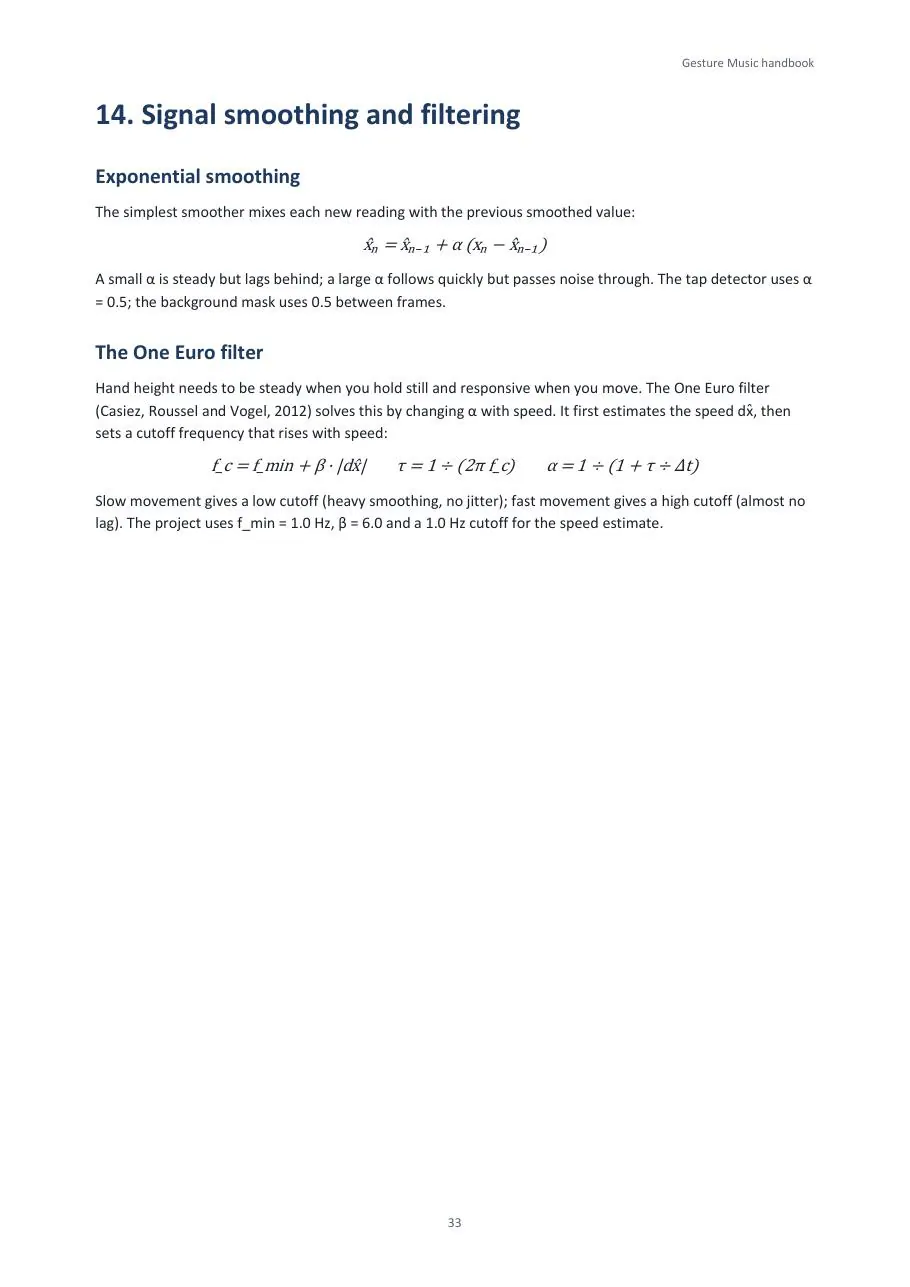
- One Euro filter: G. Casiez, N. Roussel and D. Vogel, “1€ Filter: A Simple Speed-based Low-pass Filter for Noisy Input in Interactive Systems”, CHI 2012. Smooths the hand height.
- Beat tracking: D. P. W. Ellis, “Beat Tracking by Dynamic Programming”, Journal of New Music Research 36(1), 2007. Used to find the beats in your songs.
- Key profiles: C. L. Krumhansl and E. J. Kessler, Psychological Review 89(4), 1982. Used to detect a song’s key.
- Freeverb: the public-domain reverb design by Jezar at Dreampoint. The reverb follows its comb and all-pass structure.
- Colours for notes: after Alexander Scriabin’s colour scheme for the clavier à lumières in Prometheus: The Poem of Fire (1910). Background: chromesthesia.
- Music analysis: spectral-flux onsets, chroma features and template chord recognition with Viterbi smoothing, implemented from their textbook descriptions.
- General MIDI for instrument and drum numbers, and loopMIDI by Tobias Erichsen as the virtual cable into a DAW.
The code
Gesture Music’s own code is MIT-licensed, © 2026 rayangmendrofa. It runs on Windows with Python 3.13 and a webcam, and has a camera-free demo mode.
Open the repository ↗06 — The handbook
Read it here
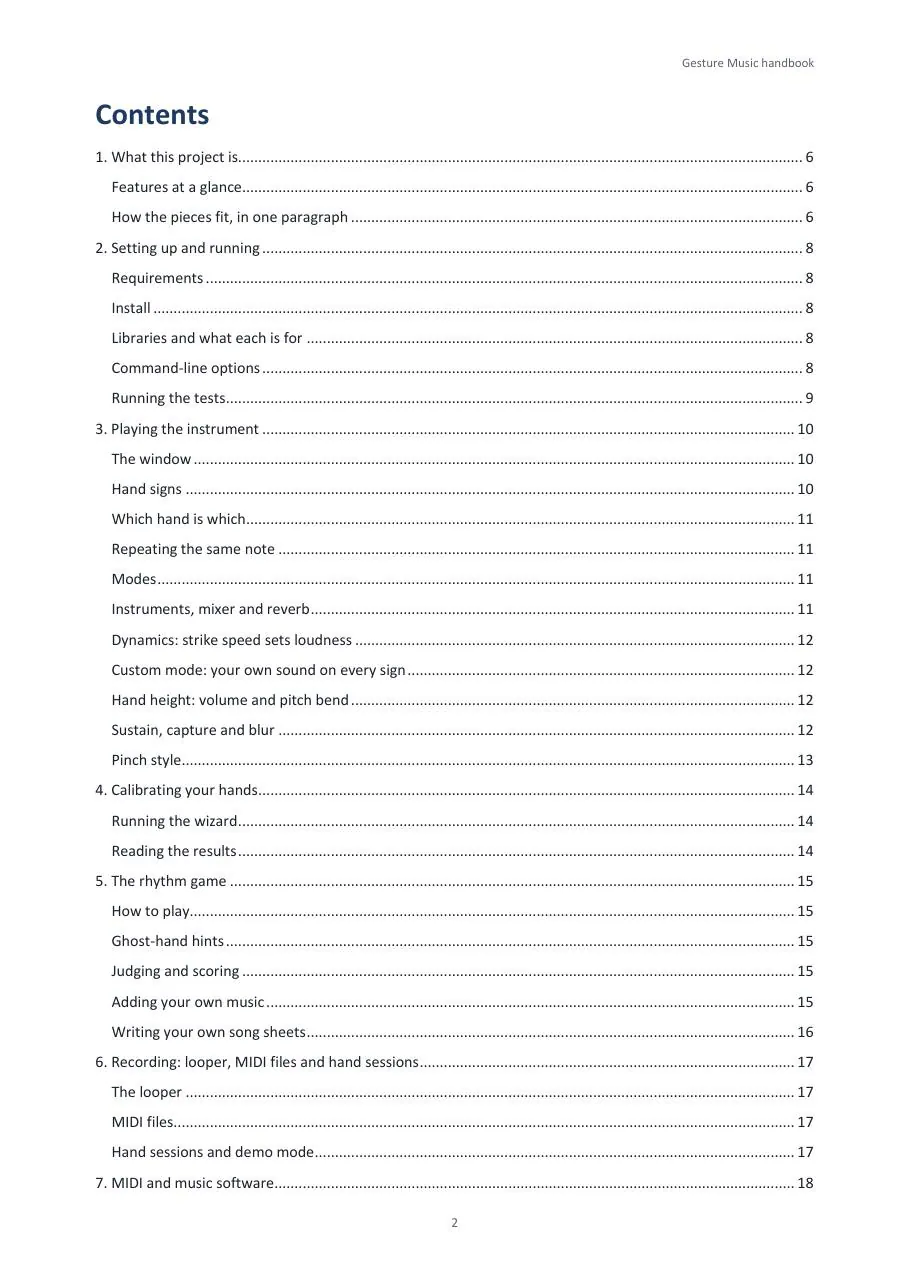
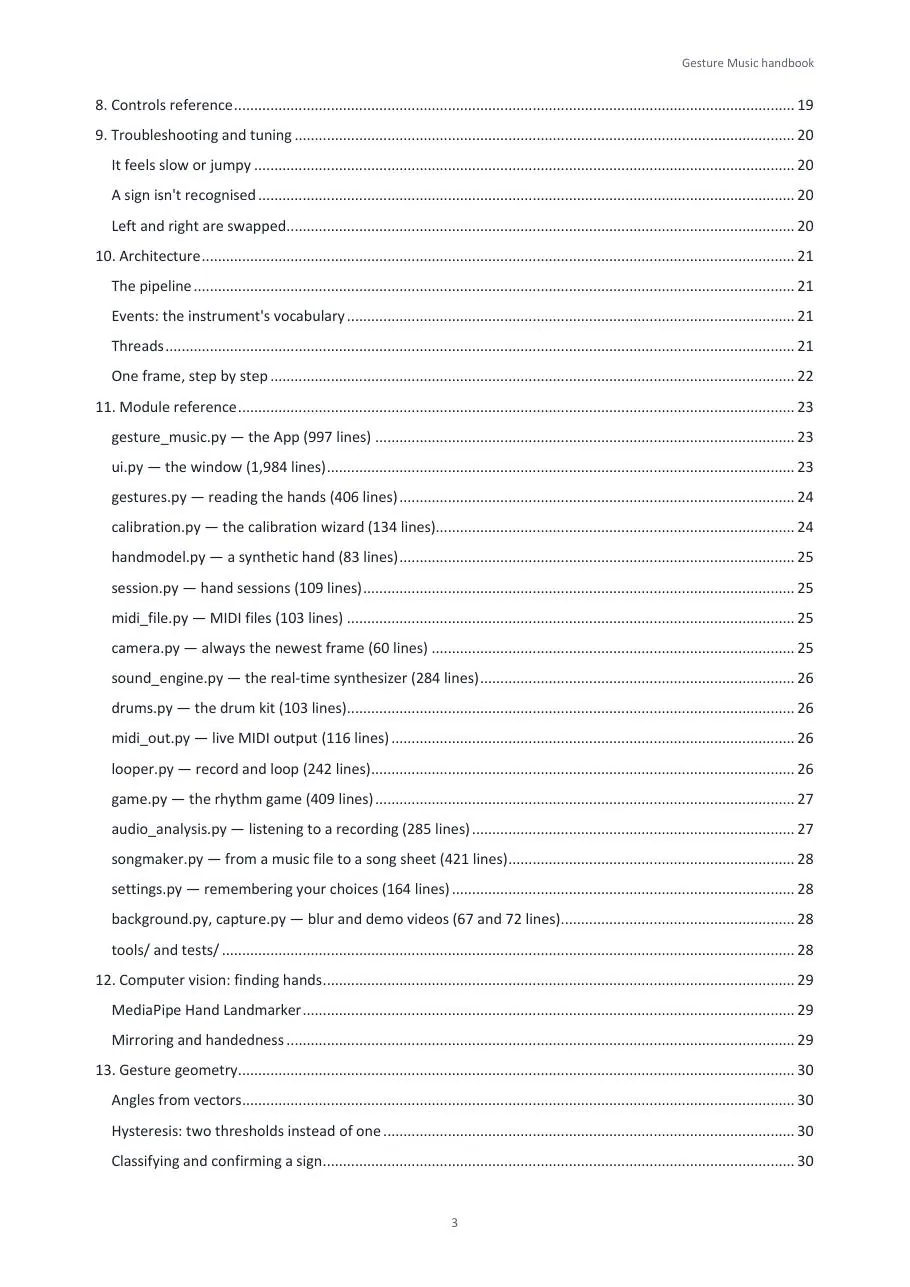
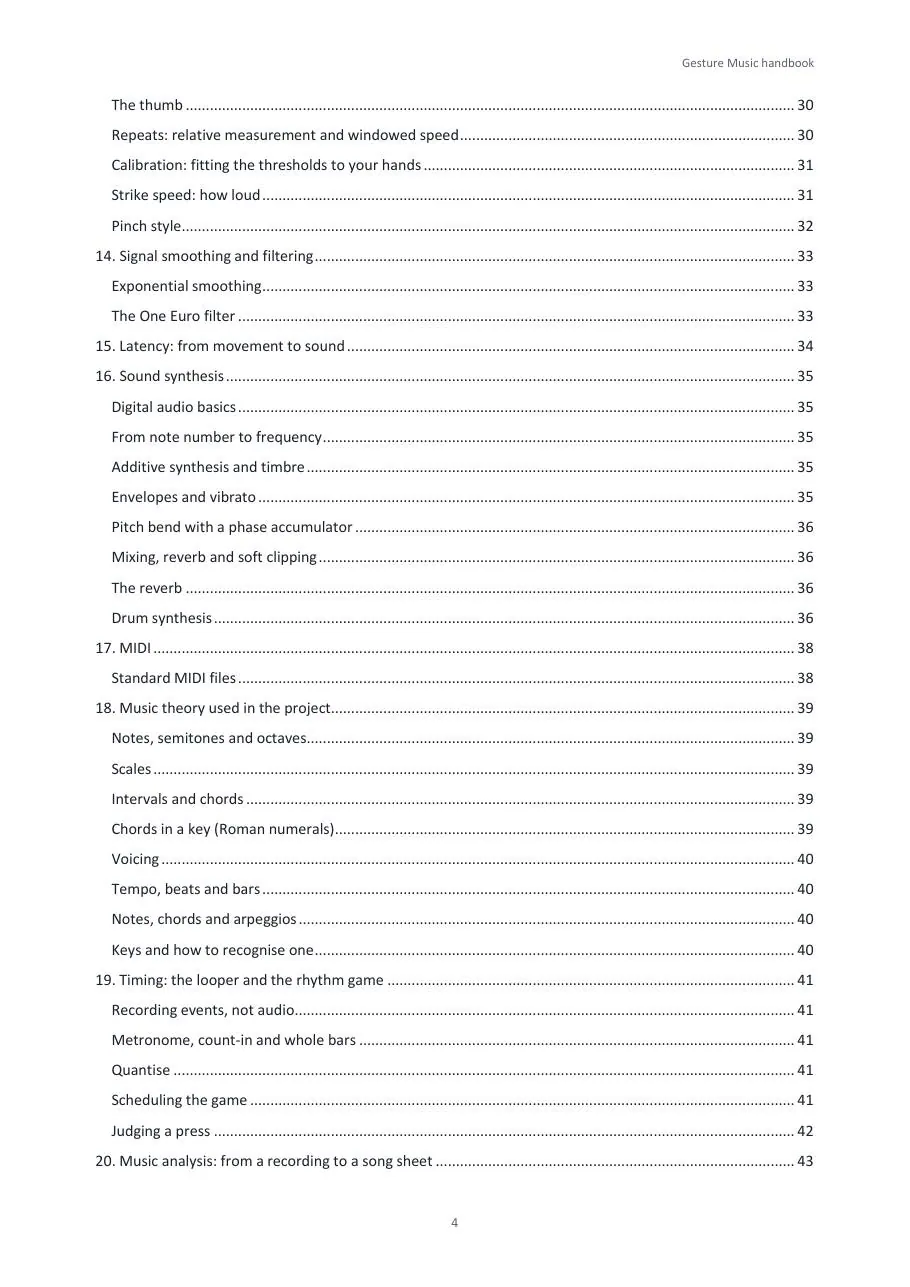
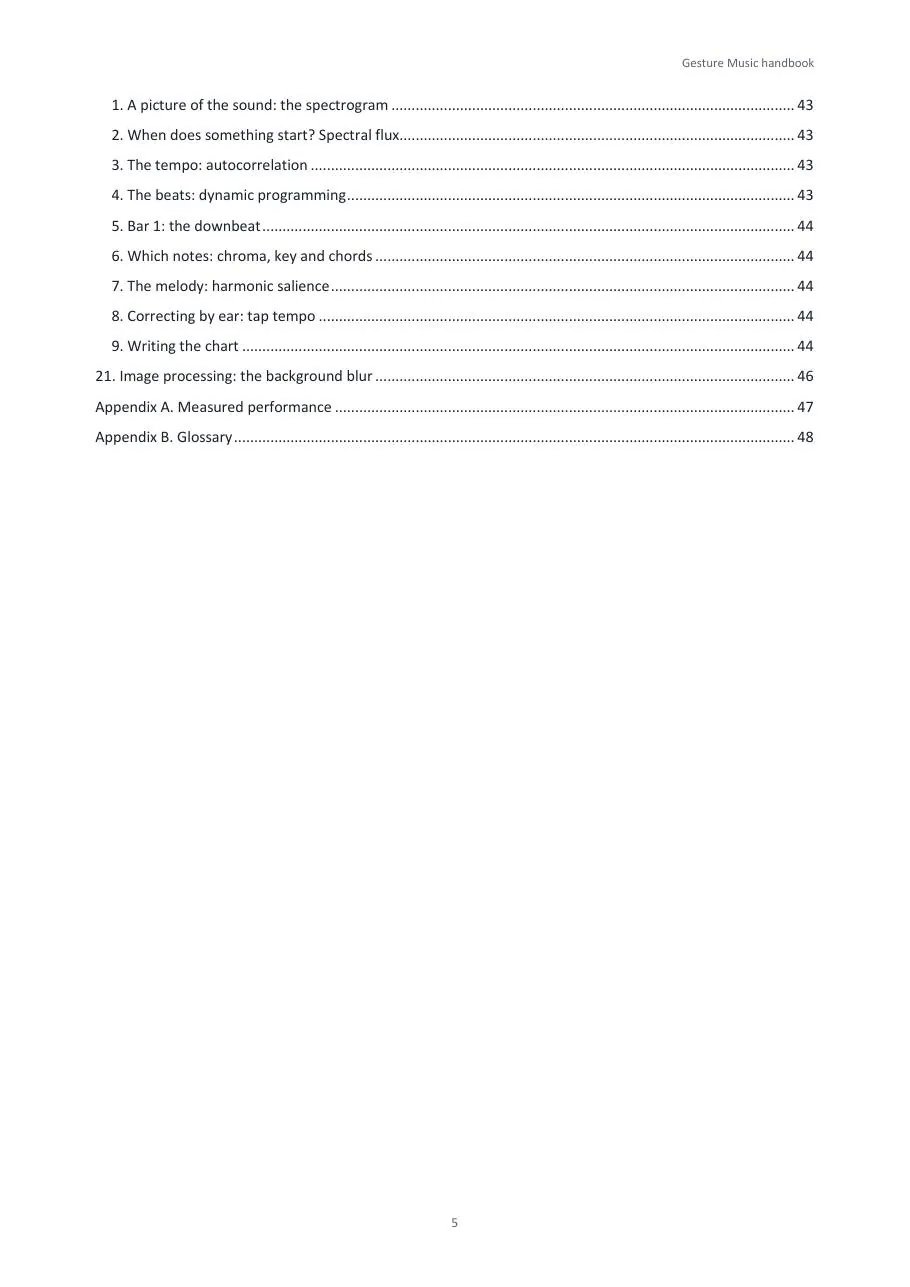
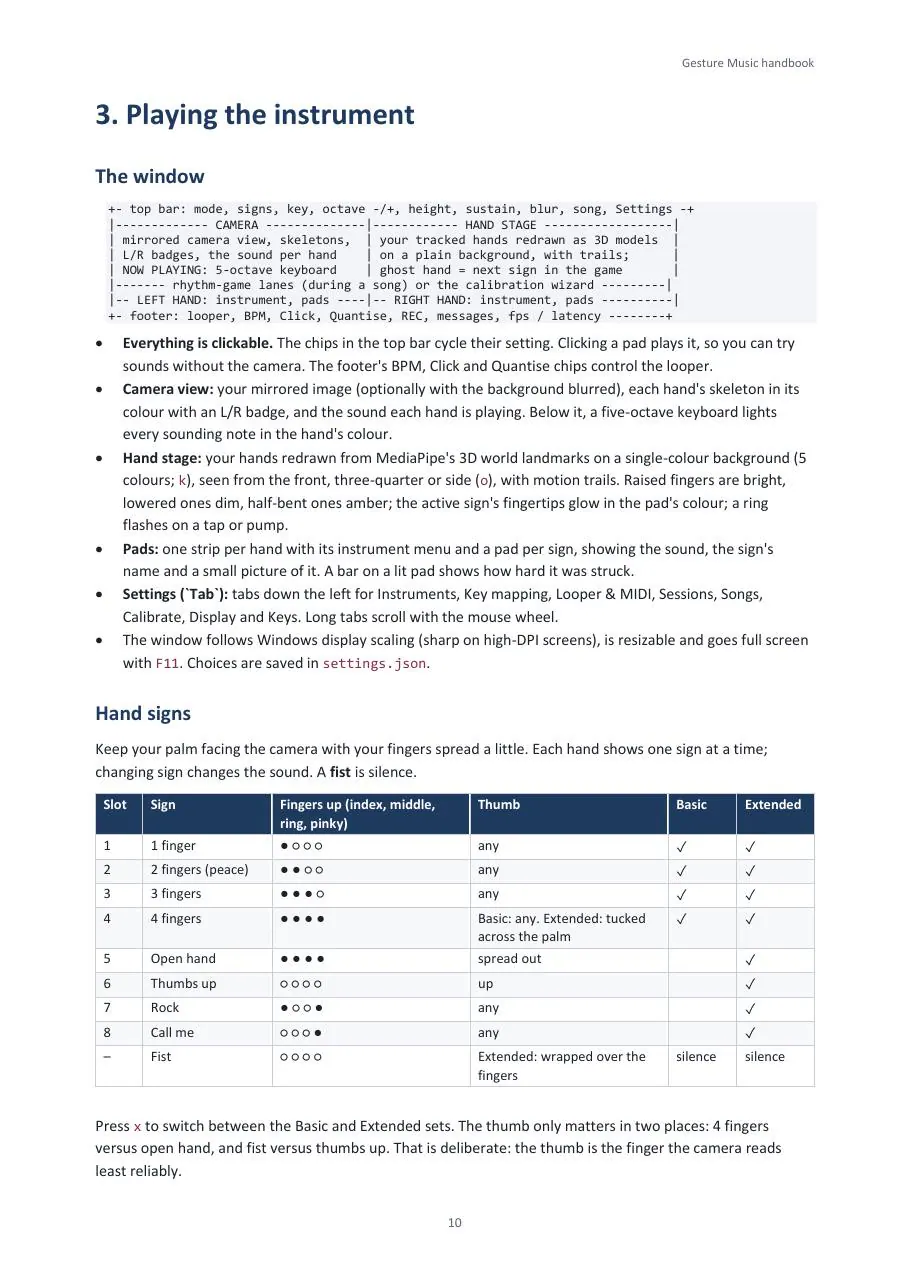
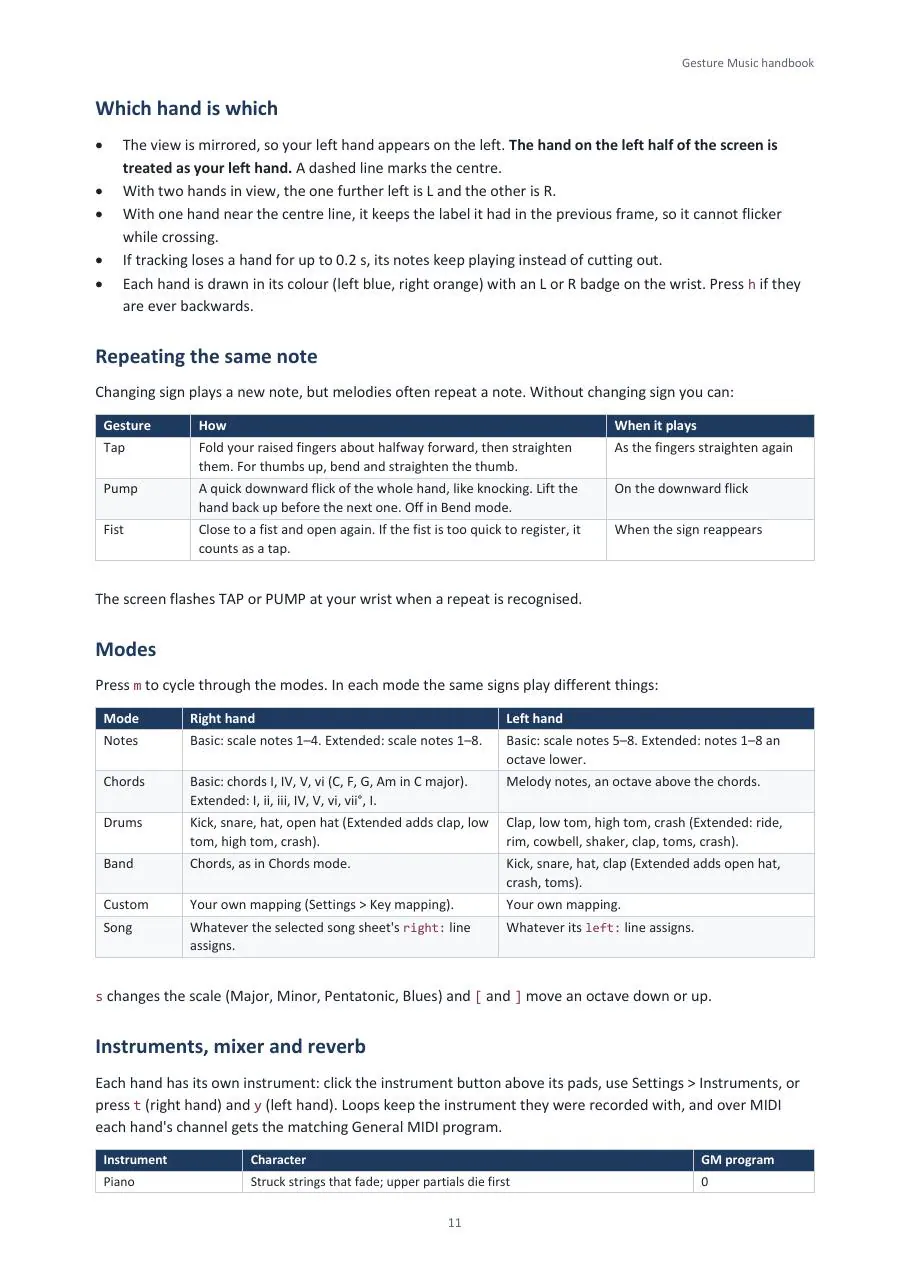
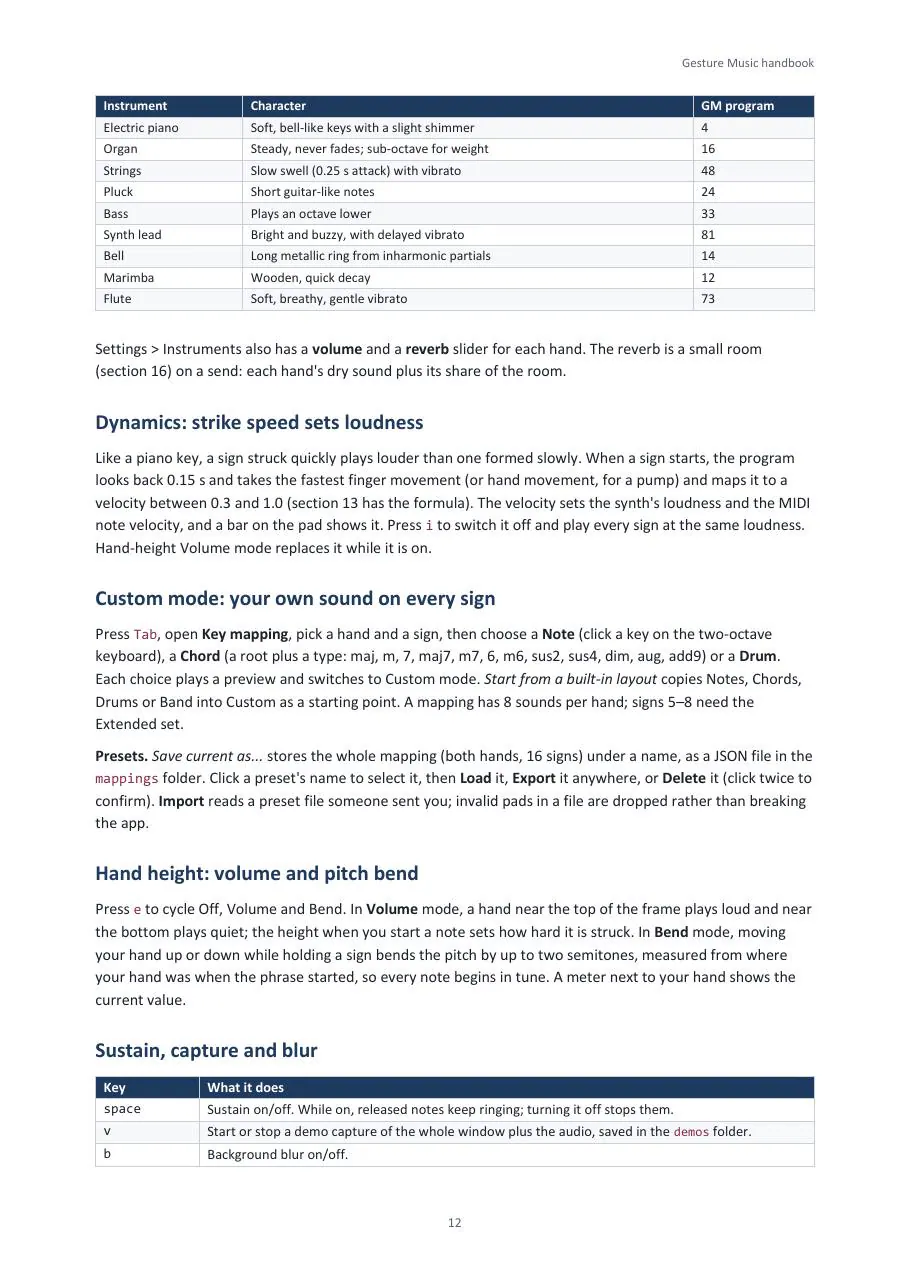
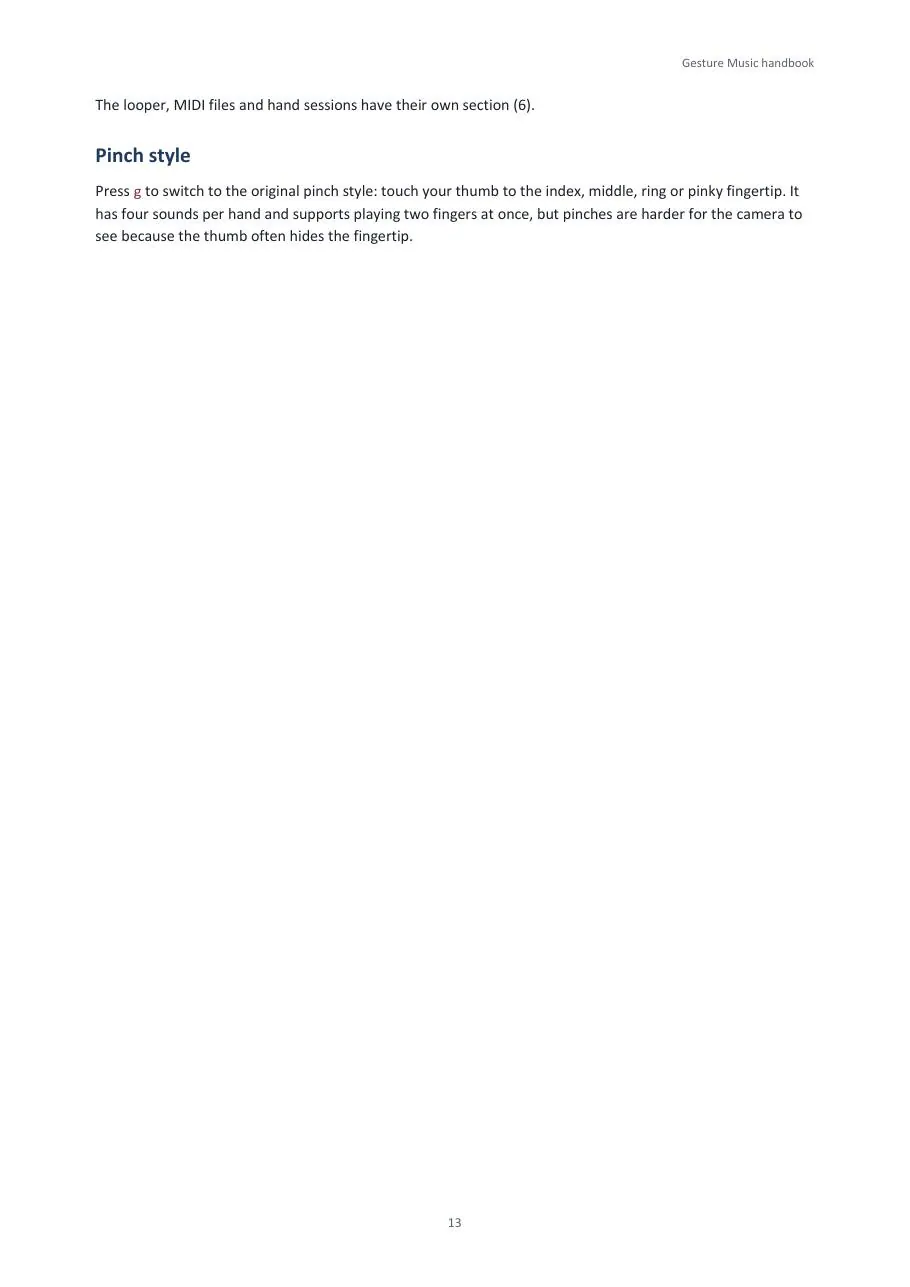
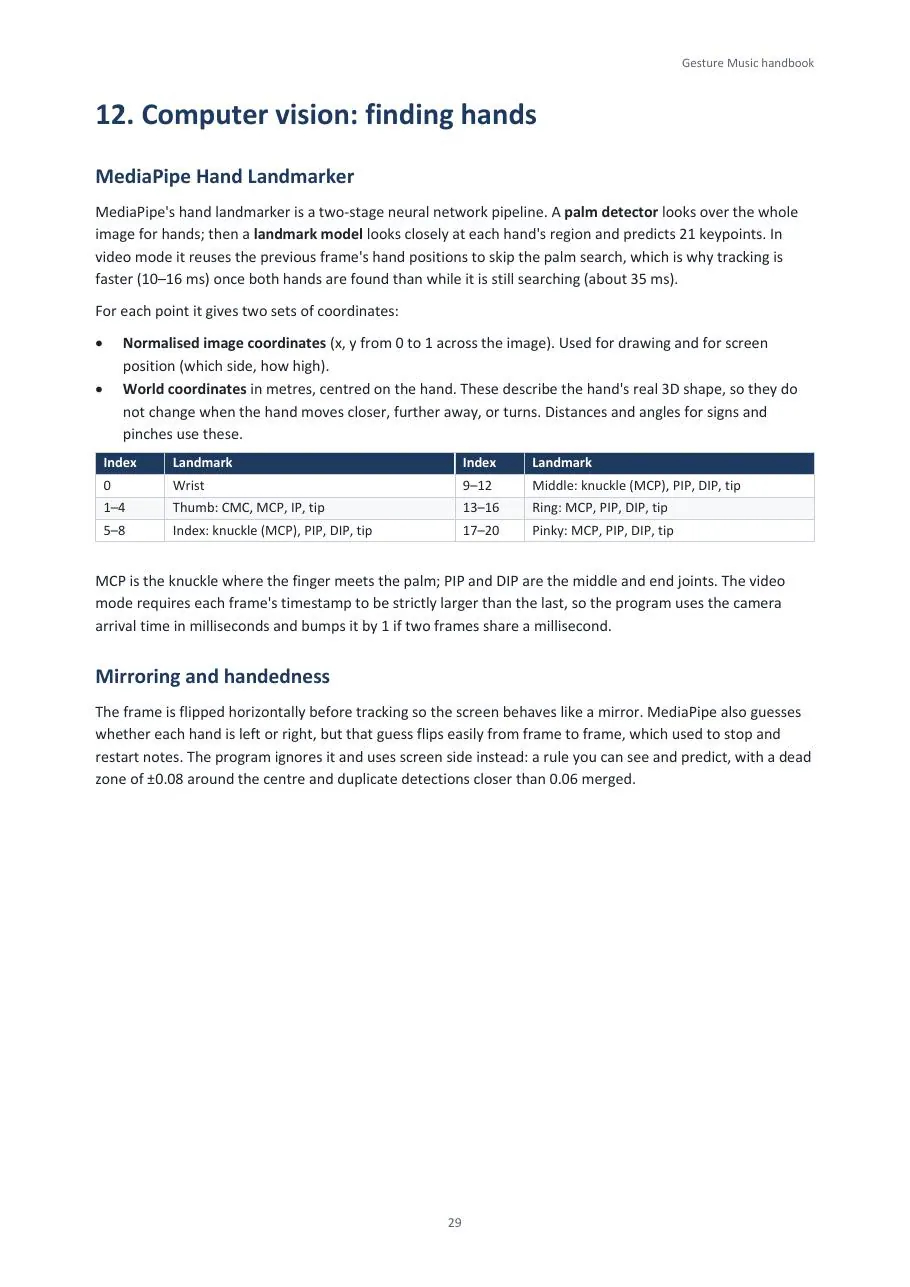
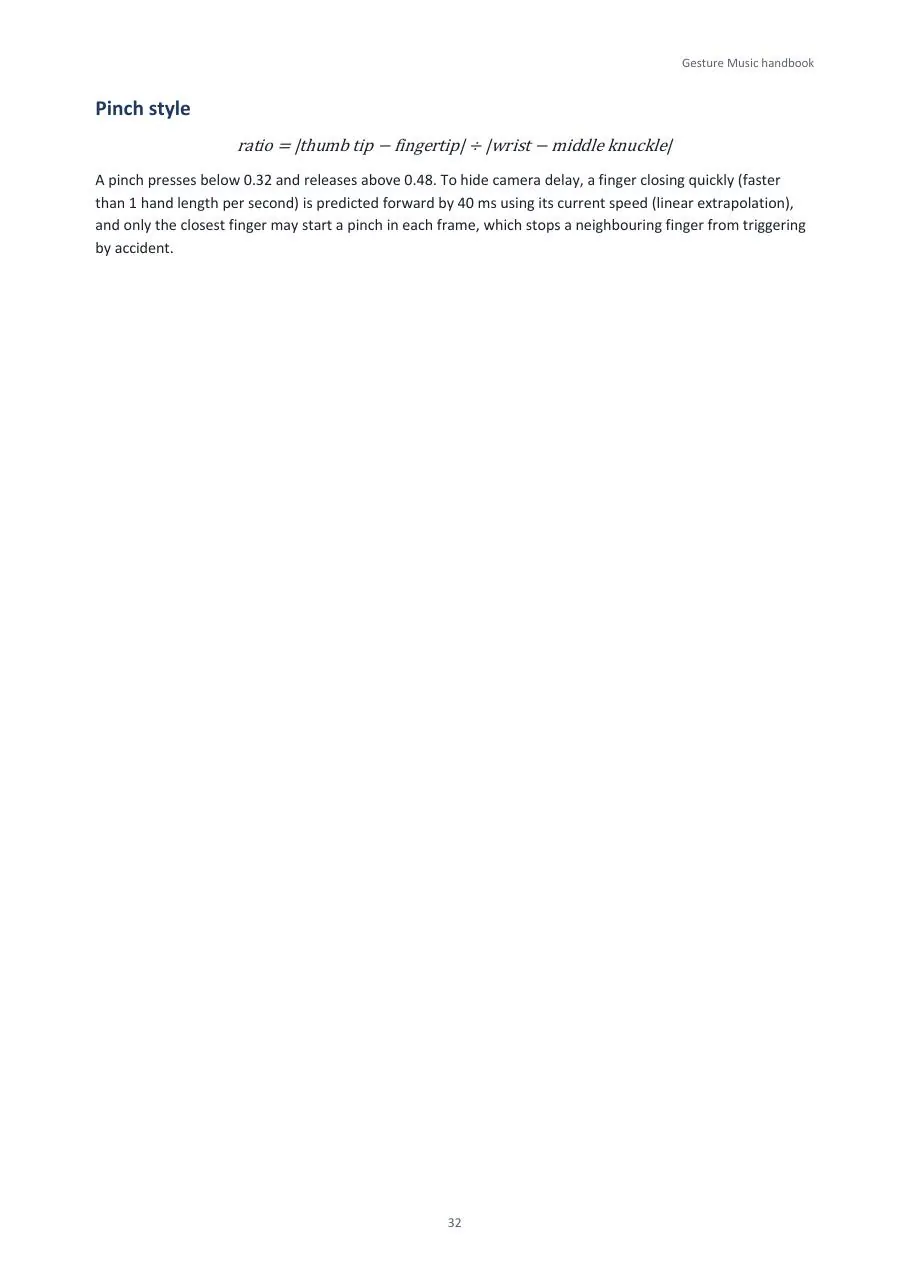
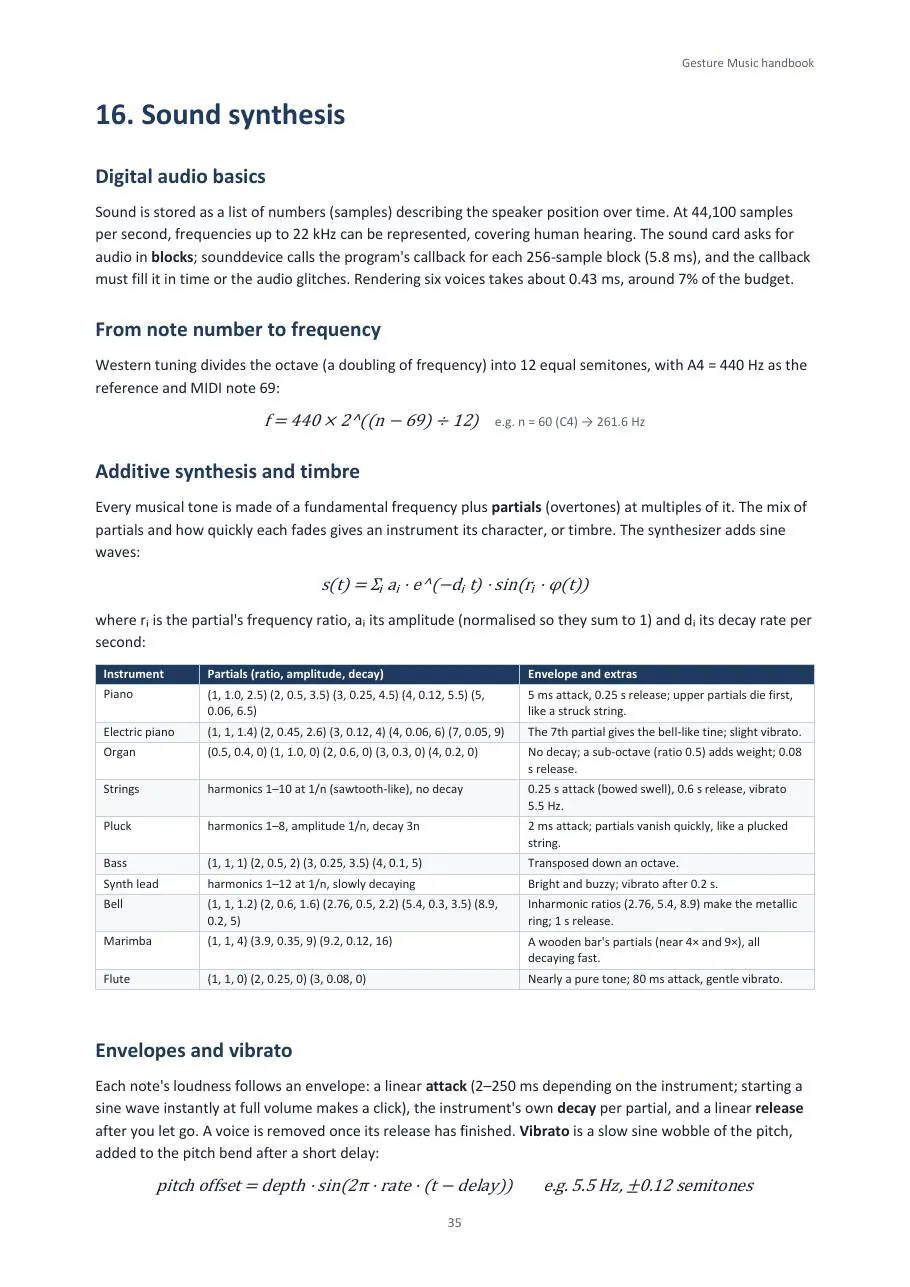
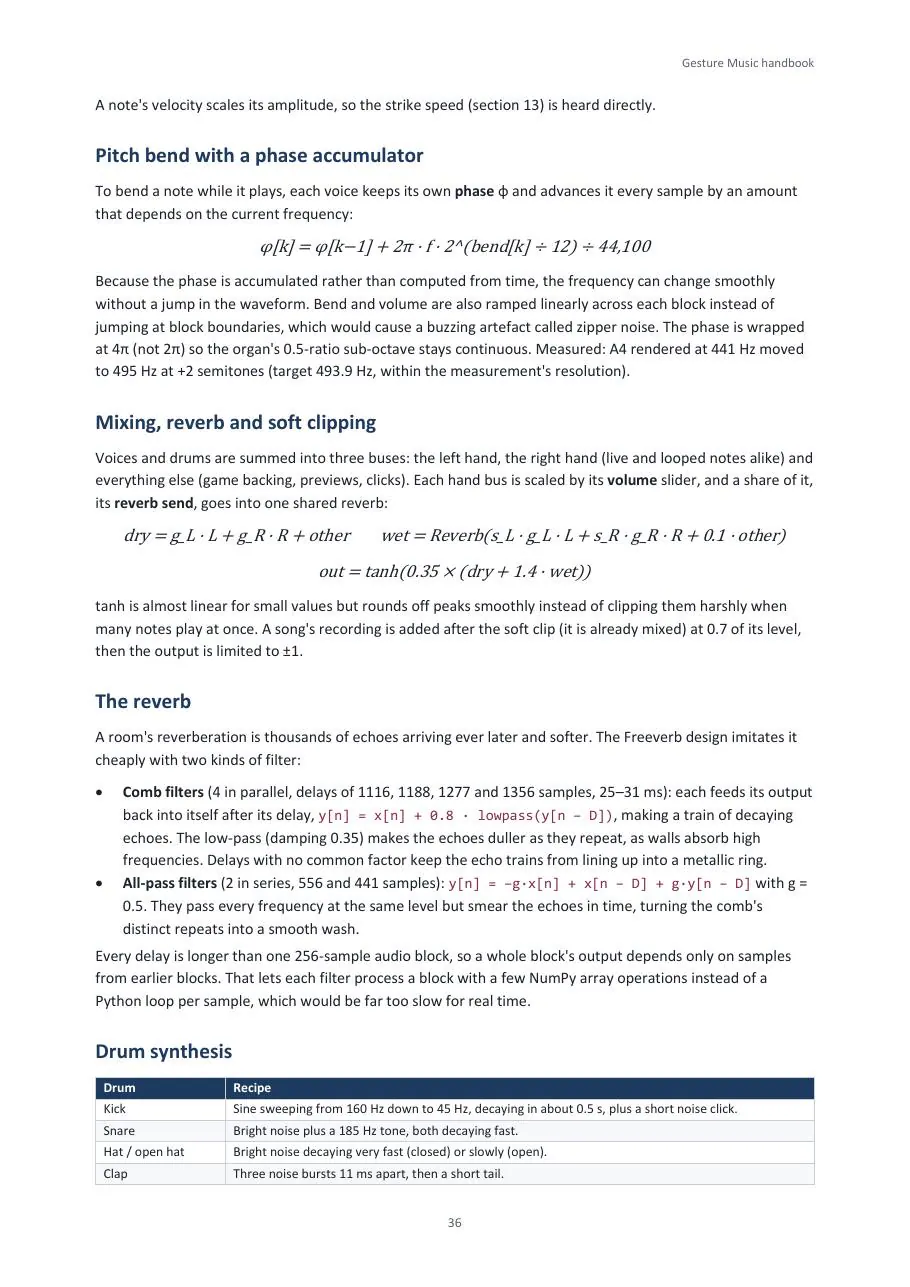
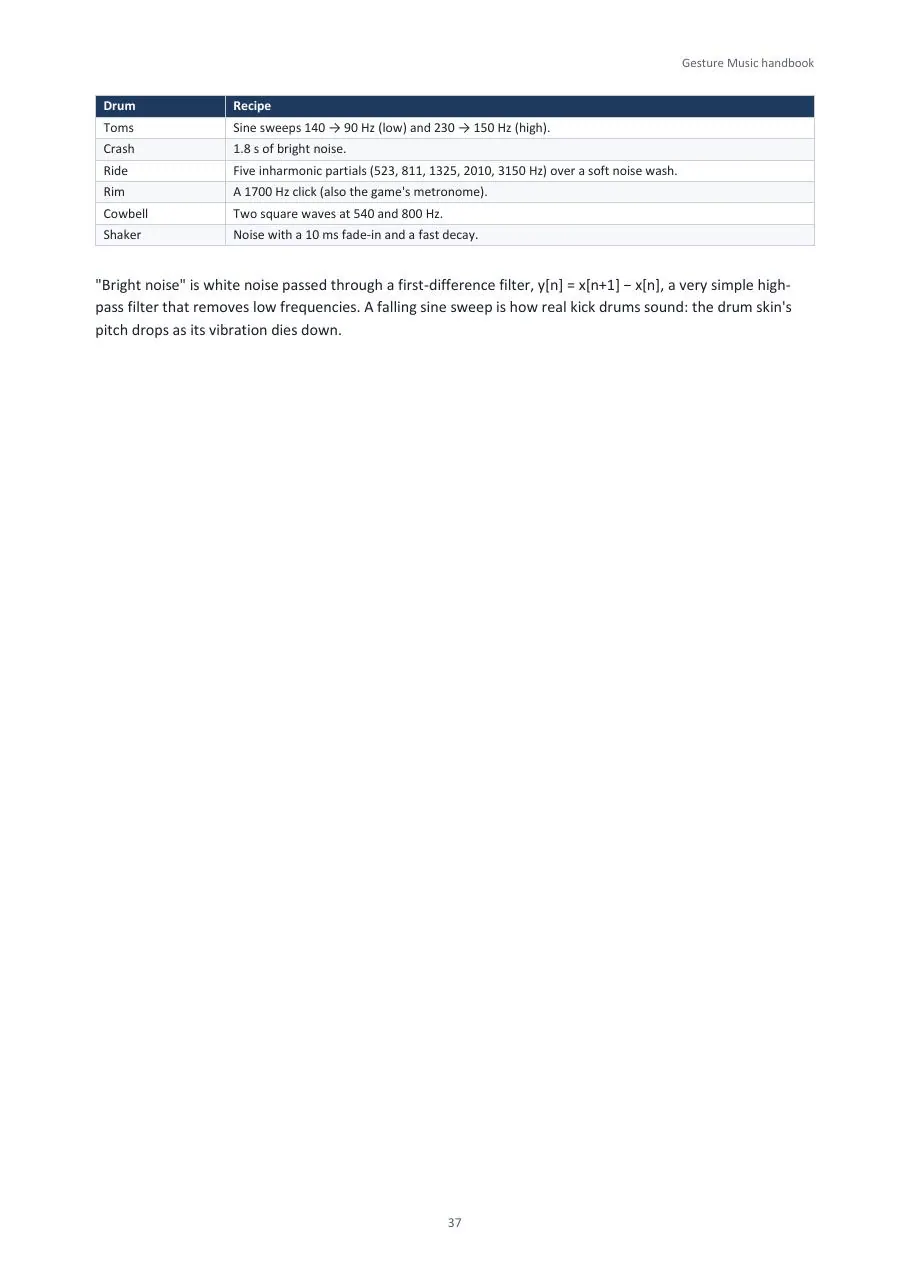
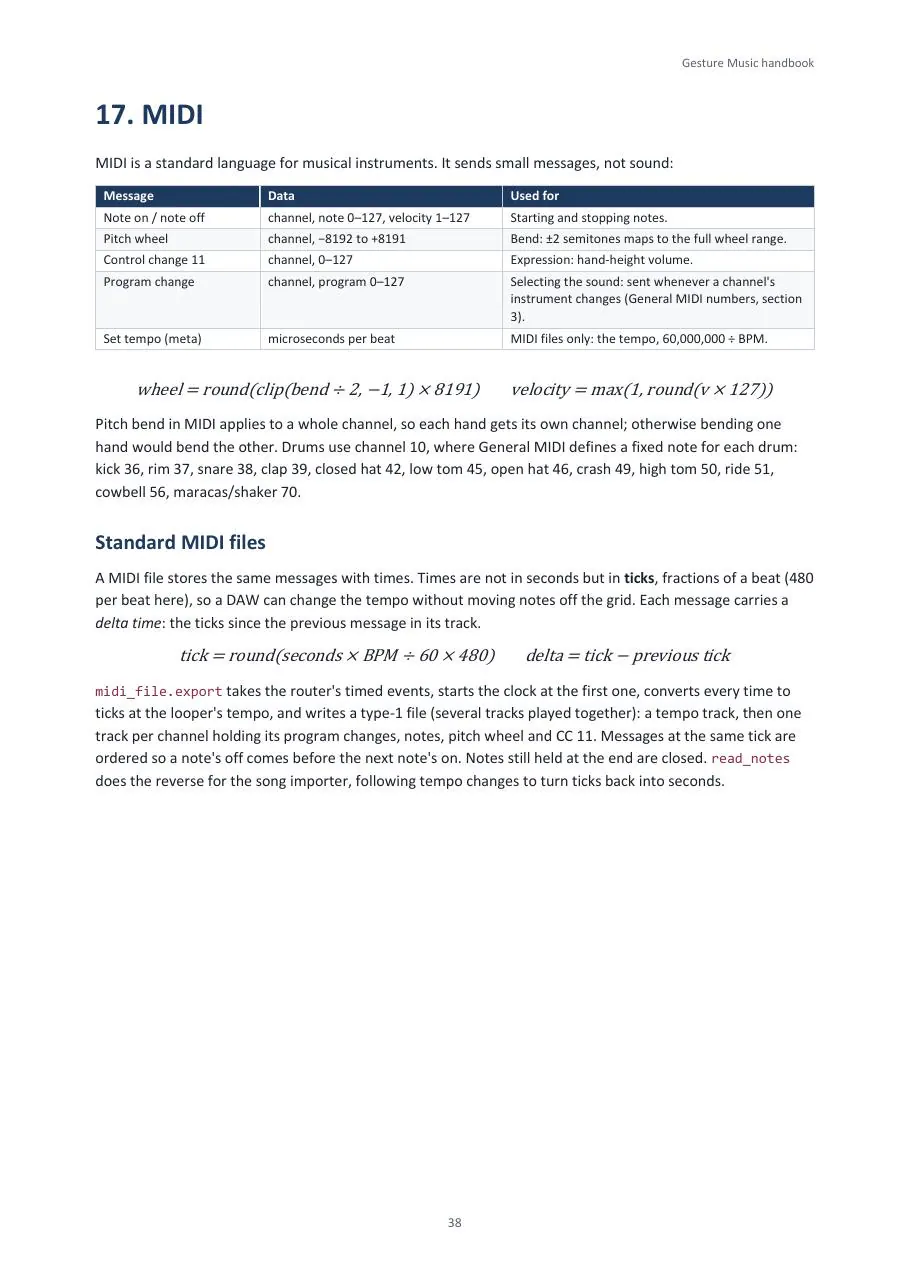
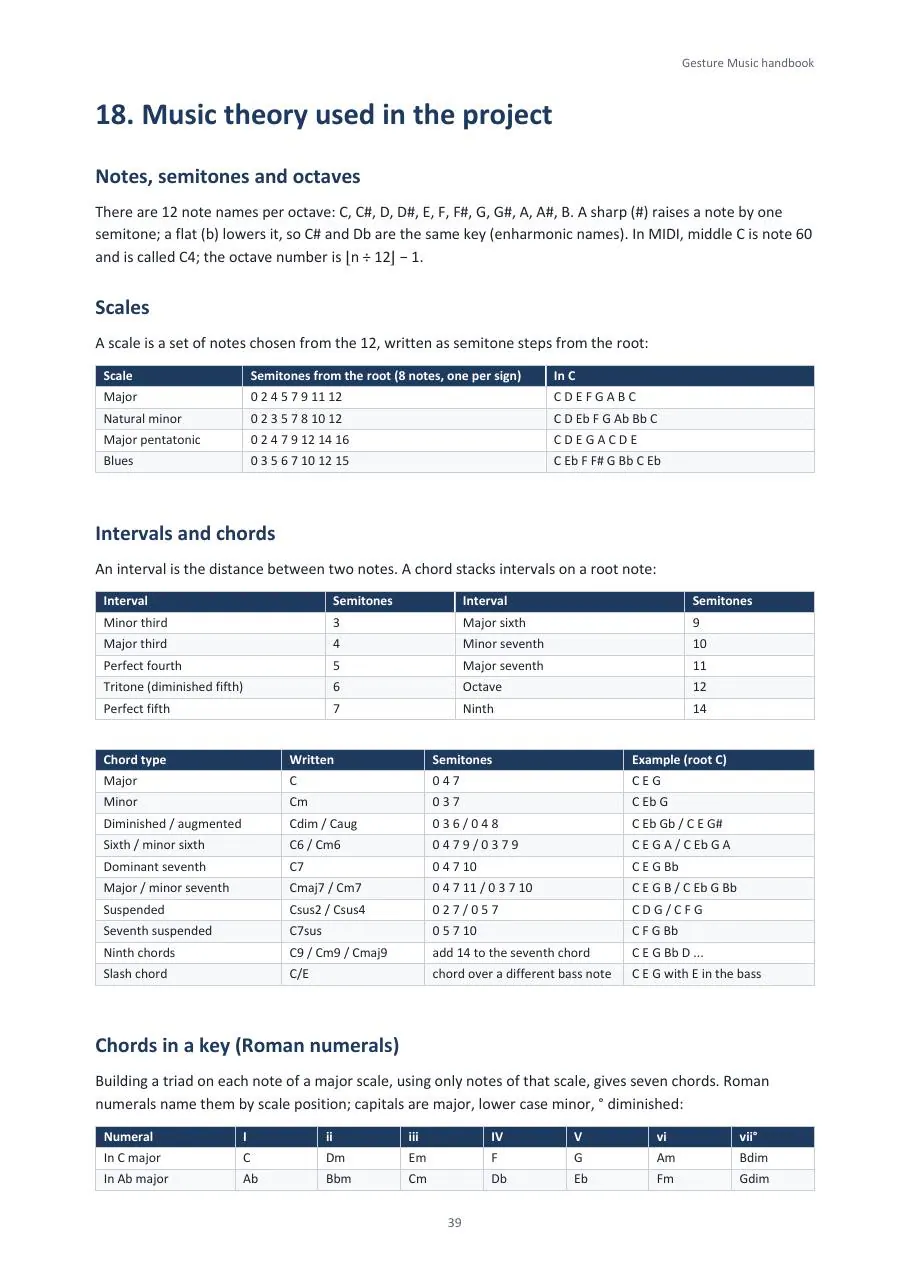
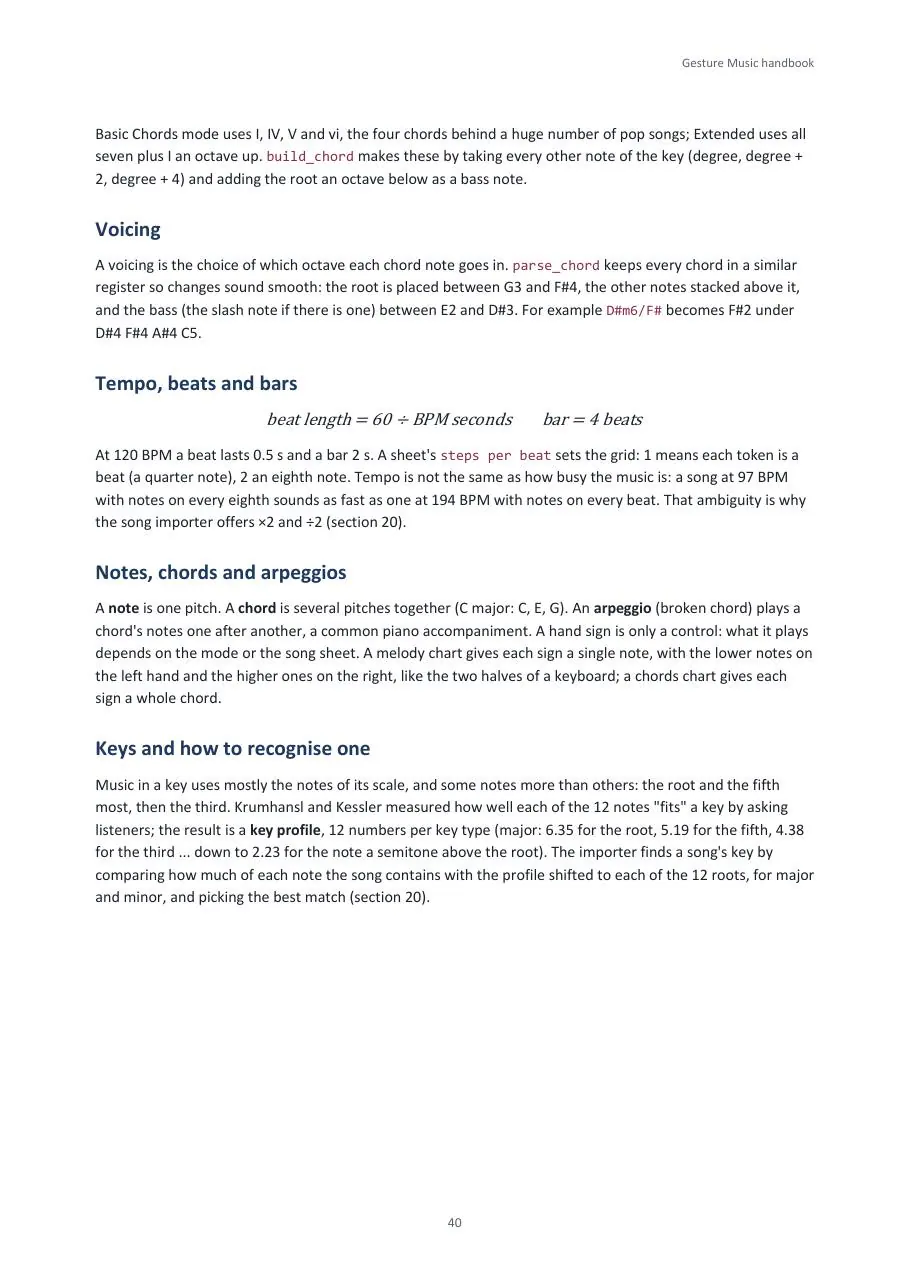
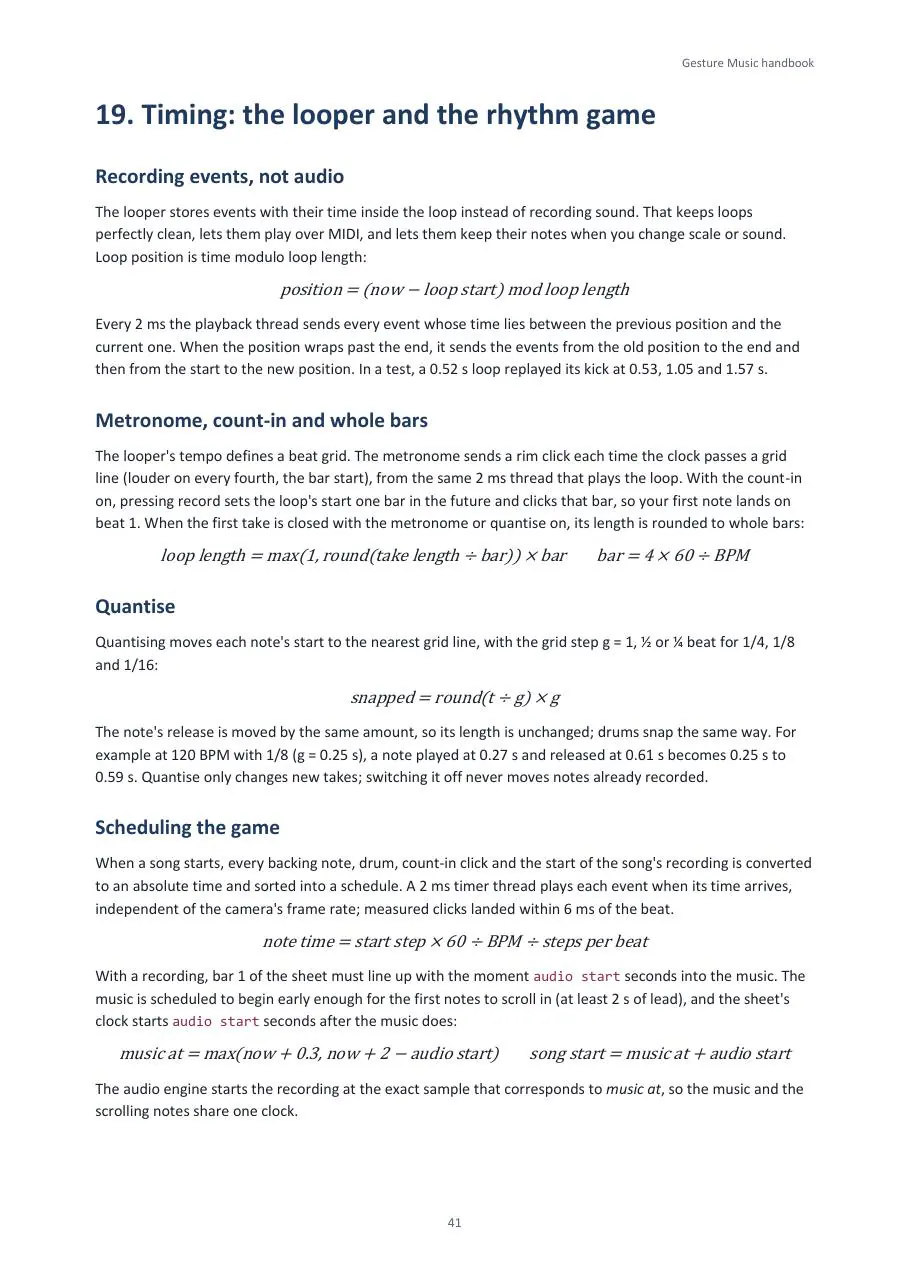
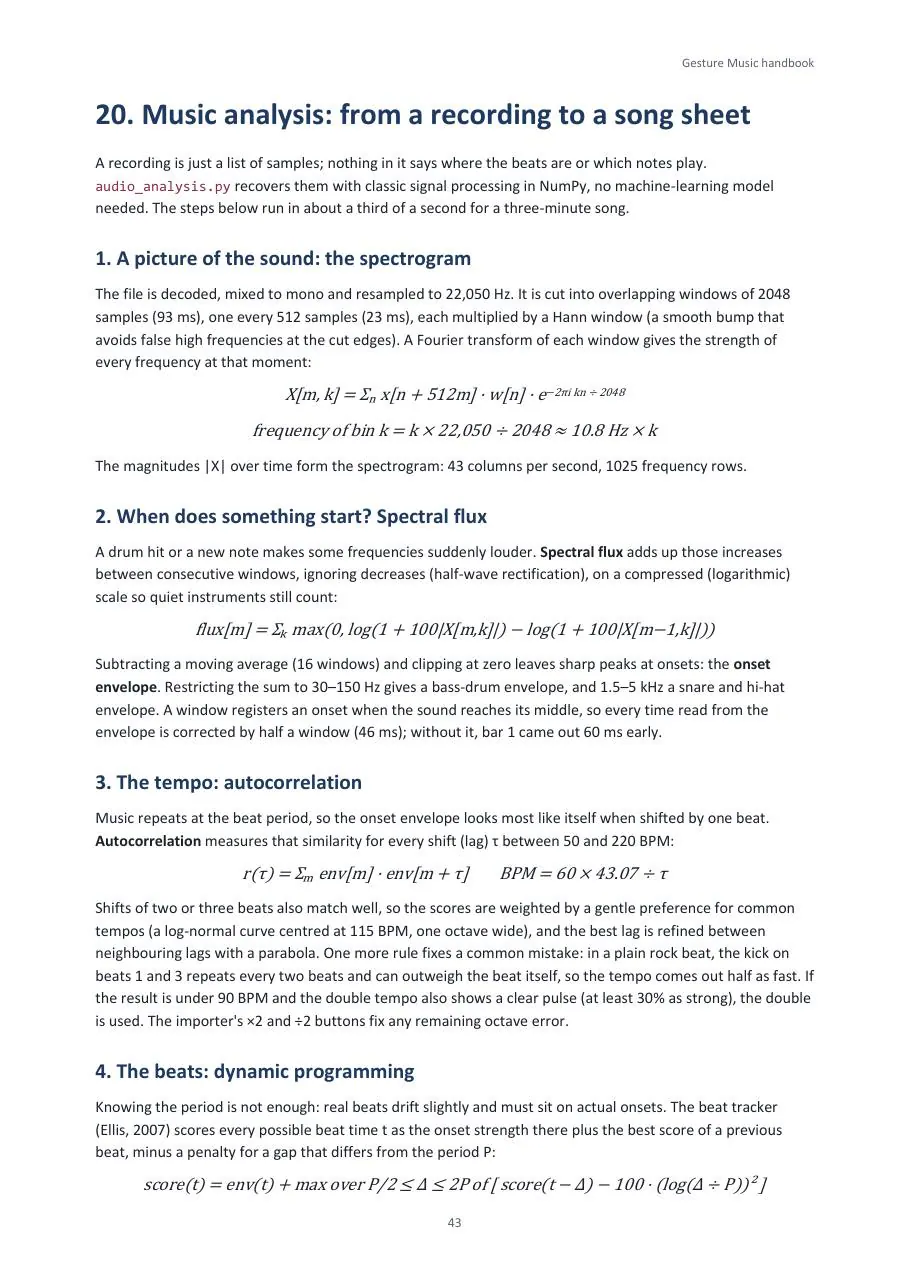
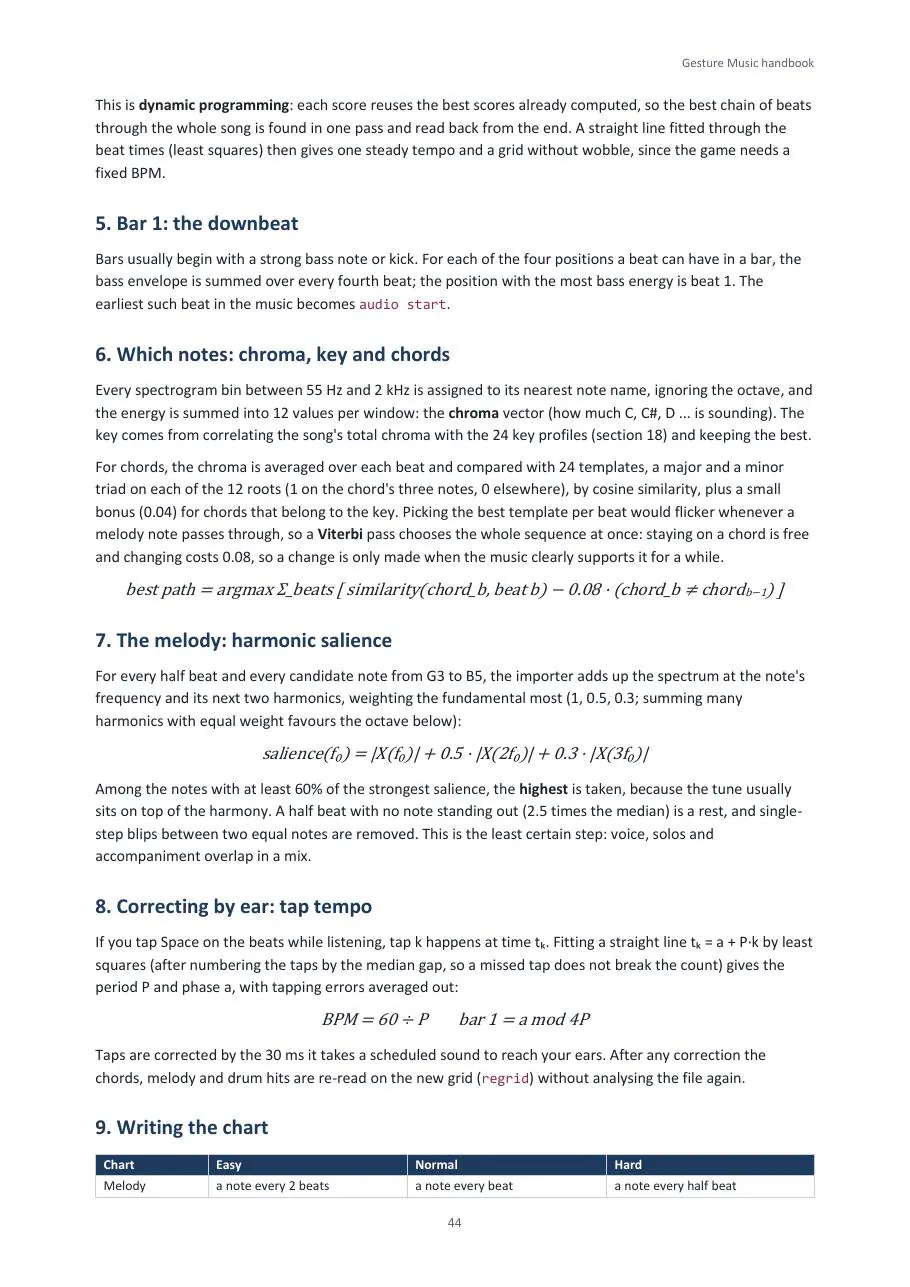
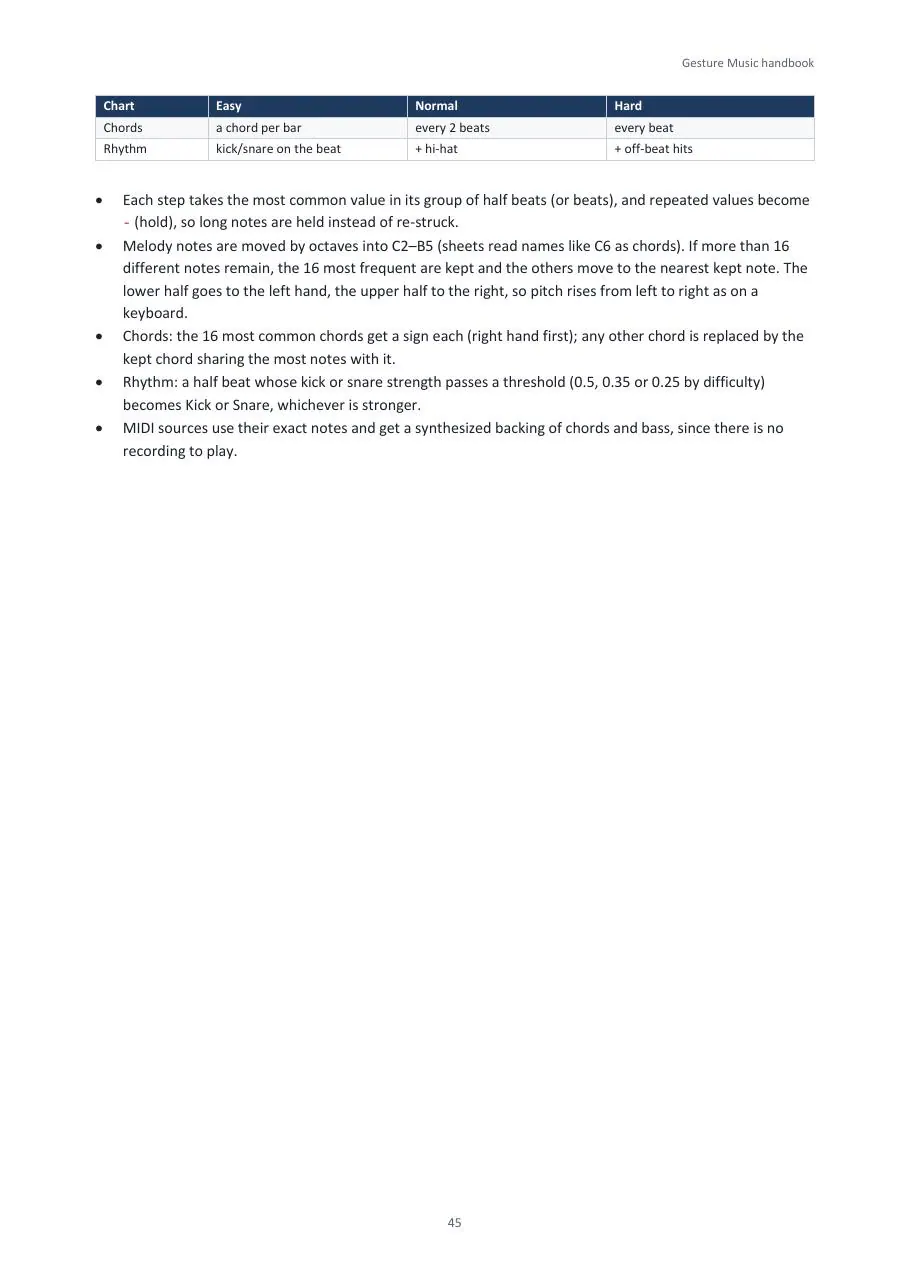
Thirteen illustrated pages first, then the full handbook: how to play, how to calibrate, how the code is built, and the theory behind it, from finger angles and smoothing filters to sound synthesis, MIDI and music analysis.
Discussion
Comments
Register with your email to join the discussion
No comments yet. Be the first to share your thoughts.